Downloadable Files
You can download the Golden Boho product for free at the end of this page.
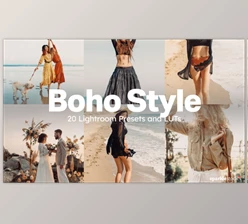
Add Warmth and Style to Every Frame
Color grading has the power to transform the mood of a photo or video. Even the most beautiful outdoor locations can appear flat if the colors are not graded correctly to reflect the warmth and atmosphere of the location. Enter Golden Boho!
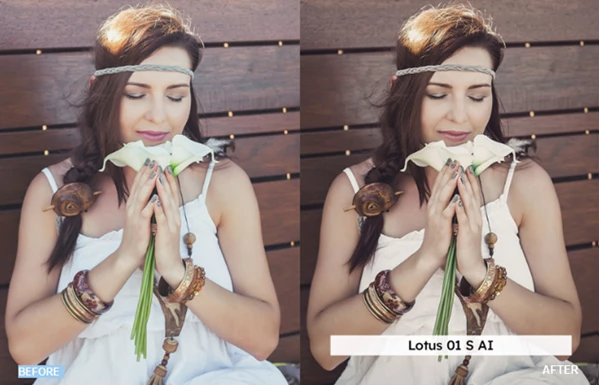
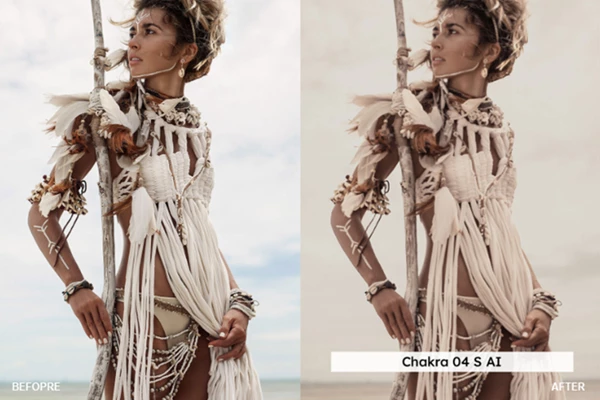
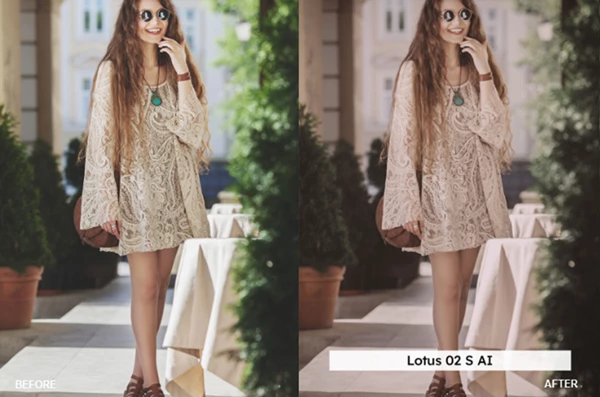
Perfect for fashion and travel photography and editing, Golden Boho features a luxurious golden color grading perfect for creating editorial fashion and lifestyle shoots. Use these presets to add the perfect atmosphere to your next project in minutes.
What Is Golden Boho and Why Does It Matter?
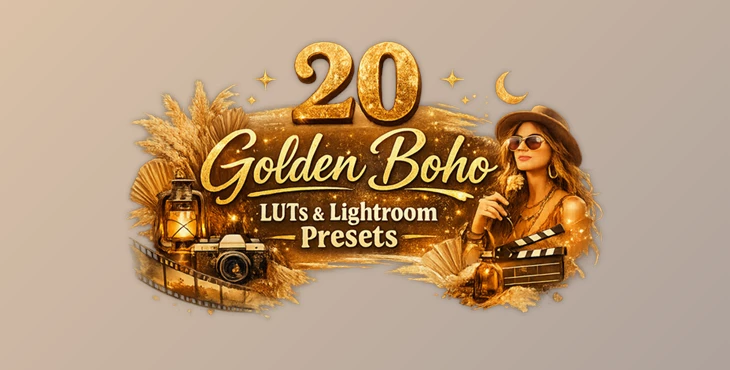
Golden Boho is a collection of professional Lightroom Presets and LUTs created to enhance images with warm golden colors while maintaining natural-looking skin tones.
Instead of spending time adjusting dozens of color settings manually, creators can apply a preset or LUT and instantly achieve a polished bohemian-inspired aesthetic.
This is especially useful for:
- Outdoor fashion photography
- Boho lifestyle shoots
- Travel photography
- Portrait sessions
- Wedding photography
- Social media content
- Cinematic videos
- Commercial fashion projects
The warm golden palette adds depth, highlights natural light, and creates an inviting atmosphere that makes images feel more emotional and visually engaging.
Meet Golden Boho
If you’re looking for an editing toolkit that works across both photography and video production, Golden Boho offers an impressive collection of professional assets.
Instead of relying on a single editing style, it provides multiple presets and LUT formats that fit almost every modern editing workflow.
Features
20 Professional Lightroom Presets
The package includes twenty Lightroom presets for both desktop and mobile devices, making it easy to edit whether you’re working in the studio or on the go.
Each preset is optimized for modern versions of Lightroom and supports Lightroom’s Preset Amount slider for flexible intensity control.
Skin Tone Protected Versions
One of the standout features is the inclusion of twenty Skin Tone Protected Presets and twenty Skin Tone Protected LUTs.
Thanks to the built-in VOXCOLOR Skin Tone Protection technology, portraits retain natural skin colors even while the environment receives dramatic golden grading.
This makes the presets ideal for professional portraits, fashion photography, and wedding projects where realistic skin tones are essential.
Professional LUT Collection
The package also contains twenty LUTs available in several professional formats:
- 3DL
- CUBE
- ICC for Capture One Pro
- MGA
- PNG
These formats allow the same cinematic look to be used across different editing software while maintaining excellent color consistency.
AI-Enhanced Lightroom Presets
The Lightroom presets utilize AI-powered adjustments to improve editing quality across a wide variety of images. Rather than applying a rigid color transformation, the presets adapt more intelligently to different lighting conditions, making them suitable for both bright outdoor scenes and softer natural light.
Smooth Color Gradients
The included VOXCOLOR SmoothTones technology helps minimize common LUT problems such as:
- Banding
- Color artifacts
- Flickering
This is especially valuable for professional video editors who need clean gradients and stable color transitions.
Wide Software Compatibility
Golden Boho works with an impressive list of creative applications, including:
- Adobe Lightroom
- Lightroom Classic
- Lightroom Mobile
- Adobe Camera Raw
- Photoshop
- Premiere Pro
- DaVinci Resolve
- Final Cut Pro
- Capture One Pro
- CapCut Desktop
- Affinity Photo
- Darktable
- OBS Studio
- Filmora
- Vegas Pro
- Nuke
- Avid Media Composer
- Spark AR Studio
- VN Video Editor
- CyberLink ColorDirector
This flexibility allows creators to maintain the same visual style across photography and video projects.
Tips for Better Results
Start with Well-Exposed Images
Golden tones perform best when your original image has balanced exposure. Avoid heavily underexposed photos whenever possible.
Use Skin Tone Protected Versions for Portraits
If people are the focus of your project, choose the Skin Tone Protected versions to preserve natural facial colors while still enjoying the warm cinematic atmosphere.
Adjust Preset Strength
Don’t hesitate to reduce the preset intensity using Lightroom’s Preset Amount slider. Sometimes applying the effect at 70–90% creates the most natural-looking results.
Match Your Entire Project
Use the same preset family throughout a photo gallery or video sequence. Consistent color grading gives your work a much more professional appearance.
Fine-Tune White Balance
After applying a preset, a small white balance adjustment can perfectly match the lighting conditions of your original image and make the golden tones feel even more authentic.
Final Thoughts
Whether you’re editing bohemian fashion shoots, outdoor portraits, travel adventures, or cinematic videos, Golden Boho provides an efficient way to achieve warm, elegant color grading without lengthy manual adjustments.
With AI-enhanced Lightroom presets, professional multi-format LUTs, advanced skin tone protection, smooth color rendering, and broad software compatibility, it fits naturally into both photography and video production workflows.
If you’re looking for an easy way to create rich golden visuals while maintaining consistent professional quality, Golden Boho is a collection worth exploring.

Files Password : gfxplugin.com OR 123456