Downloadable Files
You can download the Flow Navigation Pro for free at the end of this page.
🚀 Navigate Your 3D Scene Without Extra Hardware
Navigating within 3D software packages requires orbiting, panning, zooming, and rotating the view of your 3D scene. While various navigation devices are available, they come with additional hardware and often require an investment of time to become familiar with their features.
Flow Navigation Pro allows you to use your existing mouse, pen tablet, or laptop to navigate your 3D scene with the click of a single customizable key. This eliminates the need for additional navigation hardware while significantly reducing the time required to learn how to effectively use its features.
Whether you are engaged in modeling, sculpting, animating, or exploring your scene, Flow Navigation Pro will significantly reduce your frustrations caused by navigating your scene.
🎯 Why Smart Navigation Matters
Efficient navigation is one of the most overlooked aspects of a productive 3D workflow. Every second spent searching for the right viewpoint adds up over the course of a project.
Instead of memorizing complicated shortcuts or reaching for dedicated hardware, modern navigation tools let you control your camera using simple gestures that quickly become second nature.
Imagine rotating around a detailed character model, zooming into tiny mechanical parts, or panning across a large architectural scene—all without moving your hand away from your preferred input device. These small improvements make editing feel smoother and allow you to spend more time designing rather than navigating.
Because movement becomes more fluid, it’s easier to inspect details, position objects accurately, and maintain creative momentum throughout the project.
✨ Meet Flow Navigation Pro
Flow Navigation Pro is a professional navigation tool that replaces traditional 3D navigation hardware by giving you complete control through customizable keyboard and mouse gestures.
Instead of forcing a predefined layout, the plugin lets you decide exactly how every movement should behave. You can bind Flow to virtually any keyboard key or mouse button and assign your own navigation actions for different gestures.
The result is a navigation experience that adapts to your workflow instead of forcing you to adapt to it.
Features
Complete 6DOF Navigation
Enjoy smooth orbiting, panning, zooming, and rolling using your existing mouse, pen tablet, or laptop. There’s no need for additional hardware to achieve fluid camera control.
Fully Customizable Controls
Choose any key or mouse button to activate Flow. Every gesture can be mapped exactly the way you prefer, allowing you to create a navigation system that feels completely natural.
Flexible Gesture Mapping
Beyond basic camera movement, you can assign actions such as:
- Orbit
- Zoom
- Pan
- Roll
- Focus
- Align
- Snap
- Custom operators
Each button can have its own behavior, giving experienced users enormous flexibility.
Works With Your Favorite Input Device
Whether you work with a traditional mouse, a graphics tablet, or a laptop trackpad, Flow Navigation Pro provides the same intuitive navigation experience.
Faster Creative Workflow
Because your navigation controls remain under one customizable key, switching between different camera movements becomes almost effortless. This reduces interruptions and keeps your attention on your scene rather than on keyboard shortcuts.
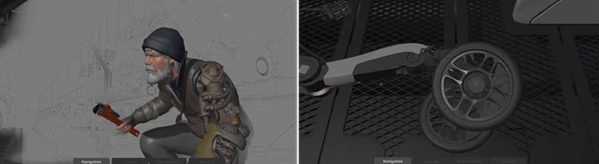
For example, while refining a detailed vehicle model, you can instantly orbit around the body, zoom into small components, roll the camera for better viewing angles, and focus on specific objects without changing devices or breaking your workflow.
💡 Tips for an Even Better Workflow
Getting comfortable with Flow Navigation Pro only takes a little experimentation.
These practical tips can make your workflow even smoother:
- Choose a key that’s easy to reach without changing your hand position.
- Create gesture layouts that match your natural mouse movements.
- Assign frequently used operations like Focus or Align to quick gestures.
- Keep similar navigation actions grouped together to build muscle memory faster.
- Spend a few minutes customizing your setup before starting large projects—you’ll save much more time later.
As your habits develop, navigation becomes almost automatic, allowing you to focus entirely on modeling, animation, or scene composition.
🎬 Final Thoughts
Navigation is something every 3D artist does thousands of times during a project, so even small improvements can have a huge impact on productivity.
Flow Navigation Pro replaces complicated navigation workflows and expensive hardware with a flexible system built around the devices you already use. Its customizable gestures, full 6DOF control, and user-defined shortcuts help make scene navigation faster, smoother, and far more enjoyable.
If you’re looking for a cleaner, more efficient way to move through your 3D scenes, Flow Navigation Pro is a workflow upgrade that’s well worth exploring.

Files Password : gfxplugin.com OR 123456