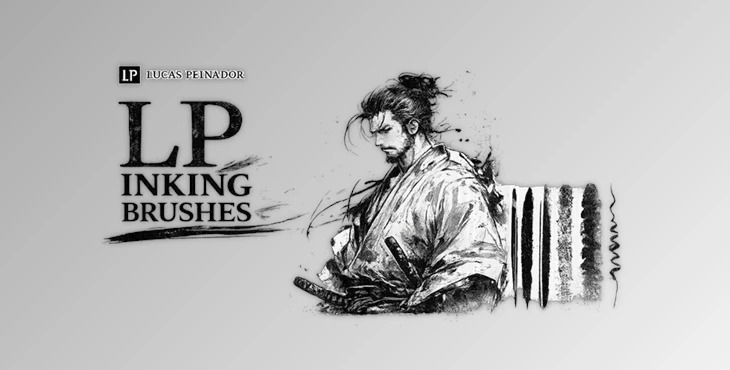
Downloadable Files
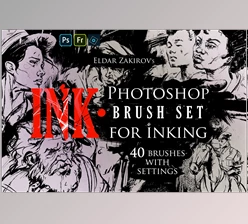
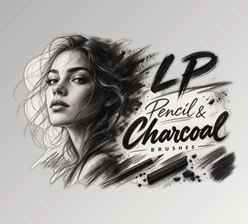
You can download the LP Inking Brushes for free from the end of this page.
Bring Traditional Ink Feel to Your Digital Canvas
If you’ve ever dreamed of having the charm and aesthetics of real ink on your digital artwork, the LP Inking Brushes are the ultimate collection of digital brushes that will give your artwork that traditional ink feel.
These digital brushes are perfect for comic book artists looking to create comic panels, concept artists who want to produce concept art, illustrators looking to create their next great character, or even artists participating in Inktober challenges.
What Makes Digital Inking So Powerful?
Digital inking is the process of creating clean line art, expressive brush strokes, realistic ink washes, and rich textures using specialized brushes inside drawing software.
Unlike standard brushes, professional inking brushes are carefully designed to simulate real-world tools such as:
- Fountain pen nibs
- Brush pens
- Flat ink brushes
- Ink washes
- Paper textures
- Ink smudging effects
These realistic behaviors help artists produce illustrations that feel handcrafted instead of overly digital. For example:
- Comic artists can create bold outlines with pressure-sensitive nib pens.
- Concept artists can quickly build dramatic shadows using ink wash brushes.
- Character designers can add organic textures that make illustrations feel more alive.
- Manga artists can combine line work and smudge effects to create expressive scenes with minimal effort.
The result is artwork that looks richer, more natural, and much closer to traditional ink illustrations.
Meet LP Inking Brushes
LP Inking Brushes is a complete digital inking toolkit featuring more than 50 professionally designed brushes for Procreate, Adobe Photoshop, and Clip Studio Paint.
Instead of switching between multiple brush packs, you get an organized collection that covers nearly every stage of the inking workflow—from sketch refinement to final textures.
One of its biggest strengths is that every brush was created using hand-painted ink on real paper before being scanned at ultra-high resolution. This gives every stroke authentic imperfections and natural texture that are difficult to reproduce with ordinary digital brushes.
The package also includes detailed learning resources, making it suitable for both beginners and experienced illustrators.
Features
Complete Professional Brush Library
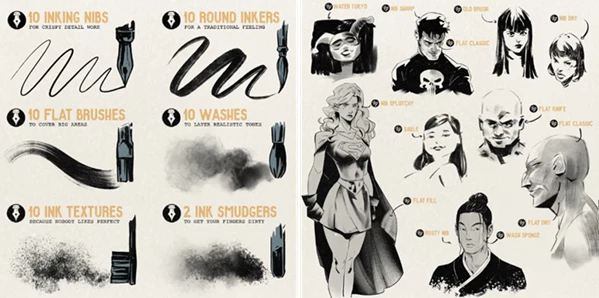
The package includes over 50 premium brushes, organized into categories such as:
- 10 Nib Pen Brushes
- 10 Round Ink Brushes
- 10 Flat Ink Brushes
- 10 Ink Wash Brushes
- 10 Ink Texture Brushes
- 2 Ink Smudge Brushes
This variety allows artists to move through the entire illustration process without changing brush packs.
Authentic Traditional Ink Textures
Every brush is based on real ink applied to physical paper. These genuine textures add subtle imperfections, grain, and natural variation that instantly make digital illustrations feel more organic and visually appealing.
Cross-Software Compatibility
The brush collection works seamlessly with:
- Procreate (Version 5 or newer)
- Adobe Photoshop (CS6 or newer)
- Clip Studio Paint (Version 1.11.8 or newer)
Artists who work across multiple programs can maintain a consistent drawing style without rebuilding their brush library.
Educational Resources Included
Along with the brushes, you’ll receive:
- A complete PDF guide explaining the character inking workflow
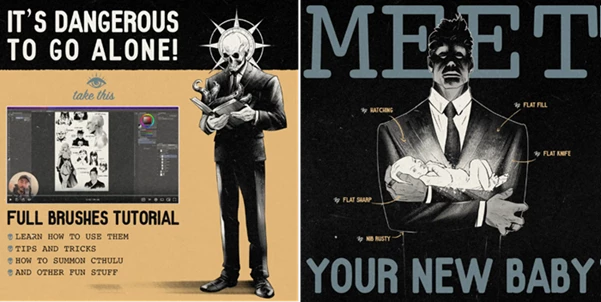
- A full video tutorial demonstrating how to use every brush effectively
These resources help artists learn professional techniques much faster.
Designed for Many Creative Projects
LP Inking Brushes are suitable for a wide range of creative work, including:
- Comic books
- Manga illustrations
- Character concept art
- Children’s books
- Storyboards
- Fantasy illustrations
- Editorial artwork
- Inktober challenges
- Digital sketchbooks
Its versatility makes it useful for both hobbyists and professionals.
Tips for Better Digital Inking
For the best results using LP Inking Brushes, use each of the brush sets at some point throughout your project instead of only using one brush set.
For example, start with the nib pens to create your character design’s lines. Switch to the round brushes to add a bit of variation to the lines. Use the ink wash brushes to create shadows. Use the texture brushes to add a bit more to your digital artwork.
Do not strive to have perfectly smooth lines with your digital artwork, as this may look unnatural.
Allow for slight imperfections in your digital projects to give your artwork a more authentic feel.
Experiment with the pressure sensitivity of your drawing tablet’s stylus to create thick and thin lines within your artwork to give it a more expressive feel.
Lastly, use the smudge brushes sparingly in your projects.
Final Thoughts
LP Inking Brushes offers much more than a standard collection of digital brushes. It combines authentic ink textures, a complete professional workflow, cross-platform compatibility, and detailed tutorials into one versatile toolkit.
Whether you’re creating comics, illustrations, concept art, or personal sketches, these brushes help transform clean digital strokes into artwork with the warmth and personality of traditional ink.
If you’re looking for an easy way to improve your digital line work while maintaining a natural artistic style, LP Inking Brushes is a valuable addition to your creative toolbox.

Files Password : gfxplugin.com OR 123456