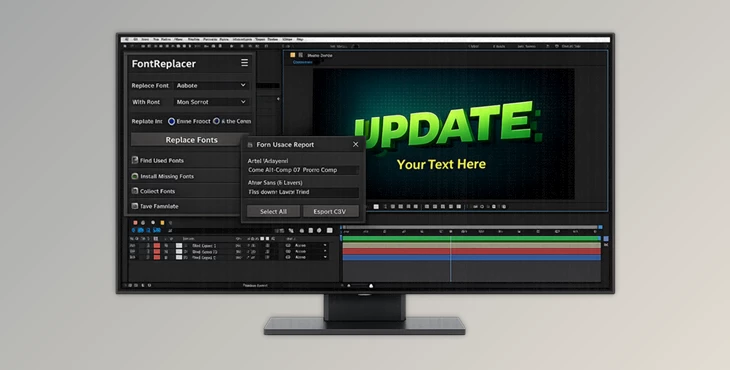
Downloadable Files
You can download FontReplacer for free at the end of this page.
Stop Wasting Time Replacing Fonts by Hand
Working on an Adobe After Effects project with dozens of compositions and hundreds of text layers can quickly become frustrating when a client asks for a different typeface. Manually replacing fonts across every composition, animated text layer, and expression is not only slow—it also increases the chance of missing something important.
FontReplacer is designed to eliminate that problem. Instead of hunting through your project layer by layer, it automatically finds every font used in your compositions and lets you replace them across the entire project with just a few clicks. Whether you’re working on motion graphics, broadcast packages, templates, or client revisions, it keeps your typography consistent while saving valuable production time.
Why Project-Wide Font Management Matters
Fonts are more than visual decoration—they define the personality, readability, and branding of a motion graphics project. As projects grow larger, typography becomes increasingly difficult to manage.
Imagine receiving a corporate branding update where every title, lower third, and animated caption must switch to a new font family. Doing this manually could take hours, especially if your project contains multiple compositions and animated Source Text keyframes.
A professional font management workflow helps you:
- Keep typography consistent across every composition.
- Avoid missing hidden text layers or expressions.
- Update branding within minutes instead of hours.
- Preserve animation while changing typography.
- Organize fonts for collaboration and project archiving.
This is exactly where FontReplacer becomes incredibly useful.
FontReplacer Makes Typography Updates Effortless
Instead of acting as a simple font replacement utility, FontReplacer works as a complete font management system inside Adobe After Effects.
It scans your project, identifies every font in use, allows live previews before replacement, fixes font names inside expressions, installs missing fonts, collects all used font files, and even creates reusable font-mapping templates.
Whether you’re updating client branding, editing purchased templates, or preparing projects for handoff, the entire workflow becomes significantly faster and safer.
Features
Project-Wide Font Replacement
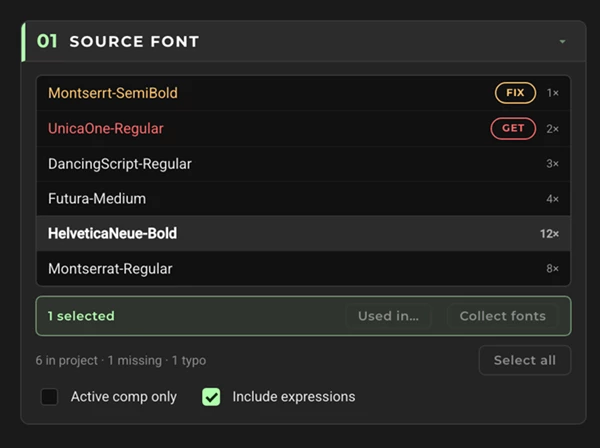
Replace one or multiple fonts throughout your entire project—or limit changes to the active composition.
Instead of opening every composition manually, FontReplacer automatically finds every matching font and updates it in one operation while keeping your project organized. Perfect for:
- Corporate branding updates
- Motion graphics packages
- Template customization
- Broadcast graphics
Live Font Preview
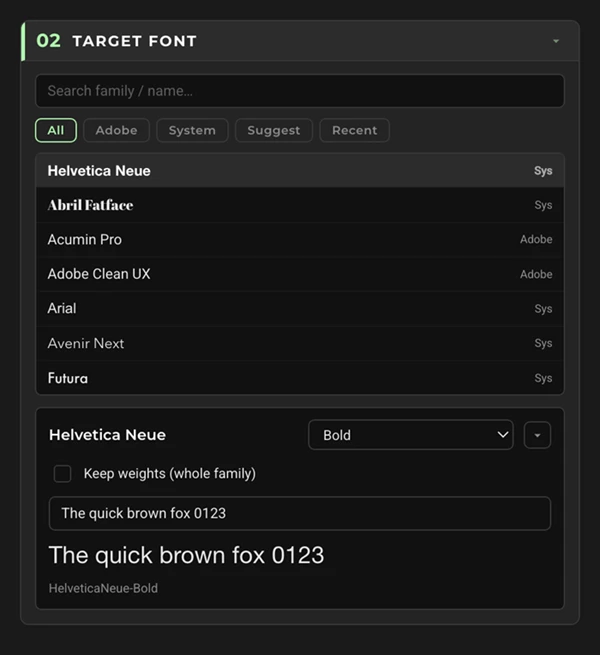
Before committing any changes, you can preview how the replacement font will look. This makes it much easier to compare different font families and styles without repeatedly undoing changes.
Smart Font Suggestions
Finding an alternative font becomes much easier thanks to intelligent recommendations. FontReplacer compares fonts using both naming similarity and visual characteristics, helping you discover replacements that closely match the original design.
Keep Font Weight Automatically
Changing a font shouldn’t destroy your typography hierarchy. When replacing fonts, the plugin automatically maps styles such as:
- Bold
- Light
- Regular
- Medium
- Black
This preserves visual consistency throughout your project without requiring manual corrections.
Full Support for Animated Text
Many font replacement tools ignore animated text. FontReplacer works with:
- Source Text keyframes
- Text animations over time
- Mixed animated typography
Your animations remain intact while the typography updates correctly.
Replace Fonts Inside Expressions
Some After Effects projects reference font names inside Source Text expressions.
FontReplacer can automatically rewrite those font names and even repair spelling mistakes that would otherwise cause broken expressions.
This is especially valuable when working with advanced templates or automation systems.
Handle Mixed-Font Text Layers
Many text layers contain multiple fonts within the same paragraph. Instead of replacing only the primary font, FontReplacer detects individual character formatting and replaces each character correctly while preserving the rest of the styling.
Install Missing Fonts Without Leaving After Effects
Missing fonts often interrupt production. FontReplacer lets you search and install fonts directly from multiple free font libraries, including Adobe Fonts, Google Fonts, Fontsource, and Fontshare, without leaving After Effects. You can also browse your own licensed font folders when needed.
Collect Every Font Used in the Project
Preparing projects for clients or collaborators becomes much easier. The Collect feature gathers:
- Every font used in the project
- Font files in one folder
- CSV usage reports
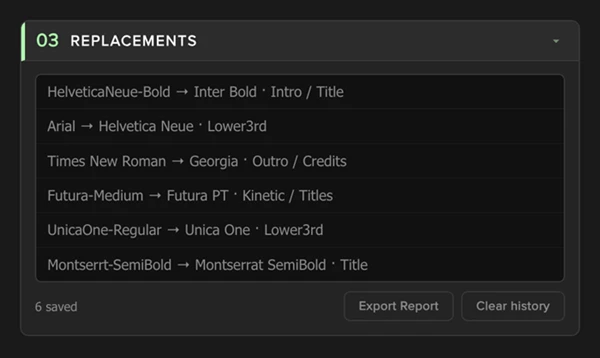
- Replacement history
This is particularly useful when archiving projects or transferring them to another designer.
Save Reusable Font Templates
Many studios use the same font replacements repeatedly. FontReplacer allows you to create reusable font mapping templates so future projects can be updated with a single click instead of rebuilding replacement rules from scratch.
Professional Tips for Better Results
Before replacing fonts across a large project, preview the new typeface on several important compositions to ensure spacing and readability remain consistent.
If you’re customizing purchased After Effects templates, create a reusable font template for your brand. Future projects can then be updated almost instantly.
Use the Collect feature before delivering projects to clients or team members. Providing all required fonts together with the replacement report reduces compatibility issues and prevents missing font warnings.
When switching to a different font family, review long paragraphs and titles after replacement, as some fonts occupy more horizontal space than others.
Finally, take advantage of the built-in font suggestions instead of selecting random alternatives. Similar font metrics often produce cleaner layouts with minimal adjustments.
Final Thoughts
Replacing fonts in text fields is one of the most common tasks requested of motion graphics designers. However, the time required to complete this task is often more than is expected of the designer.
FontReplacer streamlines the process of changing fonts in After Effects. With FontReplacer installed, designers can replace fonts project-wide, with animated text, in expressions, with missing fonts, save templates, and collect all fonts used in their projects.
Whether you are working on a client project or a template for sale on After Effects marketplaces, FontReplacer will help you work faster and with more accuracy.

Files Password : gfxplugin.com OR 123456