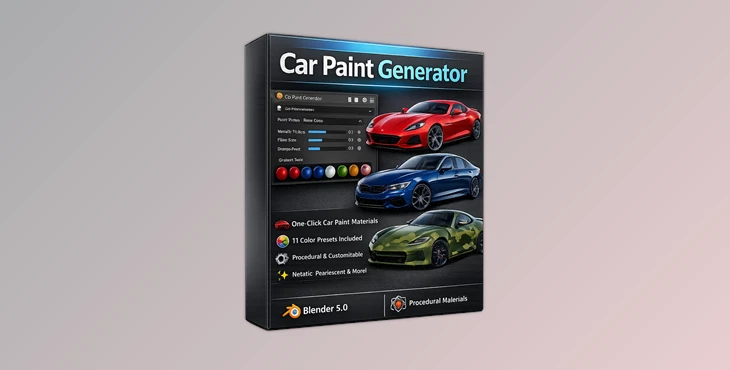
Downloadable Files
You can download the Car Paint Generator for free at the end of this page.
Give Your Blender Cars a True Showroom Finish
Creating convincing metallic flakes, orange peel, pearlescent, and other car paint material effects can often be a challenge when creating cars in Blender. Each of these effects can require creating extensive node networks within the shader editor to achieve the proper results, and the process can take hours of fine-tuning each setting.
The Car Paint Generator dramatically simplifies this entire process. With a few clicks of the mouse, users can generate professional quality procedural car paint without ever having to touch a shader node.
This tool is perfect for users looking to generate realistic sports cars, racing cars, concept car designs, commercials, and game assets.
Why Procedural Car Paint Matters
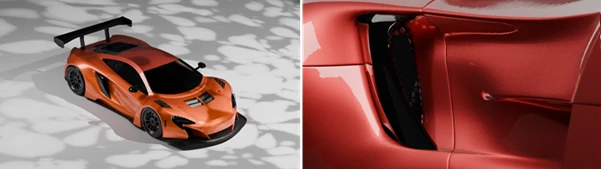
Car paint is much more than a simple color. Modern automotive finishes contain multiple visual layers, including metallic flakes, clear coat reflections, pearlescent effects, and tiny surface imperfections that react differently under changing lighting conditions.
Traditional image textures often suffer from limitations such as:
- Visible texture seams
- Resolution limitations
- Repetitive patterns
- Difficult customization
Car Paint Generator uses fully procedural materials instead. This means every detail is generated mathematically inside Blender, giving you unlimited resolution, seamless surfaces, and complete artistic control.
This results in cleaner renders, better close-up shots, and materials that remain sharp no matter how close the camera gets.
Features
One-Click Material Generation
One of the biggest advantages of Car Paint Generator is its incredibly simple workflow.
Simply select your vehicle, press Generate, and the add-on creates a complete automotive material automatically. There’s no need to manually build node trees or search through dozens of shader settings.
This makes it ideal for beginners while also saving valuable production time for experienced Blender artists.
11 Professional Automotive Presets
The add-on includes a collection of professionally designed paint presets inspired by iconic automotive finishes. Some examples include:
- Rosso Corsa
- Midnight Blue
- Racing Green
- Pearl White
These presets provide an excellent starting point that can be customized further for virtually any project.
Realistic Pearlescent and Metallic Paint
Modern sports cars often feature paint that shifts slightly depending on the viewing angle.
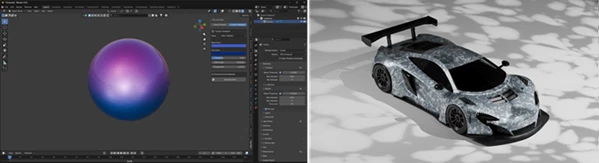
Car Paint Generator recreates this effect procedurally by producing realistic pearlescent and metallic reflections that respond naturally to lighting and camera movement.
The result feels much closer to real automotive paint than to flat color materials.
Beautiful Gradient Paint Effects
The generator also supports smooth vertical color fades, allowing artists to create custom two-tone paint jobs without complicated shader setups.
This feature works especially well for:
- Concept cars
- Show vehicles
- Promotional renders
- Custom tuning projects
Procedural Camouflage Patterns
Need something more aggressive?
The built-in camouflage generator creates fully procedural camo patterns that can be used for military vehicles, off-road trucks, tactical concepts, or unique custom designs.
Since the pattern is procedural, it scales perfectly on different vehicle sizes.
Realistic Orange Peel Surface
Real automotive clear coats are never perfectly smooth.
Car Paint Generator includes an adjustable Orange Peel control that simulates the tiny imperfections found on real painted surfaces.
Although subtle, this small detail dramatically improves realism by preventing renders from looking unnaturally perfect.
High-Quality Metallic Flakes
Metallic paint owes much of its appearance to countless reflective flakes embedded beneath the clear coat.
The generator lets you adjust flake size and density to achieve exactly the level of sparkle you want under HDRI or studio lighting.
This small adjustment can make a significant difference in close-up product renders.
Tips for Better Results
For the most realistic automotive renders, try combining Car Paint Generator with a high-quality HDRI environment. Good lighting allows metallic flakes and pearlescent reflections to stand out naturally.
Use the Orange Peel effect subtly. Small imperfections usually produce more convincing results than exaggerated settings.
Experiment with different flake densities depending on the type of vehicle. Luxury cars often benefit from finer metallic flakes, while custom or concept vehicles can use larger flakes for a more dramatic appearance.
Gradient paint works particularly well when paired with clean studio lighting, making color transitions much easier to appreciate.
Finally, don’t hesitate to customize the included presets. They provide an excellent foundation while still leaving plenty of room for creative experimentation.
Final Thoughts
Creating realistic car paint within Blender required users to create extensive material nodes to achieve the desired results.
The Car Paint Generator provides a faster, more flexible solution for generating realistic car paint materials for all types of projects. Whether users desire metallic sports car paint jobs, elegant pearlescent paint designs, gradient paint designs, custom camouflage designs, or realistic orange peel and metallic flakes effects, the Car Paint Generator can produce all types of procedural paint effects for users in a much shorter amount of time.
Whether you work with cars, products, animations, or game assets in Blender, this type of paint generator will save you time and provide professional results every time.

Files Password : gfxplugin.com OR 123456