Downloadable Files
You can download Timeshift Effect for free from the end of this page.
Create Authentic Analog Glitch Effects with Ease
Modern digital footage often looks incredibly clean, but sometimes a project needs a touch of imperfection to feel more cinematic and artistic. Vintage camera glitches, timing errors, and frame displacement have become popular creative effects for music videos, experimental films, fashion edits, and commercial projects because they instantly add character and visual interest.
Timeshift Effect makes it easy to recreate one of the most recognizable analog camera malfunction looks directly inside DaVinci Resolve. Instead of manually building complex node setups or using external plugins, you can generate realistic timing shift effects with full creative control in just a few clicks.
What Is a Timing Shift Effect?
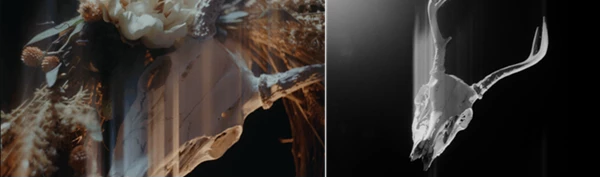
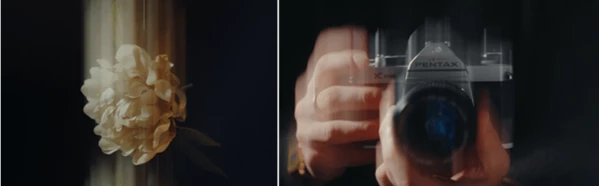
A timing shift effect recreates the visual artifacts that appear when a film camera or imaging system falls slightly out of synchronization. Rather than displaying perfectly aligned frames, the image develops subtle ghosting, streaking, frame displacement, and motion irregularities that create an authentic analog appearance.
This unique style is widely used in creative productions such as:
- Music videos
- Experimental films
- Fashion commercials
- Cinematic trailers
- Creative social media edits
- Artistic title sequences
Because these imperfections originate from real camera behavior, they often feel more natural and visually engaging than standard digital glitch effects. The result is an image that appears organic, cinematic, and full of motion.
Meet Timeshift Effect
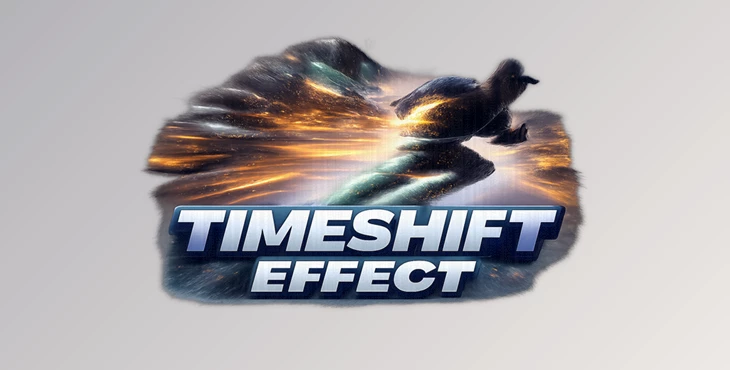
Timeshift Effect is a professionally designed PowerGrade and Macro for DaVinci Resolve that digitally recreates the distinctive visual style inspired by the ARRI Timing Shift Box.
It works with virtually any footage and gives editors complete control over how subtle or dramatic the effect becomes. Since the controls are fully adjustable, the same tool can be used for delicate cinematic imperfections or intense experimental visuals.
One of its biggest advantages is the ability to animate and keyframe the effect directly from the Edit Page, allowing timing changes to perfectly match the rhythm of your edit.
Features
Authentic Analog Timing Shift
Recreates realistic frame displacement, ghosting, and motion streaks inspired by real camera synchronization errors.
Two Macro Versions
Includes both a standard Timeshift Effect and a Shake version that introduces additional random movement for a more chaotic analog feel.
Adjustable Shake Controls
Modify the amount of jitter and unpredictable movement to match different creative styles.
Fully Keyframeable
Animate every important parameter directly inside DaVinci Resolve for dynamic transitions and evolving visual effects.
Compatible with Any Footage
Works on virtually any video source, making it suitable for modern digital footage, cinematic productions, music videos, and creative edits.
Fast Workflow
Apply the PowerGrade or Macro without building complicated node trees, allowing you to focus on creativity instead of technical setup.
Professional Tips for Better Results
For the most convincing analog look, avoid applying the maximum intensity across an entire project. Small timing shifts often feel more realistic and cinematic than extreme settings.
The Shake version works particularly well during fast camera movement, handheld shots, or energetic music edits where subtle unpredictability enhances realism.
Combining the effect with film grain, slight color grading, or vintage lens characteristics can produce an even more authentic analog aesthetic.
If you’re using keyframes, gradually increase or decrease the timing shift instead of switching it on instantly. Smooth animation often creates a far more polished result.
Final Thoughts
Timeshift Effect is a valuable tool for editors looking to recreate the feel of old film cameras within DaVinci Resolve. Whether you are editing music videos, creating experimental film content, commercials, or cinematic footage, the PowerGrade and Macro will allow your project to stand out.

Files Password : gfxplugin.com OR 123456