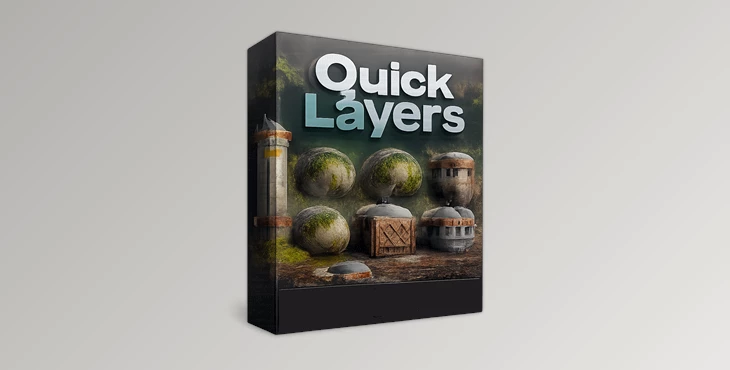
Downloadable Files
You can download Quick Layers for free from the end of this page.
Transform Any Material in Minutes
Creating realistic materials often requires layering dirt, dust, moss, edge wear, water effects, and countless other surface details. Building each effect from scratch can be time-consuming, especially when working on complex environments or large scenes.
Quick Layers is designed to solve that problem by providing a collection of ready-to-use procedural node groups that instantly add believable material effects to virtually any object inside Blender. Whether you’re creating game assets, architectural visualizations, cinematic environments, or product renders, this node pack makes material customization significantly faster while maintaining full artistic control.
What Is Quick Layers?
Quick Layers is a professional procedural node pack for Blender that contains more than 20 customizable node groups designed to enhance existing materials with just a few clicks. Instead of rebuilding complex shader networks every time you need dust, snow, cracks, or edge damage, you simply plug the desired node group into your material and adjust a few settings.
Because the effects are procedural, they remain flexible and can be modified at any stage of production. This allows artists to quickly experiment with different looks without permanently altering their original materials.
For example, you can:
- Add realistic edge wear to old metal objects.
- Cover rooftops with natural snow accumulation.
- Generate moss on stone walls.
- Create puddles after rainfall.
- Add peeling paint and wood rot to abandoned buildings.
- Blend multiple materials together using custom RGB masks.
These procedural layers help create more believable surfaces while dramatically reducing setup time.
A Complete Procedural Material Toolkit
Instead of collecting dozens of separate node groups from different sources, Quick Layers brings many commonly used environmental effects into one organized package.
Whether you’re designing weathered architecture, forest environments, industrial props, abandoned buildings, or realistic landscapes, the included node groups make it easy to enrich materials with natural imperfections that increase visual realism.
The pack was created for Blender 4.2, allowing users to take advantage of modern Geometry Nodes and shader workflows.
Features
General Utility Nodes
The package includes several everyday procedural tools that improve almost any material. These include:
- Quick Ambient Occlusion
- Quick Edge Wear
- Quick Dust
- Environment Mixer
- Quick Blur
These nodes make it easy to create subtle aging, realistic shading, improved lighting control, and texture refinement without rebuilding complex shaders.
Water Effects
Water-related details instantly make environments feel more alive. Quick Layers includes procedural tools for:
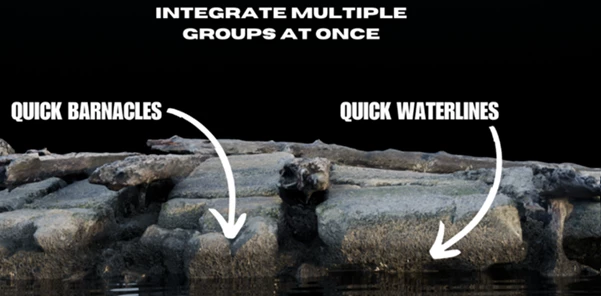
- Barnacles
- Water Lines
- Animated Water Droplets
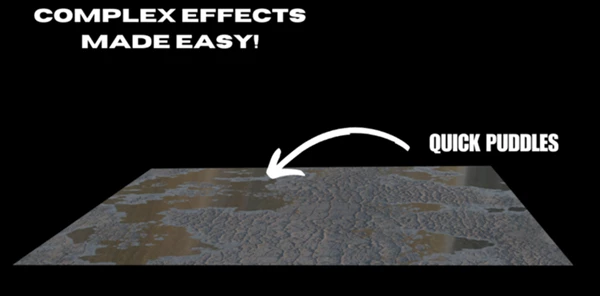
- Puddles with displacement support
These effects are ideal for docks, boats, abandoned structures, wet streets, rocks, coastal scenes, and rainy environments.
Stickers and Graffiti
Environmental storytelling becomes much easier with procedural decals.
The pack includes multiple sticker systems together with a graffiti node group that allows artists to paint custom masks, controlling exactly where stickers or graffiti appear.
This is especially useful for urban environments, industrial scenes, and abandoned locations.
Weathering and Wall Damage
Adding age to objects is one of the fastest ways to improve realism. Quick Layers includes procedural systems for:
- Dirt buildup
- Water leaks
- Wood peeling
- Wood rot
These effects create believable aging while remaining fully editable throughout production.
Ground Surface Details
Natural environments benefit from subtle variation. The included procedural ground effects include:
- Cracks
- Snow
- Moss
These layers automatically react to object height and surface angles, producing convincing environmental accumulation without manual painting.
Wind Animation
Vegetation becomes much more dynamic with the included procedural wind system. Using displacement, artists can quickly animate trees, bushes, and foliage, helping environments feel more natural during animation.
Advanced Paint Layer Mixing
The package also includes powerful material blending systems:
- Mix Layers
- Mix Layers Wood
- Mix Layers Shaders
These node groups allow artists to paint RGB masks and combine multiple textures or shaders inside a single material, making complex surface creation significantly more efficient.
Real Project Examples
Quick Layers fits naturally into many production workflows, including:
- Realistic architectural visualization
- Game environment creation
- Medieval villages
- Abandoned factories
- Forest landscapes
- Product visualization
- Cinematic environment design
- Stylized scenes with procedural weathering
- Animation projects requiring dynamic foliage
Instead of spending hours building material variations manually, artists can focus more on composition, lighting, and storytelling.
Tips for Better Results
Start with clean material when adding procedural nodes for best results. Adding only subtle amounts of dirt, moss, and edge wear to your objects will create the most realistic results.
Use multiple procedural node groups to create more believable material than using a single procedural node.
For outdoor projects, use procedural effects that react to height to simulate weather effects and use texture painting to add stickers, graffiti, or other painted materials to your scenes.
Experiment with different procedural node group arrangements and settings since all nodes are non-destructive and can be freely edited.
Final Thoughts
Quick Layers is an excellent collection of procedural nodes for Blender. Each node within the Quick Layers pack can add a specific type of realistic material effect to any project involving 3D modeling and texturing in Blender.
From adding just a touch of dust and edge wear to adding snow, puddles, moss, graffiti, wind animation, and complex material blending using RGB masks, Quick Layers offers an extensive tool that can be used on any type of project you work on in Blender.
Whether you are creating game or film environments, architectural visualizations, or even digital art projects, Quick Layers will allow your materials to look more natural within your projects.

Files Password : gfxplugin.com OR 123456