Downloadable Files
You can download RenderMind Pro for free from the end of this page.
Stop Guessing Your Cycle Settings
Every project in Blender has different settings that work best for it. The settings for a project filled with glass may not suit another project with different requirements.
To combat this guessing game, RenderMind Pro will learn your projects and your hardware over time. The more you render, the smarter the program will become, so that you can achieve your desired images with less guesswork and with faster renders.
What Is RenderMind Pro?
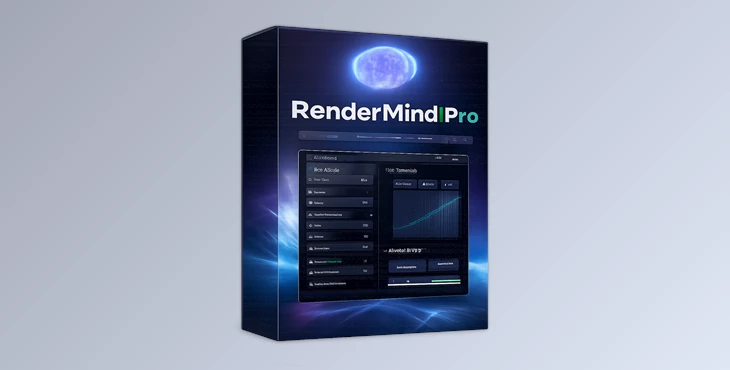
RenderMind Pro is an intelligent Blender optimization tool that automatically learns the best Cycles render settings based on your own projects and your computer’s hardware.
Unlike generic render presets that try to fit every situation, RenderMind Pro builds a personalized optimization model by analyzing the actual results of every render you complete. This means its recommendations become increasingly accurate over time because they are based on your real-world workflow.
Whether you’re creating architectural interiors, cinematic environments, product visualizations, or animated characters, the tool continuously adapts to your rendering habits.
Why Smart Learning Improves Every Render
Traditional render presets are built for average situations. Unfortunately, real projects are rarely average.
A complex scene filled with transparent glass, reflective surfaces, volumetric lighting, or detailed geometry behaves very differently from a simple portrait render. Using identical render settings for both often leads to unnecessary render time or visible image noise.
RenderMind Pro solves this by learning from actual rendering results.
After every render, it evaluates the final image noise instead of simply assuming the settings were successful. This creates a feedback loop where future recommendations are based on proven performance rather than theoretical estimates.
The result is more efficient rendering, cleaner images, and less time spent tweaking settings manually.
RenderMind Pro Makes Blender Smarter
Instead of replacing your workflow, RenderMind Pro quietly works alongside it.
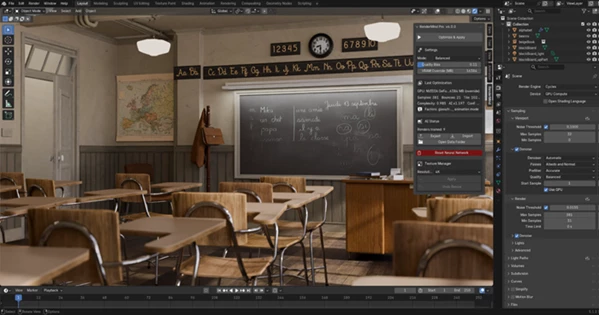
Simply continue rendering as you normally would. Every time you press F12, the addon collects performance information and gradually builds a machine-learning model optimized specifically for your hardware.
Because everything runs locally inside Blender, your rendering data never leaves your computer. There are no online services, subscriptions, or cloud processing involved.
This makes the learning process both private and fast while continuously improving with every completed render.
Features
Personalized AI Learning
Rather than relying on fixed presets, RenderMind Pro trains itself using your own rendering history. Every completed render becomes new training data that helps improve future predictions.
Automatic Noise Analysis
The addon measures the actual amount of noise remaining in the rendered image after completion. This real-world analysis allows it to improve recommendations based on genuine results instead of estimated values.
Intelligent Cycles Optimization
RenderMind Pro learns which combinations of samples, bounce settings, and rendering parameters perform best for different scene types, reducing the need for manual experimentation.
Automatic VRAM Monitoring
GPU memory usage is monitored during rendering, allowing the addon to automatically adjust tile sizes when necessary. This helps reduce crashes caused by running out of VRAM and keeps rendering more stable across different projects.
Real-Time Learning Status
You can monitor how the AI model evolves over time through an easy-to-understand progress indicator showing whether predictions are:
- Improving
- Stable
- Worsening
This makes it easy to see how the system becomes more accurate as you continue working.
Offline Machine Learning
Everything runs entirely inside Blender. No cloud services. No subscriptions. No user accounts. No internet connection required.
Export and Backup Your AI Model
Once RenderMind Pro has learned your workflow, you can export the trained model to another computer or create backups before resetting Blender. This allows experienced users to keep years of optimization data and reuse it across multiple workstations.
Real-World Examples
Imagine rendering an interior scene filled with large glass windows and reflective materials.
Normally, you might spend twenty minutes adjusting bounce limits, samples, and tile sizes before getting acceptable results.
With RenderMind Pro, every similar project benefits from previous renders. The addon remembers which settings produced clean images with efficient render times, allowing future renders to start much closer to the optimal configuration.
The same advantage applies to character rendering, animation projects, product visualization, and complex environment scenes.
Professional Tips
Keep Rendering Naturally
Don’t try to “teach” the addon artificially. Simply render your projects as you normally would, allowing the AI to learn from genuine production work.
Let the Model Build Over Time
The more varied your scenes become, the more accurate RenderMind Pro’s recommendations will be. Patience leads to better optimization.
Backup Your Training Data
After building a strong learning model, export your trained weights periodically so you can restore them after reinstalling Blender or moving to another workstation.
Trust Automatic Tile Management
If you frequently switch between lightweight and memory-intensive scenes, allowing RenderMind Pro to manage tile sizes can help prevent unexpected GPU memory issues.
Final Thoughts
RenderMind Pro transforms Blender rendering from a constant guessing game into a workflow that improves with experience.
Instead of depending on generic presets or repeating the same optimization process for every project, it continuously learns from your own renders, your own scenes, and your own hardware.
Its combination of offline machine learning, automatic noise analysis, VRAM monitoring, and personalized optimization makes it a practical companion for Blender artists who want more consistent rendering performance with less manual tweaking.
The more you render, the more valuable RenderMind Pro becomes.
 RenderMind Pro for Blender by Gumroad (v6.1.2).rar (Size: 19.7 KB - Date: 9/5/2026 12:00:16 PM)
- RenderMind Pro for Blender by Gumroad (v6.1.1).rar (Size: 18.2 KB - Date: 8/24/2026 11:55:00 AM)
- RenderMind Pro for Blender by Gumroad (v6.1.0).rar (Size: 174.1 KB - Date: 7/22/2026 10:35:53 AM)
- Gumroad - Blender - RenderMind Pro v6.0.0.rar (Size: 136.5 KB - Date: 6/30/2026 11:09:08 AM)
Files Password : gfxplugin.com OR 123456