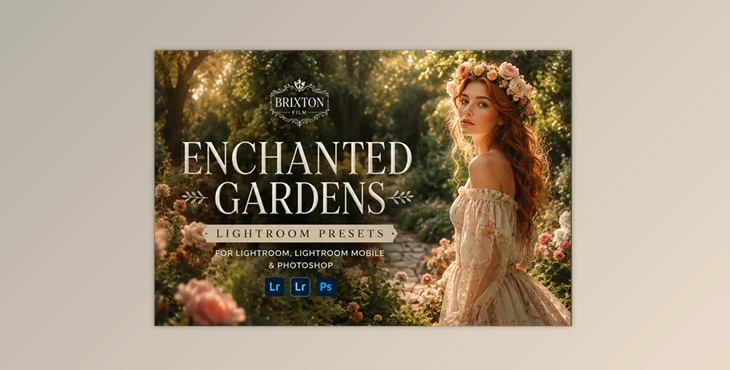
Downloadable Files
You can download Enchanted Gardens Lightroom Presets for free at the end of this page.
Bring Natural Colors to Life
Outdoor photography has a unique charm to it. However, it can be difficult to capture the right atmosphere from the scene that you want to edit. The lighting, weather, and even the camera limitations can work against you to produce an editing session that isn’t as vibrant as the actual scene.
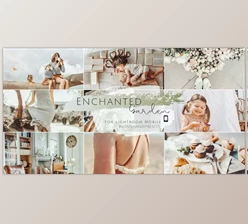
Enchanted Gardens Lightroom Presets will make it very simple for you to transform your ordinary outdoor shots into beautiful, film-inspired edits that will impress your friends and followers online. These presets work well with spring blooms, summer landscapes, and even autumn forests.
What Are Enchanted Gardens Lightroom Presets?
Enchanted Gardens Lightroom Presets are a collection of professionally designed Lightroom presets inspired by classic film photography. Instead of spending time adjusting every color and tone manually, you can apply carefully crafted looks that instantly enhance your images.
They’re especially useful for photographers who work with:
- Landscape photography
- Nature photography
- Garden photography
- Outdoor portraits
- Travel photography
- Lifestyle photography
- Wedding photography
- Seasonal photography
Because every preset has its own unique mood and color palette, you can quickly match the atmosphere of your photos without building edits from scratch.
Features
24 Beautiful Film-Inspired Presets
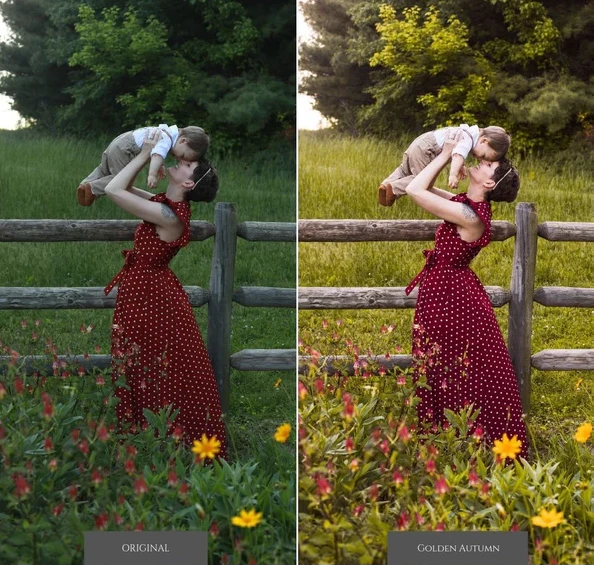
Enchanted Gardens Lightroom Presets include 24 premium presets, featuring 20 color looks and 4 black & white styles. From warm autumn tones and soft pastel colors to rich analog-inspired film looks, every preset offers a different creative direction.
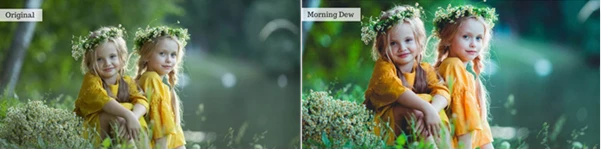
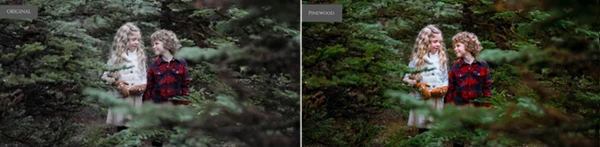
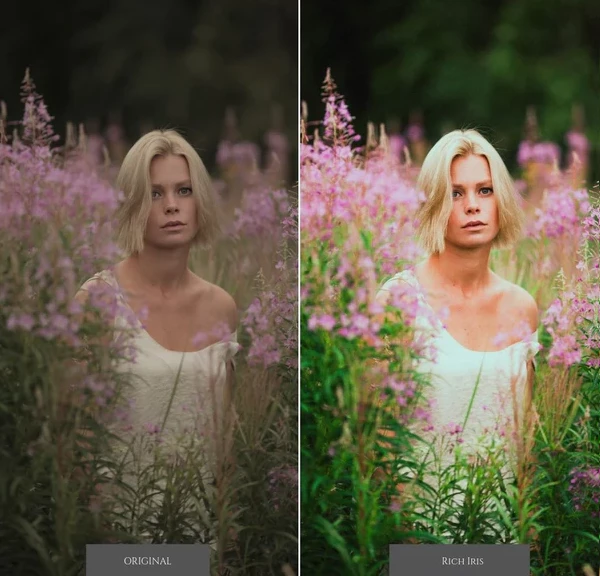
Popular styles include Golden Autumn, Blooming Flowers, Honey Warm, Ruby Film, Cherry Blossoms, Pinewood, Morning Dew, Summer Highlights, and several elegant monochrome looks.
Complete Brixton Film Tool Kit
Along with the creative presets, Enchanted Gardens Lightroom Presets includes the Brixton Film Tool Kit, featuring 44 professional adjustment presets. These tools let you quickly fine-tune:
- Exposure
- Contrast
- Highlights
- Shadows
- Grain
- Color balance
- Film fade
- Texture
- Clarity
- Saturation
- Vignette
- Noise reduction
- Dynamic range
- Haze
Instead of manually adjusting dozens of Lightroom sliders, you can make precise refinements in just a few clicks.
Professional Local Adjustment Brushes
For Lightroom Classic users, the collection also includes 33 Local Adjustment Brushes designed for selective editing. These brushes help you enhance specific areas of your image with tools for:
- Skin softening
- Teeth whitening
- Eye enhancement
- Sharpening
- Dodge & Burn
- Highlight recovery
- Color correction
- Saturation control
- Shadow adjustments
- Local contrast
This makes it much easier to polish portraits while keeping edits natural.
Designed for Outdoor Photography
The presets are carefully tuned for natural environments where greens, flowers, trees, skies, and warm sunlight play a major role.
Whether you’re photographing blooming gardens, forests, parks, hiking adventures, or countryside landscapes, the collection helps create a balanced, cinematic finish without oversaturating the colors.
Mobile and Desktop Compatibility
The presets work on both Lightroom Desktop and Lightroom Mobile, making it easy to edit consistently whether you’re working on your computer or directly from your phone.
Tips for Better Results
Start with the Closest Preset
Choose the preset that already matches the lighting and mood of your photo before making additional adjustments. Small refinements usually produce the most natural-looking results.
Fine-Tune Exposure First
Every camera captures light differently. Adjust exposure before changing colors so the preset performs as intended.
Use the Tool Kit for Small Adjustments
Rather than stacking multiple presets, use the included Brixton Film Tool Presets to fine-tune contrast, grain, highlights, or shadows while preserving the original film look.
Enhance Important Areas with Brushes
For portraits, use the Local Adjustment Brushes to brighten eyes, soften skin, or improve facial details without affecting the entire image.
Keep Colors Natural
Film-inspired editing usually looks best when it feels subtle. Avoid excessive saturation so the images maintain a realistic and timeless appearance.
Final Thoughts
If you are looking for a collection of editing presets that will give your outdoor photography a stunning, film-inspired look, the Enchanted Gardens Lightroom Presets are perfect for you. With 24 stunning presets, 44 editing tools, and 33 local adjustment brushes, you will have everything you need to enhance your outdoor photography, no matter the season.
Editing presets for landscapes, outdoor portraits, travel photography, or even nature photography, these editing tools will make it easy for you to achieve beautiful, consistent, and cinematic results in your editing.

Files Password : gfxplugin.com OR 123456