Downloadable Files
You can download Wedding Light Rays Transitions for free from the end of this page.
Add a Romantic Glow to Every Scene
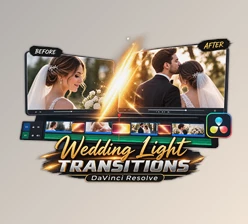
Every memorable wedding film is built on smooth storytelling, and scene transitions play a huge role in creating that emotional flow. Instead of using simple cuts between clips, elegant light ray transitions can seamlessly connect moments while adding warmth, beauty, and a cinematic atmosphere.
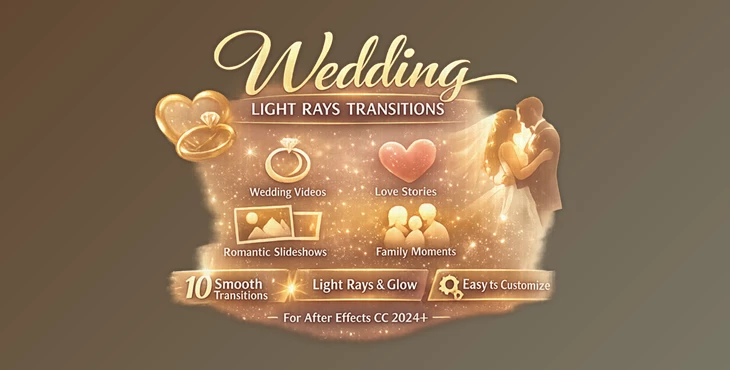
Wedding Light Rays Transitions is designed to help editors create visually stunning scene changes with soft beams of light, glowing highlights, and fluid motion that naturally enhance the emotional impact of wedding videos, engagement films, anniversary slideshows, and romantic projects.
What Are Wedding Light Rays Transitions?
This project (Videohive 63988672) is a set of cinematic transition effects that use soft light rays and glowing overlays to blend one scene into another. Rather than distracting the viewer, these transitions gently guide the eye, making the story feel continuous and emotionally engaging.
They’re especially useful for projects such as:
- Wedding highlight films
- Engagement videos
- Love story edits
- Anniversary slideshows
- Romantic social media videos
- Family memories and cinematic montages
Because the transitions use natural-looking light movement, they create a polished finish without overwhelming your footage.
Why Wedding Light Rays Transitions Make Editing Easier
Instead of spending time creating custom transition animations from scratch, this After Effects pack provides professionally designed effects that are ready to use.
Features
10 Beautiful Cinematic Transitions
The pack includes 10 carefully crafted light ray transitions, giving you multiple styles for different moods and editing situations.
Soft Romantic Lighting
Elegant beams of light and subtle glowing highlights create a warm, dreamy atmosphere that perfectly complements wedding footage.
Fully Customizable
You can easily adjust:
- Transition timing
- Light intensity
- Overall style
- Motion speed
This flexibility allows every transition to match your own editing style.
Compatible with Modern After Effects
Works with After Effects CC 2024 and newer, making it easy to integrate into current workflows.
Simple Editing Workflow
All elements are organized for convenient editing and quick adjustments, allowing you to focus more on storytelling and less on technical setup.
Real-World Creative Uses
Wedding Light Rays Transitions fit naturally into many professional projects. For example, you can:
- Connect the bride's preparation with the ceremony.
- Blend emotional vows into cinematic outdoor footage.
- Transition between slow-motion dance scenes.
- Create elegant anniversary video presentations.
- Add warmth to engagement highlight reels.
- Build premium social media wedding trailers.
Because every transition feels smooth and natural, viewers stay emotionally connected throughout the video.


Tips for More Professional Results
To achieve the most cinematic look, keep these practical tips in mind:
- Match the transition speed with your music's rhythm.
- Avoid overusing transitions between every clip.
- Use softer light intensity for emotional moments.
- Combine the transitions with color grading for a more cinematic finish.
- Allow the light rays to complement your footage instead of overpowering it.
- Test different transition styles to find the one that best matches each scene.
Small adjustments often make the final edit feel much more refined and professional.
Final Thoughts
This Transitions (Videohive 63988672) is an excellent choice for editors who want to create elegant, emotional, and cinematic wedding videos without building complex transition effects from scratch. Its beautiful light-based animations, flexible customization options, and easy workflow help transform ordinary scene changes into memorable visual moments that enhance the overall storytelling experience.
Whether you’re producing wedding films, engagement videos, or romantic slideshows, this transition pack can give your edits a polished and professional finish.

Files Password : gfxplugin.com OR 123456