Downloadable Files
You can download JustScrollit for free at the end of this page.
Create Professional Credit Rolls in Minutes
If you’ve ever spent hours trying to create movie credits manually in After Effects, you know how time-consuming it can be. Thankfully, JustScrollit can save you hours of work.
JustScrollit allows you to turn your list of credits into a clean, professional credit roll in a matter of minutes. Perfect for short films, documentaries, and even YouTube projects, this tool will significantly reduce the amount of time it takes for you to create credits.
Why JustScrollit Makes Credit Creation Easier
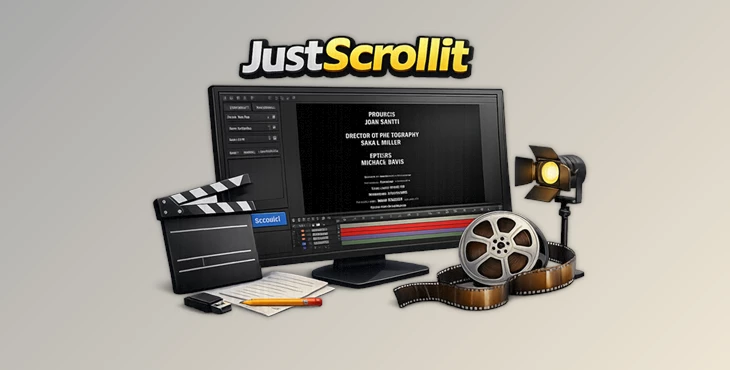
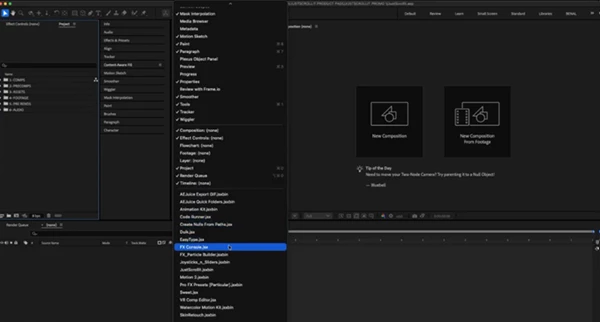
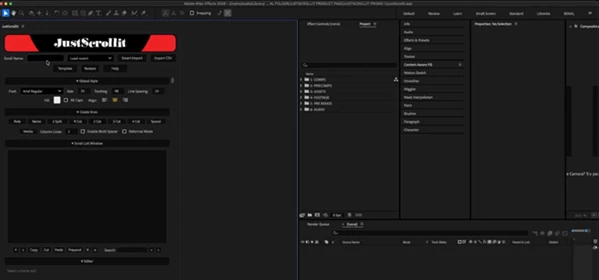
At its core, JustScrollit is an Adobe After Effects extension built specifically for generating animated credit rolls. Rather than spending valuable editing time formatting hundreds of names, you simply import a TXT file or create your credits directly inside the extension.
Imagine you’ve completed an independent film with dozens of cast and crew members. Instead of manually creating every section, you import the raw list, let JustScrollit organize everything automatically, and then fine-tune the layout however you like. The result is a professional-looking credit sequence that’s ready for animation.
This automated workflow not only saves hours of repetitive work but also reduces formatting mistakes, keeps spacing consistent, and makes future edits much easier whenever names or positions need updating.
Features
Import Raw TXT Credit Lists
Simply load a plain text file containing your cast and crew names. JustScrollit automatically converts the raw text into a properly formatted cinematic credit layout.
Create Credits from Scratch
Prefer building everything manually? Start with an empty project and create your entire credit roll directly inside the extension with complete flexibility.
Ready-to-Use Templates
Speed up production by starting from preset templates. They’re perfect for filmmakers who regularly produce projects with similar credit structures.
Automatic Cinematic Formatting
The extension arranges your credits using a clean, industry-inspired layout, making your end titles look far more professional without manual alignment.
One-Click Composition Generation
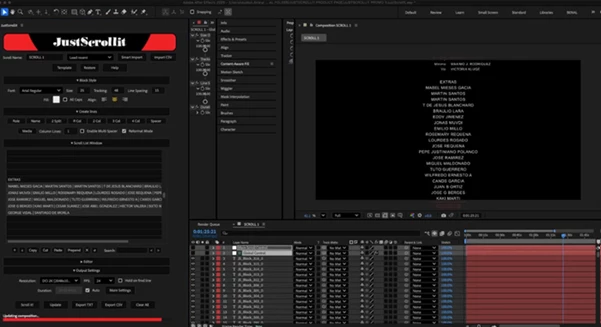
Once your credits are ready, simply click Scroll it! to automatically generate a new After Effects composition that remains fully editable.
Fully Customizable Output
Every generated composition can be modified afterward. Change fonts, spacing, animation speed, alignment, colors, or any design element to perfectly match your project’s style.
Perfect for Many Creative Projects
JustScrollit is ideal for:
- Feature films
- Short films
- Documentaries
- Student productions
- Music videos
- YouTube content
- Corporate videos
- Independent filmmaking projects
Tips for Better Looking Credit Rolls
Keep your original TXT file clean before importing. Organizing names into logical groups will produce better formatting and require fewer adjustments later.
Choose readable fonts and avoid overly decorative typography, especially for long credit sequences. Clean fonts improve readability and create a more cinematic appearance.
Preview your scrolling speed before exporting. Credits that move too quickly become difficult to read, while extremely slow scrolling can feel unnecessarily long.
After generating the composition, don’t hesitate to customize spacing, font size, and alignment so the credits match the visual identity of your project.
Final Thoughts
Creating professional credit rolls manually for your film projects can be frustrating and time-consuming. JustScrollit will save you hours of work by automatically formatting your raw list of credits to create a stunning, professional credit roll for After Effects.
Whether you’re making your independent film or regularly publishing video projects to YouTube, JustScrollit will save you time and money and allow you to produce more professional results.

Files Password : gfxplugin.com OR 123456