Downloadable Files
You can download Lotus BW for free at the end of this page.
Create Timeless Black & White Photography with Lotus BW
Black and white photography has a unique ability to highlight emotion, storytelling, and composition without the distraction of color. A well-crafted monochrome edit can transform an ordinary portrait or wedding photo into something timeless and cinematic. However, achieving balanced contrast, beautiful tonal transitions, and natural detail often requires significant editing experience.
Lotus BW was designed to simplify this process. Instead of spending time manually adjusting every slider, photographers can apply carefully crafted monochrome presets that produce elegant results while still leaving plenty of room for creative customization.
What Is Lotus BW and Why Is It So Useful?
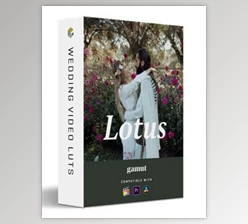
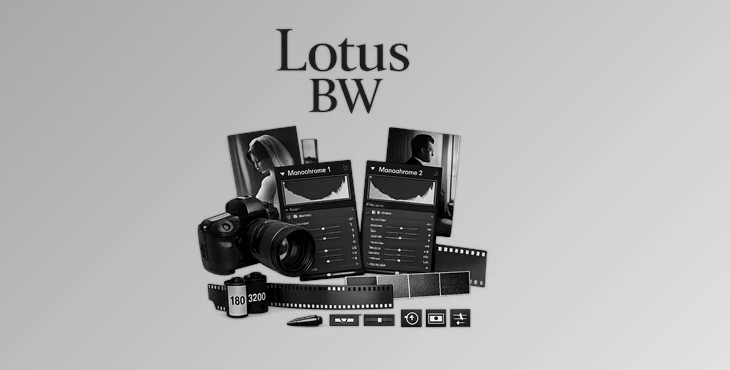
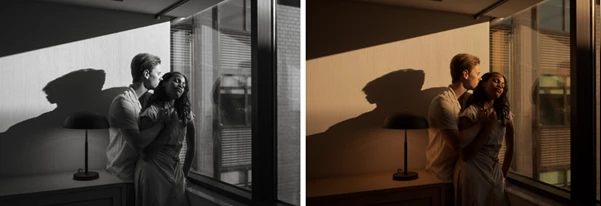
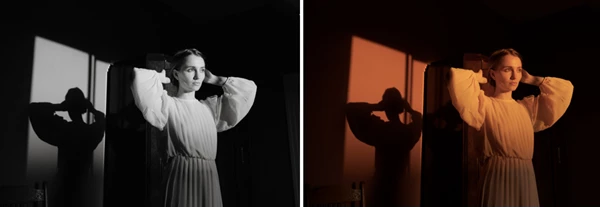
Lotus BW is a professional collection of black and white Lightroom presets created by fine art portrait and wedding photographer Nirav Patel. Inspired by classic cinema and legendary photojournalism, these presets help photographers produce expressive monochrome images with rich tonal depth and consistent quality.
Whether you're editing wedding portraits, engagement sessions, fashion photography, or documentary work, the collection provides a reliable starting point that saves time while maintaining artistic flexibility.
The included modifiers also make fine adjustments incredibly simple. Instead of rebuilding edits from scratch, you can quickly recover highlights, brighten whites, restore shadows, or introduce realistic film grain with just a click. This workflow leads to faster editing and much more consistent results across an entire gallery.
Features of Lotus BW
Two Signature Monochrome Presets
The collection includes two distinct black and white looks designed for different lighting situations.
Monochrome 1 creates a bold, timeless appearance with strong contrast while preserving important shadow and highlight details. It performs especially well on images with low to medium contrast.
Monochrome 2 offers a softer and more delicate interpretation that retains more tonal information throughout the image. It works particularly well with medium to high contrast photographs and often requires only minimal finishing adjustments.
Professional Modifier Presets
Several modifier presets allow photographers to refine the final image without complicated manual editing.
These include:
- Brighten Whites
- Highlight Recovery
- Shadow Recovery
- Multiple Film Grain options
Each modifier is intentionally subtle, allowing precise control while maintaining a natural appearance.
Film-Inspired Grain
The grain tools simulate different film sensitivities including ISO 160, 400, 1600, and 3200.
Lower ISO grain produces a cleaner image, while higher ISO settings create a more artistic analog character inspired by traditional film photography.
Built-In Editing Toolkit
Lotus BW also includes practical workflow tools that simplify common editing tasks.
These tools include:
- Lens Correction
- Level Adjustment
- Lightroom Mobile Presets
- Lightroom Toolkit
Together, they reduce repetitive work and help photographers prepare images more efficiently.
ISO Adaptive Presets
The collection supports ISO Adaptive Presets, allowing images captured at different ISO values to receive more consistent adjustments. This feature is especially valuable for weddings and event photography, where lighting conditions constantly change.
Dual Illuminant Camera Profiles
For supported versions of Lightroom Classic and Adobe Camera Raw, Dual Illuminant Profiles improve color interpretation before the monochrome conversion begins. This creates smoother tonal transitions and better overall image quality.
Professional Tips for Better Black & White Editing
Start with the preset that best reflects the original contrast of your photograph. Monochrome 1 is better for flatter images, while Monochrome 2 is better for contrast-rich scenes in your photograph.
Avoid contrast adjustments, as most striking black and white images do not require high contrast.
Use Highlight Recovery and Shadow Recovery before making exposure adjustments, as these will help recover much of the lost exposure while maintaining the look and feel of your selected preset.
Film grain should be selected to complement the mood of the photograph. Low grain works beautifully for elegant portraits, while stronger grain works better for documentary style photography.
Finally, use Lens Correction and Level adjustments early in your workflow to ensure your final composition looks clean and professional before applying finishing touches.
Final Thoughts
Lotus BW is much more than a collection of black and white photo presets. It also includes a complete editing workflow that will allow even the most seasoned photographer to quickly produce elegant black and white images with minimal editing.
From the tone and film grain to the editing tools included in Lotus BW, every aspect of this editing workflow has been carefully thought out to allow photographers to produce stunning black and white images quickly and easily. Use Lotus BW to edit your wedding, portrait, and fine art photography to produce timeless black and white images.

Files Password : gfxplugin.com OR 123456