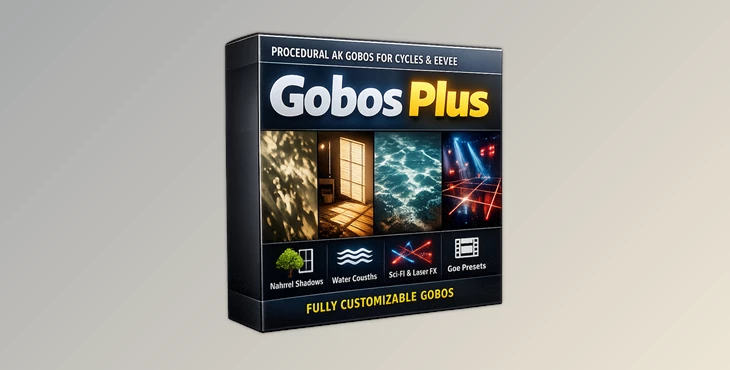
Downloadable Files
You can download Gobos Plus for free at the end of this page.
Bring Your Lights to Life
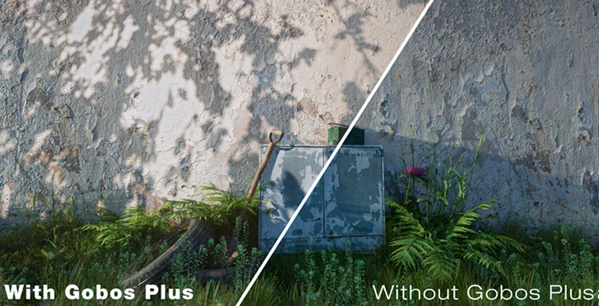
Lighting can completely transform the mood of a 3D scene. Whether you’re creating a cinematic animation, an architectural visualization, a concert stage, or a futuristic sci-fi environment, realistic light patterns make every frame feel more believable.
Instead of relying on flat lighting or static textures, Gobos Plus gives you a collection of procedural and animated 4K gobos that generate detailed light projections in real time. The result is faster workflows, greater creative freedom, and lighting that feels dynamic and alive.
What is a Gobo and Why Does It Matter?
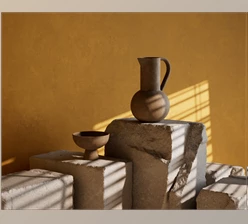
A gobo is a texture or pattern placed in front of a light source to project shapes and shadows onto objects and environments. It’s commonly used in filmmaking, stage productions, photography, and 3D rendering to create realistic lighting effects.
For example, you can project:
- Tree shadows through a window
- Window frame patterns inside a room
- Industrial grids and geometric shadows
- Laser projections for concerts
- Animated moving light effects
- Sci-fi or cyberpunk lighting
These projected patterns instantly add depth, atmosphere, and realism while making scenes look much more visually interesting than standard lighting alone.
Gobos Plus Makes Advanced Lighting Easy
Instead of using heavy image textures that consume memory, Gobos Plus provides an efficient procedural library that works in both Cycles and EEVEE.
Everything is designed to be customizable, allowing artists to modify patterns, combine multiple layers, animate effects, and build completely unique gobos without creating complex shader networks.
Whether you’re designing cinematic interiors or futuristic environments, the workflow stays fast and intuitive.
Features
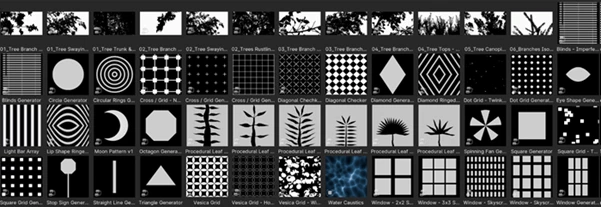
63 Ready-to-Use Presets
The package includes:
- 41 procedural gobos
- 20 animated 4K tree and environmental gobos
- 2 high-quality still gobos
This variety covers everything from natural lighting to creative visual effects.
Fully Procedural Controls
Every procedural preset includes adjustable parameters so you can customize the appearance instead of being locked into fixed textures. You can modify shapes, density, scale, animation, and mapping to create your own unique lighting styles.
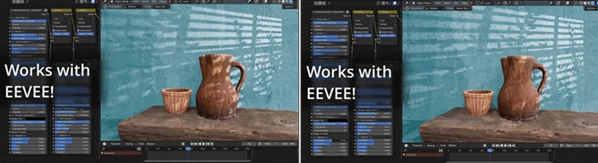
Works in Both Cycles and EEVEE
Unlike many traditional gobo libraries, Gobos Plus fully supports both rendering engines. Artists can enjoy real-time viewport previews inside EEVEE while maintaining high-quality rendering in Cycles.
Real-Time Animated Gobos
Animated gobos can play directly inside the EEVEE viewport, making it much easier to preview moving light effects without long rendering times. This is especially useful for animation, motion graphics, music videos, and live visualization projects.
Layer-Based Workflow
Every gobo is built around an intuitive layer system. You can combine different patterns together—for example, mixing multiple tree branches behind a window—to create custom lighting setups that would normally require significant manual work.
Laser Projection Effects
Grid and procedural gobos can also generate impressive laser-style projections. These effects are perfect for:
- EDM stage visuals
- Concert lighting
- 80s retro aesthetics
- Sci-fi environments
- Futuristic visual effects
Pre-Blur for Realistic Shadows
Each gobo includes an independent Pre-Blur control.
Instead of only softening the light itself, you can blur individual projected layers to simulate how distant objects naturally cast softer shadows while nearby objects remain sharper.
This small detail greatly improves realism.
Optimized Performance
Traditional high-resolution gobo textures often require large amounts of memory.
Because many Gobos Plus presets are procedural, they remain lightweight while still delivering detailed 4K-quality lighting effects, resulting in smoother viewport performance and faster rendering.
Professional Tips
- Combine multiple procedural layers to create more natural lighting.
- Use subtle animation to simulate moving leaves or changing sunlight.
- Add Pre-Blur to distant objects for more convincing depth.
- Experiment with laser projections for futuristic or music-related scenes.
- Preview your lighting inside EEVEE before final rendering in Cycles to speed up your workflow.
Final Thoughts
Lighting alone can have a huge impact on the quality of your 3D renders. Yet, it can be challenging for many artists to find ways to enhance the lighting in their projects.
Gobos Plus provides artists with a collection of procedural gobos, animated 4K gobos, and other features that allow them to have more control over the lighting in their projects.
The additional features, such as the procedural controls, the support for the EEVEE viewport, and the ability to easily create custom gobos, make Gobos Plus a collection of tools that any 3D artist can use to improve their lighting in any project, whether it be architectural visualizations, cinematic animations, stage lighting designs, or sci-fi visual effects.

Files Password : gfxplugin.com OR 123456