Downloadable Files
You can download Fig2Ai for free at the end of this page.
Stop Fixing Imports and Start Designing
If you regularly work with both Figma and Illustrator, you’ve probably experienced the frustration of broken imports. Layers get flattened, effects disappear, text becomes outlines, and valuable time is wasted rebuilding files manually.
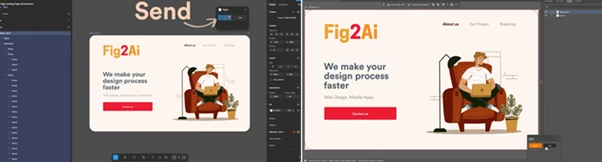
This is exactly the problem that Fig2Ai is designed to solve. Instead of spending hours fixing imported files, you can transfer your designs between Figma and Illustrator in just a few clicks while keeping your work fully editable and organized.
Whether you’re a UI designer, graphic artist, or part of a collaborative design team, Fig2Ai helps maintain a smooth workflow across both platforms.
What Is Fig2Ai and Why Is It Useful?
Modern design projects often move between different applications. A designer may create interfaces in Figma while another team member refines illustrations in Illustrator. Unfortunately, exporting and importing files usually introduces problems that require tedious cleanup.
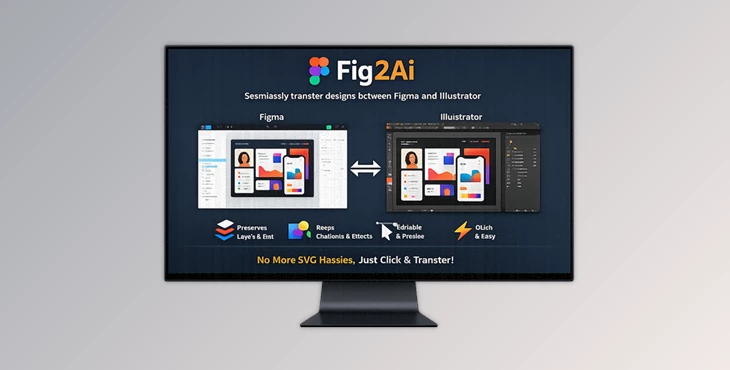
Fig2Ai is a workflow tool that enables accurate design transfer between Figma and Adobe Illustrator while preserving the important elements of your project.
Some practical examples include:
- Moving UI layouts from Figma into Illustrator for advanced vector editing.
- Receiving Illustrator files from clients and continuing the work inside Figma.
- Collaborating with team members who prefer different design applications.
- Updating client assets without rebuilding design structures.
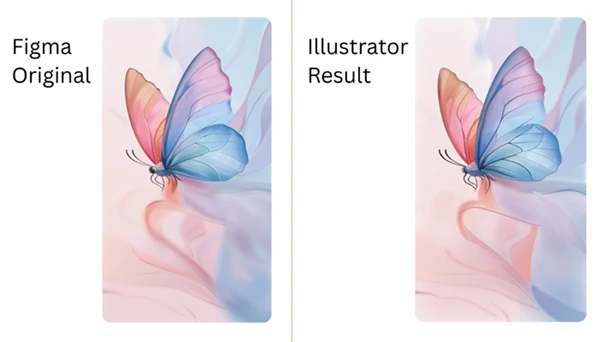
Because the original layers, effects, and text remain intact, designers can continue working immediately without losing productivity.
Meet Fig2Ai
Fig2Ai is a professional design-transfer solution built for creatives who frequently switch between Figma and Illustrator.
The tool focuses on preserving design fidelity, ensuring that your files remain editable, organized, and visually accurate after transfer.
Instead of relying on traditional export methods that often damage project structures, Fig2Ai maintains the integrity of your design from one application to another.
Features
Preserve Layers and Structure
One of the biggest challenges when transferring design files is maintaining organization. With Fig2Ai, your hierarchy remains intact, including:
- Layers
- Groups
- Frames
- Nested structures
- Components
This makes large projects significantly easier to manage after import.
Keep Text Fully Editable
Text elements remain editable instead of being converted into outlines. This includes:
- Editable typography
- Per-character styling
- Text on paths
- Flexible text adjustments
As a result, content updates become quick and effortless.
Maintain Effects and Visual Styling
Complex visual effects are transferred accurately between applications. Supported effects include:
- Drop Shadows
- Inner Shadows
- Inner Glow
- Outer Glow
- Layer Blur
- Gaussian Blur
This eliminates the need to manually recreate visual styling after import.
Accurate Colors and Gradients
Color consistency is critical in professional design work. Fig2Ai preserves:
- Solid colors
- Linear gradients
- Radial gradients
- Blend modes
This helps maintain brand consistency and visual quality across projects.
Image and Mask Support
Images and clipping masks transfer cleanly and behave as expected. Designers can continue editing compositions without rebuilding masking structures from scratch.
No Cleanup Required
Perhaps the biggest advantage is that files arrive ready for use. Instead of spending time fixing imports, designers can immediately continue creating and refining their work.
Pro Tips for Better Results
Keep Layer Naming Organized
Although Fig2Ai preserves structure, using meaningful layer names makes collaboration even smoother when files move between applications.
Build Consistent Design Systems
Using organized components, groups, and frames will help maintain clarity after transfer and improve team productivity.
Test Complex Effects Early
When working on large projects, transferring a sample section first can help establish an efficient workflow before the final handoff.
Use It for Client Collaboration
If clients provide assets in a different application than your preferred workflow, Fig2Ai can dramatically reduce preparation time and speed up revisions.
Final Thoughts
Whether you're a professional within the creative industry or an amateur who loves to create designs for fun, there is no reason to have to spend hours fixing files after transferring them between Figma and Adobe Illustrator.
Fig2Ai removes the frustration of file transfer errors between these two design platforms and allows designers to maintain their structures and their projects.
This tool is perfect for anyone looking to make a smoother and more efficient creative process when transferring projects between Figma and Adobe Illustrator.
If you've ever had to fix your files after transferring them between Figma and Adobe Illustrator, then this tool is one that you'll want to explore - without hesitation.

Files Password : gfxplugin.com OR 123456