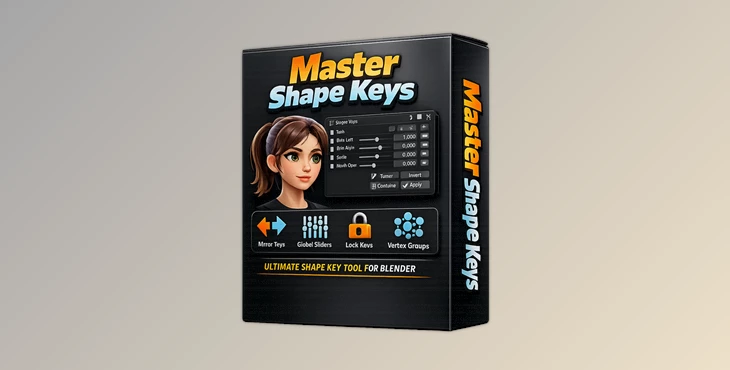
Downloadable Files
You can download Master Shape Keys for free at the end of this page.
Take Full Control of Your Shape Keys
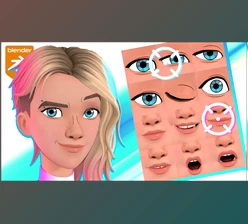
If you have ever worked with facial expressions, morph targets, or complex mesh deformations in Blender, you already know how difficult shape key management can become. Creating multiple variations of a single shape key often means manually rebuilding the same work over and over again.
Imagine creating a smile shape key and then needing separate versions for the left side and right side of a character’s face. Normally, this requires additional manual editing and valuable production time. This is exactly where Master Shape Keys becomes incredibly useful.
Master Shape Keys is designed to simplify shape key creation, organization, blending, and management, helping artists work faster while maintaining full creative control over their models.
What Are Shape Keys and Why Are They Important?
Shape keys are Blender’s way of storing different mesh deformations. They are commonly used for:
- Facial expressions
- Character lip-syncing
- Muscle deformations
- Corrective shapes
- Stylized animations
- Morphing objects
As projects become more advanced, the number of shape keys can quickly grow into dozens or even hundreds. Managing them manually becomes difficult, increasing the chance of mistakes and slowing down production.
A tool that automates shape key generation and organization can dramatically improve workflow efficiency while making character animation more flexible and expressive.
Meet Master Shape Keys
Master Shape Keys is a professional Blender addon that expands the native shape key system with powerful automation, organization, and blending tools.
Instead of manually creating multiple variations of a shape key, the addon can automatically generate them using existing vertex groups. It also introduces advanced shape key combination tools, collection-based organization systems, synchronization features, and export-ready baking options.
Features
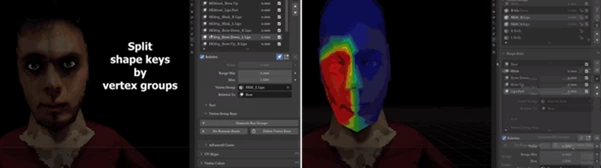
Automatic Shape Key Splitting Using Vertex Shape Keys, a single shape key can be divided into multiple independent shape keys based on custom vertex groups. For example:
- Create one Smile shape key
- Use Left Face and Right Face vertex groups
- Automatically generate separate left and right smile shape keys
If changes are needed later, simply edit the original shape key and regenerate the variations. Advanced Shape Key Combining Master Shape Keys allows multiple shape keys to work together more efficiently. Additive Off Mode
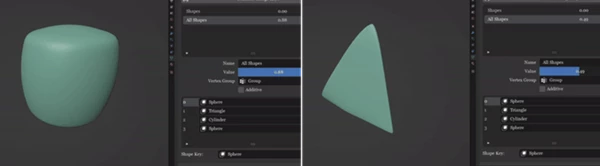
- Shape keys activate sequentially
- Previous keys gradually close as new ones activate
Additive On Mode
- Previous shape keys remain active
- New shape keys continue building on existing deformations
This creates more natural facial performances and opens the door to exaggerated cartoon-style expressions. Shape Key Synchronization The Sync Object feature allows shape keys from one object to influence another object automatically. This is especially useful when working with:
- Character accessories
- Secondary meshes
- Clothing deformations
- Multi-object facial rigs
Bake Merged Keys. Merged shape keys can be baked while preserving animation data. This makes them suitable for:
- Unreal Engine workflows
- Unity projects
- Render farm submissions
- Blender projects without requiring the addon
Shape Key Collections: Managing large numbers of shape keys can become overwhelming. Shape Key Collections introduces a folder-style management system that lets you:
- Organize shape keys into collections
- Create nested subfolders
- Rename and structure large shape key libraries
- Quickly find specific morph targets
This dramatically improves workflow organization on complex projects. Bone Driven Shape Keys The addon can automatically create driver-based systems that connect shape keys to bones through a visual 3D interface. This feature works with:
- Character faces
- Creature rigs
- Stylized characters
- Custom mesh systems
The result is a faster rigging workflow with easier animator controls.
Pro Tips for Better Results
Build Around Vertex Groups
Create clean and well-defined vertex groups before generating shape key variations. This improves accuracy and reduces cleanup work later.
Keep Collections Organized
Use Shape Key Collections early in production. Organizing shape keys from the beginning prevents confusion when projects become larger.
Use Additive Mode for Expressions
When creating facial animation systems, Additive On mode often produces more natural and flexible expression combinations.
Bake Before Export
For game engines and external pipelines, always bake merged keys before exporting to ensure compatibility and preserve animation behavior.
Final Thoughts
Master Shape Keys gives artists greater control over their mesh shape keys. This add-on can automate various tasks to streamline the process of creating and managing shape keys. Whether you work on facial rigs, characters, creatures, or any project that requires numerous shape keys, Master Shape Keys will help you gain greater control over your mesh objects in Blender.

Files Password : gfxplugin.com OR 123456
![Blender - Download Lazy Shapekeys [Shape Keys Folder & Utility] v1.9.0](https://dls4.gfxplugin.ir/Download_Files/27522/SearchSmall/banner02.png)