Downloadable Files
You can download Vintakes for free from the end of this page.
Give Your Photos a Timeless Vintage Feel
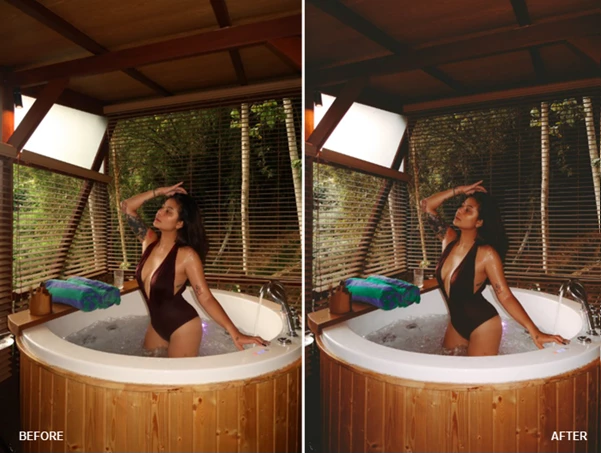
Photos taken with modern cameras can often have an overly-sharpened and excessively clean visual appearance. However, there’s often a lack of nostalgic atmosphere surrounding them. Applying a subtle vintage color grading to your images can instantly transform them from ordinary photographs into visually captivating masterpieces.
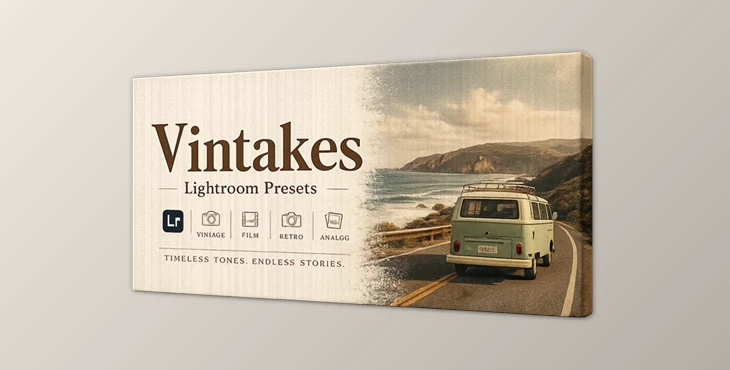
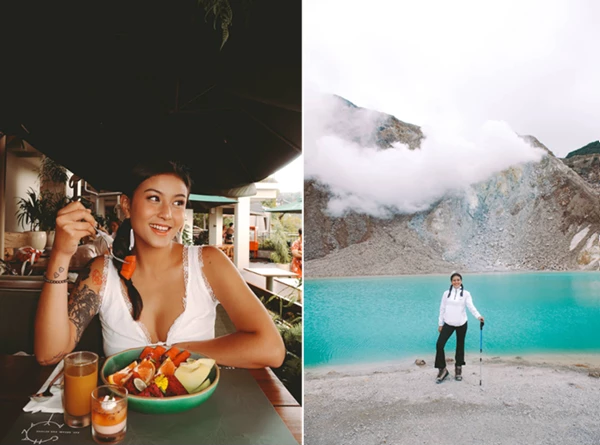
Vintakes was made with photographers and creatives in mind who want to give their images an elegant vintage aesthetic. This preset works best with portrait, lifestyle, travel, fashion, and social media photography.
What Is a Lightroom Preset and Why Use It?
A Lightroom preset is a collection of pre-configured editing adjustments that can be applied instantly to an image. Instead of manually adjusting colors, contrast, tones, and mood for every photo, presets automate the process and provide a consistent visual look.
Using presets offers several advantages:
- Faster photo editing workflow.
- Consistent style across multiple images.
- Professional-looking color grading.
- Easy customization after applying the preset.
- Improved visual storytelling through mood and atmosphere.
For photographers and creators who regularly edit large numbers of photos, presets can dramatically reduce editing time while maintaining high-quality results.
Meet Vintakes
Vintakes is a Lightroom preset package designed to bring elegant vintage-inspired tones and cinematic character to your images. It works seamlessly across both desktop and mobile Lightroom environments, making it accessible for beginners and professionals alike.
The preset package is compatible with:
- Lightroom Mobile
- Lightroom Desktop
- iOS Devices
- Android Devices
- Windows
- macOS
Installation instructions are included within the package, allowing users to get started quickly regardless of their preferred platform.
Features
Authentic Vintage Color Grading
Vintakes introduces carefully crafted vintage-inspired tones that add warmth, softness, and nostalgic character to photographs without making them look overly processed.
Cross-Platform Compatibility
The preset works across multiple devices and operating systems, allowing users to maintain a consistent editing workflow whether they edit on mobile or desktop.
Quick and Easy Installation
The package includes clear installation instructions, making setup simple even for users who are new to Lightroom presets.
Fast Editing Workflow
Instead of spending time adjusting individual sliders, photographers can instantly apply a professional look and then fine-tune it to match the specific image.
Flexible for Different Photography Styles
Vintakes can be used for:
- Portrait Photography
- Lifestyle Photography
- Travel Photography
- Fashion Content
- Social Media Posts
- Editorial Images
- Creative Projects

Professional Tips for Better Results
Start With a Good Base Image
The better the exposure and composition of your original photo, the more impressive the final result will be after applying the preset.
Fine-Tune Exposure
After applying Vintakes, adjust exposure and white balance if necessary to match the lighting conditions of your image.
Use Consistent Lighting
When editing a series of photos, similar lighting conditions will help maintain a cohesive visual style across the entire gallery.
Don’t Over-Edit
The strength of vintage-style presets often comes from subtlety. Small adjustments can create a more natural and professional appearance.
Combine With Lightroom Tools
Use masking, local adjustments, and cropping tools alongside Vintakes to create even more polished final images.
Final Thoughts
Vintakes offers photographers a fast and easy way to introduce timeless, vintage aesthetics to their photographs. The editing preset is compatible with a variety of devices and operating systems and encourages a fast editing workflow. Whether you edit social media posts or professional photography projects, Vintakes can be an excellent editing tool to achieve a vintage look to your images.

Files Password : gfxplugin.com OR 123456