Downloadable Files
You can download Lightroom Toolkit for free from the end of this page.
Elevate Your Photos with Smarter Refinement
Every great photograph tells a story of the person taking the picture and the events occurring within the photograph. Yet often small adjustments to that photograph can make the difference between a good photograph and an exceptional one. Adobe’s Lightroom Toolkit Intelligent Masking & Refinement Tools allow photographers to make those adjustments to enhance their digital photographs.
Photographers can use Lightroom Toolkit to enhance wedding portraits, editorial and lifestyle photography, and more. This editing software allows photographers to enhance important elements of the photograph while ensuring that the other elements of the picture maintain their natural appearance.
What Are Intelligent Masking & Refinement Tools?
Intelligent masking tools allow photographers to target specific areas of the photograph rather than applying editing software to the entire photograph. These editing tools can help photographers target their skin, eyes, skies, backgrounds, and more to enhance those specific areas of the photograph.
Some of the functions of these tools include the ability to:
- Smooth and refine skin
- Separate the subject from the background
- Add atmospheric depth
- Enhance hair and eye details
- Balance colors in the photograph
- Refine the grain and texture in the photograph
- Improve sky details
Meet Lightroom Toolkit
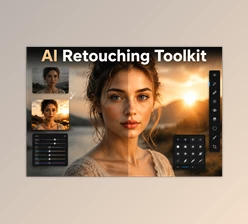
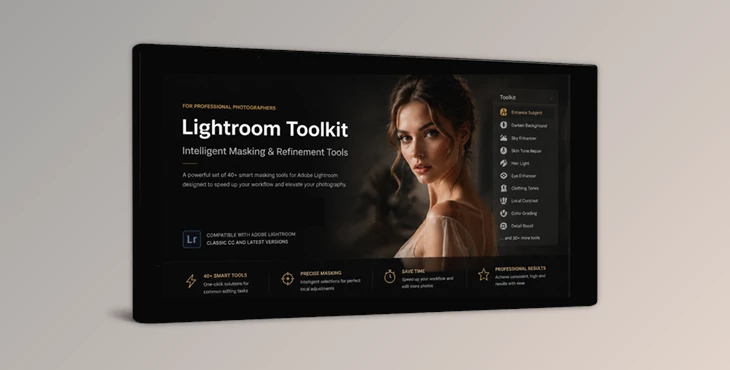
Lightroom Toolkit includes 40 professional masking tools designed for photographers looking to produce timeless and refined photographs.
These tools allow photographers to enhance their photographs without making drastic editing changes that may alter the natural appearance of the individuals in the photograph.
Features
- 40 Professional Masking Tools: The toolkit includes a complete collection of masking tools designed to streamline the editing process and provide precise control over image refinement.
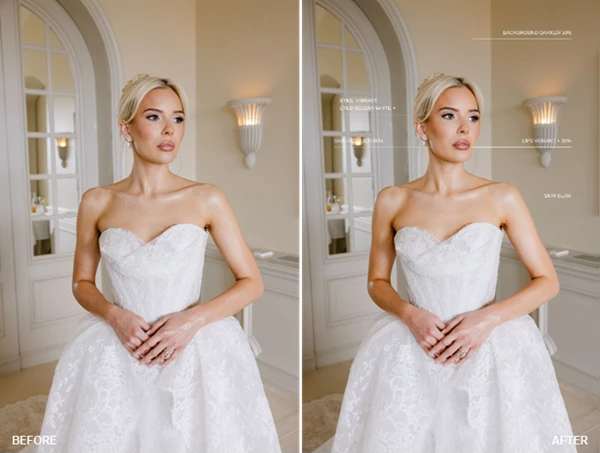
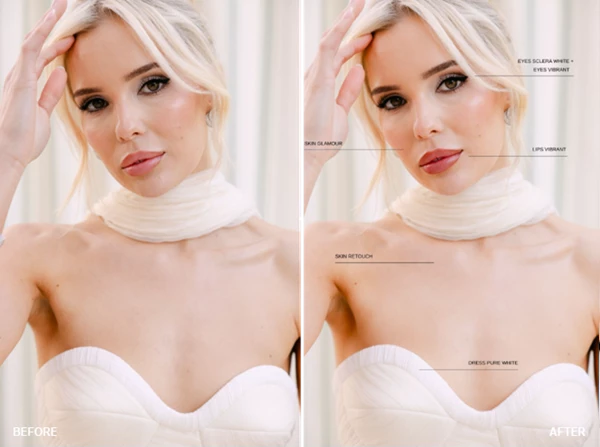
- Skin Refinement: Enhance skin appearance while maintaining realistic texture and detail. Perfect for portrait and wedding photography where natural-looking results are essential.
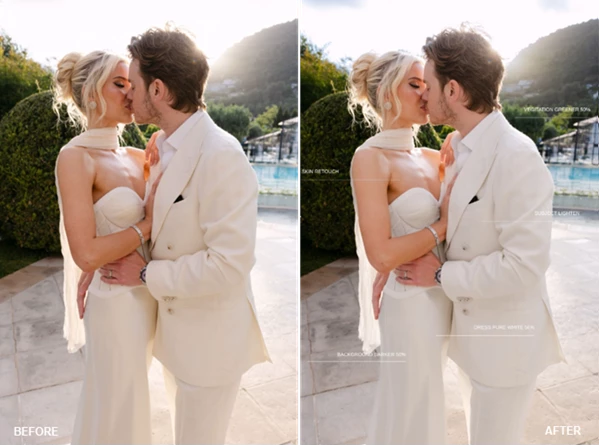
- Background Control: Reduce distractions and create cleaner compositions by adjusting brightness, color, and focus in background areas.
- Subject Separation: Guide viewer attention toward the main subject through intelligent masking techniques that increase visual depth and dimension.
- Atmospheric Depth: Create a stronger sense of space and mood by introducing subtle depth enhancements that add cinematic character to images.
- Eye and Hair Enhancement: Improve the visibility and impact of important portrait details, helping subjects appear more engaging and expressive.
- Color Balancing: Correct and harmonize colors across different lighting conditions, ensuring a consistent and professional appearance.
- Grain Refinement: Fine-tune texture and grain for a polished final image while maintaining photographic character.
- Sky Adjustments: Enhance sky detail, contrast, and atmosphere without affecting other parts of the photograph.
- Portrait Polishing: Apply subtle finishing touches that elevate portraits without creating an over-processed look.
- Installation and Workflow Guide: The toolkit includes a dedicated guide that helps photographers integrate the masking tools into their existing Lightroom or Adobe Camera Raw workflow.
A Simple Professional Workflow
Build the Foundation
Start by making your primary exposure and white balance corrections inside Lightroom or Adobe Camera Raw. Establish a clean and balanced starting point.
Define the Style
Apply your preferred preset to create the desired mood, color palette, and overall atmosphere of the image.
Refine with Precision
Use one or multiple masking tools from the toolkit to shape light, enhance details, and direct viewer attention. Adjust the strength of each tool according to the specific needs of the photograph. This workflow allows photographers to maintain consistency while still customizing each image for the best possible result.
Professional Tips for Better Results
Less Is Often More
The toolkit is designed for subtle refinement. Small adjustments often create more professional results than extreme edits.
Combine Multiple Tools
Instead of relying on a single adjustment, combine skin refinement, subject separation, and color balancing tools to create a cohesive final image.
Focus on Viewer Attention
Use background control and subject separation tools strategically to direct attention toward the most important elements in the frame.
Preserve Natural Texture
When refining portraits, maintain skin texture and natural imperfections to avoid an artificial appearance.
Match the Mood
Choose atmospheric depth and color balancing adjustments that support the story and emotion of the image rather than overpowering it.
Final Thoughts
Lightroom Toolkit allows photographers to enhance their digital photographs with a collection of 40 intelligent masking tools. These tools can enhance any type of photograph but are especially beneficial for enhancing portraits and wedding photographs.
Photographers seeking to enhance their digital photographs without drastically changing the natural features of their subjects should consider purchasing this editing software. The variety of tools included with Lightroom Toolkit allows photographers of all levels to create visually engaging digital photographs with relative ease.

Files Password : gfxplugin.com OR 123456