Downloadable Files
You can download Film Burn Transitions for free from the end of this page.
Add Cinematic Energy to Your Edits
This project (Videohive 63871192) can completely change the feel of your editing. Film burn transitions allow your edits to feel more cinematic by providing different types of light leaks and film burns. This effect can be used in a variety of different video projects, such as travel videos, wedding videos, social media videos, music videos, and more!
Have you ever wondered how individuals edit their videos to include warm light leaks from the film cameras that they use? Film Burn Transitions can help you add these types of effects to your videos to make your editing more cinematic and exciting.
What Are Film Burn Transitions and Why Use Them?
Film burn transitions are visual effects inspired by traditional film cameras, where light accidentally leaks onto the film stock and creates organic flashes, color streaks, and glowing overlays. Today, editors intentionally use these effects to add a vintage, cinematic, and energetic look to modern videos.
These transitions are commonly used for:
- Travel videos with dynamic scene changes
- Lifestyle vlogs and YouTube content
- Instagram Reels and Shorts
- Music videos
- Wedding highlight films
- Promotional videos and openers
Unlike standard digital transitions, film burns introduce natural imperfections and warm colors that make edits feel more alive and visually engaging. They help maintain viewer attention while creating a smoother flow between shots.
Meet Film Burn Transitions
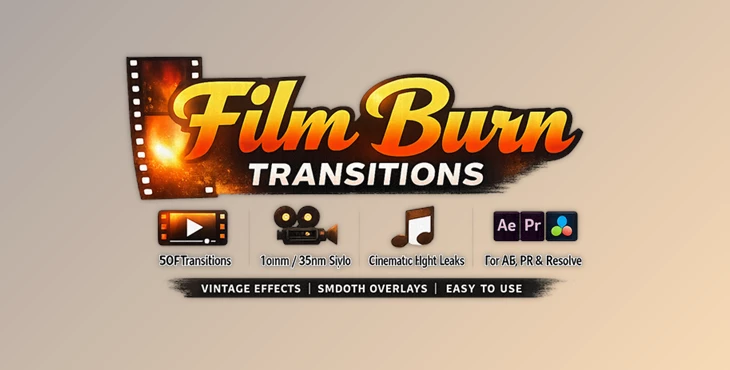
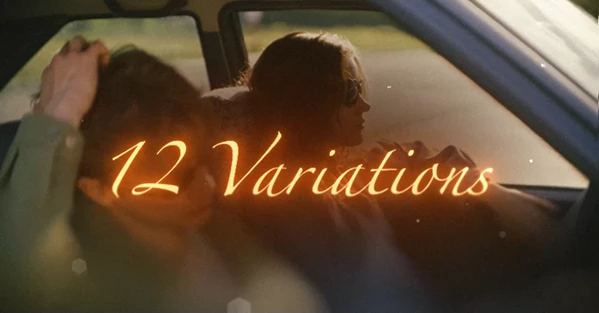
This tool (Videohive 63871192) is a professional After Effects template that includes 12 handcrafted film burn and light leak transition styles designed for fast and effortless editing.
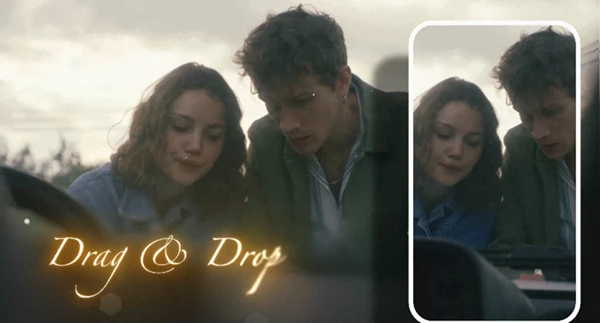
The template allows editors to simply drag and drop a transition between two clips and instantly achieve a cinematic result. Every transition includes its own sound effect and is available in both horizontal and vertical formats, making it ideal for content creators working across multiple platforms.
Features
12 Unique Film Burn Styles
The package contains twelve carefully designed film burn and light leak transitions. Each style has its own movement, intensity, and visual personality, giving editors a variety of options for different project moods.
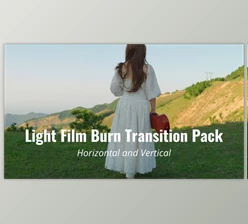
Horizontal and Vertical Versions
Every transition is available in:
- 4K Horizontal (3840×2160)
- Vertical 9:16 (1080×1920)
This flexibility makes it easy to create content for YouTube, Instagram Reels, TikTok, Shorts, and other modern platforms without rebuilding effects. Simple Drag-and-Drop Workflow The template is designed for speed:
- Place the transition over the cut.
- Enable Collapse.
- Align the Peak marker with your edit point.
- Render.
The process takes only a few seconds and eliminates complex setup procedures.
Built-In Sound Effects
Each transition includes its own matching whoosh or paper-style sound effect, helping create a more immersive viewing experience without searching for additional audio assets.
No Plugins Required
Everything works using standard After Effects features, which means there is no need to purchase or install third-party plugins.
Lightweight and Fast
With an average duration of around two seconds, these transitions remain efficient for previewing and rendering, even in larger projects.
Universal Compatibility
The template supports all language versions of Adobe After Effects and works with After Effects CC 2025 and newer versions.
Real-World Creative Uses
Imagine transitioning between different locations in a travel vlog using a warm light leak that mimics sunlight passing through a vintage camera lens.
For wedding films, a soft film burn can add emotional warmth between ceremony and reception shots.
Music video editors can use stronger burn effects to match beats and create dynamic visual rhythm throughout a sequence.
Because each transition includes both visuals and sound effects, the final result feels polished and cohesive with minimal effort.
Professional Tips for Better Results
Match the Burn Style to the Mood
Soft and warm film burns work beautifully for weddings, lifestyle content, and travel videos. Stronger and faster burns often fit music videos and promotional edits better.
Avoid Overusing Transitions
This project (Videohive 63871192) creates the greatest impact when used selectively. Applying them only to important scene changes helps maintain their cinematic effect.
Sync With Music Beats
Aligning the transition peak with a musical beat or sound cue can dramatically improve the overall viewing experience and make edits feel more intentional.
Mix Different Styles
Since the package includes multiple transition variations, alternating between styles throughout a project can create a more natural and engaging visual flow.
Use Vertical Versions for Social Media
Instead of cropping horizontal transitions, use the dedicated vertical compositions to ensure the effect remains properly framed on mobile devices.
Final Thoughts
Film Burn Transitions provides an easy way to introduce cinematic light leaks and authentic film burn effects into your editing workflow. With 12 unique transition styles, built-in sound effects, drag-and-drop usability, and support for both horizontal and vertical formats, it offers a practical solution for creators who want professional-looking edits without spending hours building effects from scratch.
Whether you’re producing travel content, social media videos, music projects, or wedding films, these transitions can help your edits feel smoother, more dynamic, and visually memorable.

Files Password : gfxplugin.com OR 123456