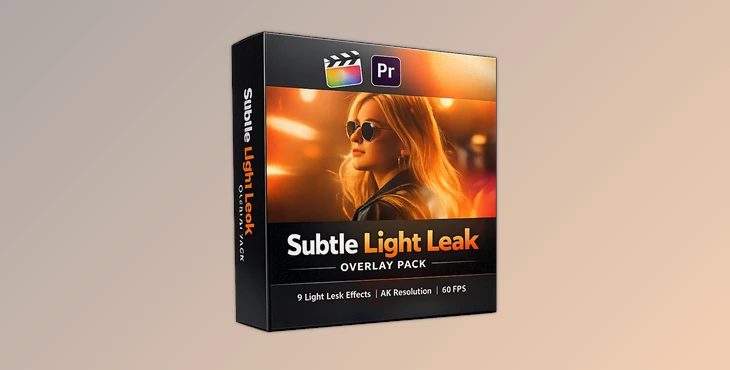
Downloadable Files
You can download the Subtle Light Leak Overlay Pack for free from the end of this page.
Add Natural Light and Cinematic Atmosphere to Your Videos
Creating visually engaging videos often comes down to the smallest details. Subtle light leak overlays are one of the most effective ways to add that extra bit of cinematic warmth and visual interest to your videos.
If you’ve ever edited a video for social media or film projects, then you’ve likely seen the use of subtle light leak overlays in professional editing projects. The Subtle Light Leak Overlay Pack will give you an easy way to add these effects to your videos in a professional manner.
What Are Light Leak Overlays and Why Use Them?
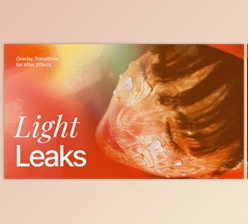
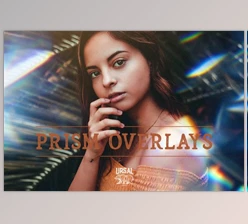
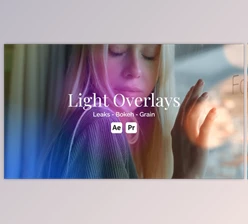
Light leaks are visual effects that mimic the accidental exposure of film to light. In modern video production, these effects are intentionally used to create atmosphere, emotion, and visual interest.
Unlike aggressive visual effects that can distract viewers, subtle light leaks enhance footage without overpowering the original content. They can be used to:
- Add cinematic warmth to travel videos.
- Create smooth transitions between scenes.
- Enhance wedding and lifestyle footage.
- Give music videos a more artistic feel.
- Add depth and movement to social media content.
- Improve storytelling through visual mood enhancement.
Because these effects introduce natural-looking light variations, they help footage feel more dynamic and polished. The result is a more immersive viewing experience that captures audience attention.
Meet the Subtle Light Leak Overlay Pack
The Subtle Light Leak Overlay Pack features a collection of overlays that were organically captured to mimic the look of light leaks from film. These effects are ideal for individuals looking for natural-looking lighting effects that add to the cinematic nature of their videos.
The Subtle Light Leak Overlay Pack includes 9 different lighting effects that were captured in various settings. Each effect includes authentic light leaks with no artificial additions.
All the effects are available in 4K resolution at 60 frames per second. These effects can be used for various video projects up to 4K resolution. The effects were also captured on a Canon 1DX Mark II camera to maintain the natural lighting of the subjects in the videos.
Features
9 Unique Light Leak Variations
The package contains nine carefully captured light leak overlays, allowing editors to choose different moods and lighting styles depending on the project.
Organically Captured Effects
Instead of relying on computer-generated animations, the overlays were captured organically, resulting in realistic light behavior and natural visual texture.
High-Quality 4K Resolution
All files support projects up to 4K resolution, ensuring sharp and professional results across modern displays and platforms.
Smooth 60fps Playback
The overlays are recorded at 60fps, providing fluid motion that blends naturally into video timelines.
Shot on Canon 1DX Mark II
Captured using a Canon 1DX Mark II camera, the overlays maintain high image quality and natural light characteristics.
Compatible with Multiple Editing Platforms
The pack works seamlessly with:
- Final Cut Pro X
- Adobe Premiere Pro
- DaVinci Resolve
- Sony Vegas
- After Effects
- And virtually any editing software that supports video overlays
Simple Installation The download package includes step-by-step installation instructions, making setup straightforward for both beginners and experienced editors.
Real-World Creative Uses
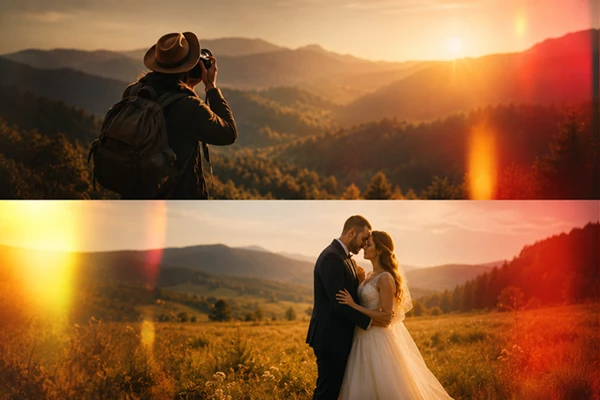
Imagine editing a travel montage featuring golden-hour landscapes. A subtle light leak can add warmth and movement that enhances the emotional impact of the footage.
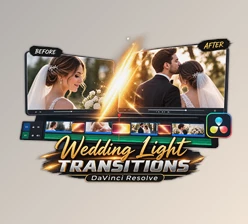
For wedding filmmakers, these overlays can help create dreamy transitions between key moments such as ceremonies, first dances, and portrait sequences.
Content creators on YouTube and social media can also use light leaks to make intros, highlights, and cinematic B-roll feel more polished and professional.
Because the effects remain subtle, they complement footage rather than distracting from the story being told.
Professional Tips for Better Results
Use Screen Blend Mode
When using these lighting effects in your editing platform, ensure that the blend mode is set to Screen for the best visual outcome.
Keep it Subtle
Ensure that the lighting effects used in your video do not dominate your footage. Use these effects only to enhance specific aspects of the video.
Match the Mood
Choose a lighting effect that matches the aspect of your video that you’re editing. Some effects are warm, while others are not as artificial in their lighting.
Layer Effects
While it is possible to use multiple overlays to create a desired look, ensure that you use only a few to maintain the realism of the footage.
Preview the Effect
Ensure that you preview your videos at full resolution to see how the effect will look when your final edited video is exported.
Final Thoughts
The Subtle Light Leak Overlay Pack will allow you to add cinematic lighting to your editing projects. With 9 different effects that can be used in your projects, and with every effect available in 4K resolution at 60fps, the Subtle Light Leak Overlay Pack can enhance virtually every type of editing project that you may work on.
From travel videos to wedding videos, music videos to social media content, these effects will allow you to edit your videos in a way that adds natural atmosphere to your videos while also adding depth that will help your videos stand out from others in the same editing category.
By using these effects, editors can create visually engaging videos that will capture the attention of their audience members and allow them to remain immersed in their editing project.

Files Password : gfxplugin.com OR 123456