Downloadable Files
You can download KeyFast for free at the bottom of this page.
Animate Faster, Create More
Have you ever found yourself spending hours performing the same tasks in After Effects yet accomplishing very little? You are not alone in this experience. However, what if there were a way to automate many of the more repetitive tasks within After Effects to allow you to focus on the more creative elements of animation?
Enter KeyFast - a powerful script designed to accelerate your After Effects workflow. With customizable one-click animations, KeyFast can be used to create explainer videos, motion graphics, social media content, and much more - all while animating faster than ever before.
What Makes Animation Work Faster?
Motion design projects require numerous repetitive tasks to be completed. Whether you are creating an explainer video or a simple motion graphic, you will find yourself performing tasks such as adding easing, staggering layers, creating fades, animating scale and position adjustments, and much more.
Each of these tasks may seem relatively easy to complete individually, but takes up significant time when performed again and again. KeyFast eliminates this repetitive work by automating most of the essential animation tasks.
For example, you can select all of your layers and apply an animation without manually creating keyframes, adjusting easing, or staggering elements.
This tool saves time and effort when creating animations for your projects.
Meet KeyFast
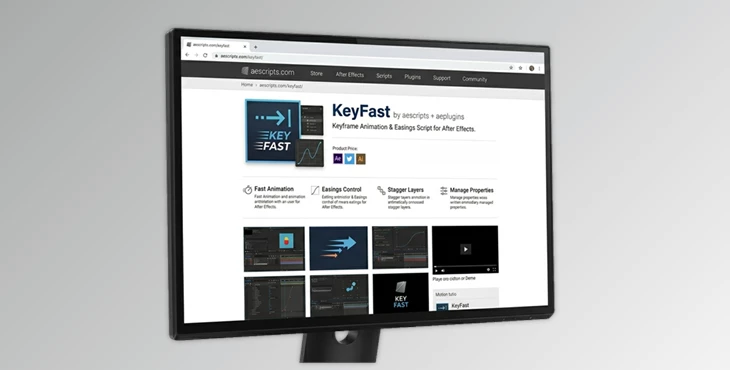
This product is a productivity-focused script for Adobe After Effects that helps motion designers create animations more efficiently.
It eliminates repetitive animation work by providing a collection of one-click animation tools, easing controls, overshoot effects, staggering options, and keyframe management features.
Whether you’re animating a single logo or an entire explainer video scene, KeyFast allows you to build smooth animations in seconds rather than minutes.
Features
One-Click Common Animations
KeyFast includes ready-to-use animation presets for common motion design tasks:
- Slide animations in any direction
- Scale animations
- Rotation animations
- Fade in and fade out effects
- Trim Paths animations
Each animation automatically applies easing, helping objects move naturally without opening the Graph Editor.
Real-World Benefit
When creating explainer videos with dozens of icons and illustrations, these one-click animations can dramatically reduce setup time while maintaining consistent motion.
Faster Multi-Layer Animation
Animating multiple layers often means repeating the same process again and again. With KeyFast:
- Select multiple layers
- Click a single button
- Keyframes are automatically created
- Easing is automatically applied
Real-World Benefit
A scene containing 20 icons can be animated in seconds instead of manually animating every individual layer.
Smart Staggering Tools
Staggering is essential for creating dynamic motion. This tool allows you to:
- Stagger layers upward
- Stagger layers downward
- Stagger existing keyframes
- Quickly adjust animation timing
Real-World Benefit
Lists, infographics, UI animations, and explainer scenes instantly feel more professional and engaging.
Automatic Easing
One of the most time-consuming parts of animation is adjusting motion curves. KeyFast automatically applies easing to animations, helping movements feel:
- Smoother
- More natural
- More professional
You can also ease specific keyframes or entire layers with a single click.
Keyframe Alignment Tools
Managing keyframes across multiple layers can become frustrating. KeyFast makes it easy to:
- Select keyframes across layers
- Align them to the playhead
- Maintain precise timing
Real-World Benefit
Perfect for syncing animations with narration, sound effects, or music.
Overshoot Animation Effects
Overshoot adds energy and realism to motion. KeyFast can automatically add overshoot to:
- Position animations
- Scale animations
- Rotation animations
This creates more lively and polished motion without manually building complex keyframe structures.
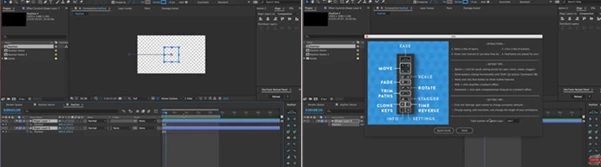
Advanced Workflow Features
Additional productivity tools include:
- Copy and paste keyframes on multiple layers
- Reverse animation timing
- Change the Trim Path direction
- Center anchor points before scaling
- Center anchor points before rotating
- Remove unwanted path handle issues with linear easing
- Ease all keyframes instantly
These tools help streamline everyday animation work and reduce technical interruptions.
Pro Tips for Better Results
Combine Staggering with Overshoot
Using staggered layers together with overshoot creates energetic animations that feel more natural and visually appealing.
Keep Motion Consistent
Use the same easing settings throughout a project to maintain a unified visual style and professional appearance.
Use Multi-Layer Controls Whenever Possible
Instead of animating elements individually, select groups of layers and apply KeyFast tools in batches. This can save significant time on larger projects.
Customize Settings for Your Workflow
KeyFast includes adjustable settings for:
- Ease strength
- Overshoot amount
- Slide distance
- Panel layout
Spending a few minutes configuring these settings can make daily work even faster.
Why Motion Designers Love KeyFast
The biggest advantage of KeyFast is not just speed—it’s maintaining creative momentum.
Instead of repeatedly handling technical animation tasks, you can stay focused on storytelling, timing, and design decisions.
For motion designers who regularly create explainer videos, marketing content, social media animations, and client presentations, this workflow improvement can save countless hours over the course of a year.
Final Thoughts
KeyFast is a script built to remove repetitive tasks from your After Effects workflow. From the one-click animations and automatic easing features to the staggering, overshoot tools, and more, this product will transform the way you animate in After Effects.
Whether you are a beginner with After Effects or an experienced motion designer, KeyFast will allow you to focus on the more creative aspects of your projects.
Once you have keyed into the features and how they will speed up your projects, you will find yourself in love with this tool that many animators consider one of those they never knew they needed but would never want to work without again.

Files Password : gfxplugin.com OR 123456