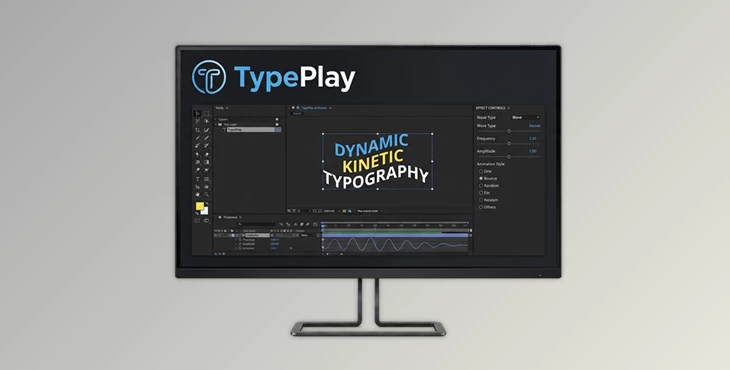
Downloadable Files
You can download TypePlay for free from the end of this page.
Bring Your Text Animations to Life
Creating text animations within After Effects often requires several keyframes and expressions to manipulate the text in the desired way. However, instead of performing these steps every time you want to create text animations, can you instead use a plugin to automatically generate these types of animations with a few clicks?
TypePlay was created to provide designers with a simple interface to create wave-based text animations for their projects. This powerful tool allows users of After Effects to create a variety of animations for their text elements quickly and creatively. With dozens of available wave algorithms and presets, TypePlay will transform the way in which designers think about text animations.
Understanding Wave-Based Animation
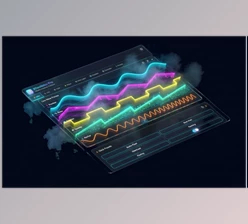
Wave-based animation is a technique that uses mathematical wave patterns to drive movement, rotation, scale, opacity, and other properties over time.
Instead of manually animating every element, a wave algorithm automatically generates smooth and dynamic motion patterns. This creates more natural, organic, and visually appealing animations.
For example:
- Creating a text reveal where each letter moves independently.
- Making typography bounce rhythmically to music.
- Generating heartbeat-style motion for promotional videos.
- Producing organic floating effects using Perlin Noise.
- Designing futuristic UI animations with chirp and wave packet patterns.
These techniques help create motion that feels alive, reducing repetitive manual work while improving visual quality and consistency.
Meet TypePlay
TypePlay is an advanced wave-based text and property animator for Adobe After Effects.
It allows users to apply sophisticated wave-driven motion to virtually any text or layer property. From simple oscillations to highly complex procedural motion systems, TypePlay provides a streamlined workflow with professional-level control.
The tool combines powerful animation algorithms, real-time previews, centralized controls, and reusable presets into a compact and intuitive interface.
Features
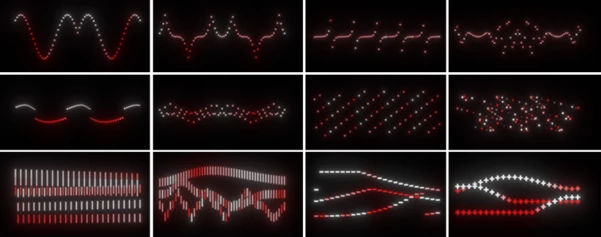
20+ Wave Algorithms
TypePlay includes an extensive collection of wave generators, including:
- Sine
- Cosine
- Bounce
- Perlin Noise
- Heartbeat
- Chirp
- Wave Packet
- And many more
Each algorithm creates a unique motion style, allowing artists to quickly experiment and discover new visual possibilities.
Per-Character Animation
Animate individual:
- Characters
- Words
- Lines
This feature gives motion designers precise control over typography and creates more dynamic text animations without additional setup.
Live Preview System
See the animation before applying it to After Effects. The built-in live preview allows users to instantly test wave settings, easing modes, amplitudes, and frequencies, dramatically reducing trial-and-error during production.
Custom Text Auditioning
Simply type your own text into the preview window and immediately see how the animation behaves. This makes it easier to evaluate motion styles before committing them to a project.
Advanced Wave Controls
Fine-tune every animation with:
- Amplitude controls
- Frequency controls
- Phase offset controls
- Direction settings
- Easing options
These parameters provide exceptional flexibility while remaining easy to understand.
Property Animation Support
Apply wave motion to multiple properties, including:
- Position
- Scale
- Rotation
- Opacity
- Skew
- Fill Color
- Tracking
This allows a single wave system to generate a wide variety of visual effects.
Master Controller System
Create a centralized Null Object that controls multiple layers simultaneously. The Master Ctrl system is ideal for:
- Large typography scenes
- Broadcast graphics
- Motion design packages
- Complex animation setups
With one controller, an entire animation sequence can be adjusted globally.
Preset Library
Save, organize, and load your favorite animation setups. The preset system makes it easy to maintain consistency across projects and speeds up repetitive production workflows.
Center Anchor Automation
Automatically center anchor points to ensure wave behavior remains accurate regardless of text length or composition changes. This helps eliminate common alignment issues and improves animation consistency.
Professional Tips for Better Results
Blend Multiple Wave Styles
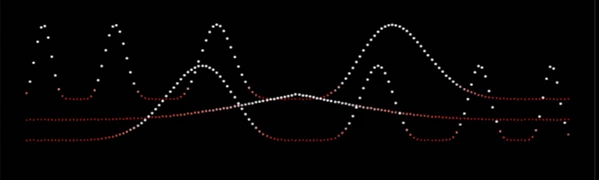
Try combining different wave algorithms with independent easing settings. Layering motion systems can create more organic and sophisticated animation patterns that feel less mechanical.
Use Wave Envelopes
Take advantage of Attack, Hold, and Release controls to automatically fade wave effects in and out. This creates natural transitions without requiring additional keyframes.
Synchronize Large Projects
Use the Master Controller whenever multiple text layers need to behave consistently. This saves time and simplifies revisions later in production.
Improve Workflow Speed
Useful shortcuts include:
- Double-click sliders to reset values instantly.
- Enter exact values directly into number fields.
- Alt + Drag sliders to synchronize settings across active properties.
- Alt + Apply to update existing animations without removing previous setups.
These small workflow improvements can significantly speed up animation production.
Keep the Interface Clean
After setting up your desired text animations using TypePlay, collapse the live preview panel to keep your After Effects interface looking clean and uncluttered.
Final Thoughts
TypePlay offers a powerful yet accessible solution for creating advanced text and property animations inside After Effects.
Its extensive collection of wave algorithms, per-character animation system, live preview capabilities, master controls, and preset management tools help both beginners and experienced motion designers produce high-quality results faster.
Whether you’re creating kinetic typography, social media animations, title sequences, UI motion graphics, or broadcast packages, TypePlay provides a flexible and creative environment for building dynamic animations with minimal effort.
If you’re looking to add more energy, personality, and procedural motion to your projects, TypePlay is definitely a tool worth exploring.

Files Password : gfxplugin.com OR 123456