Downloadable Files
You can download Smart Selector for free from the end of this page.
Select Layers Faster Than Ever
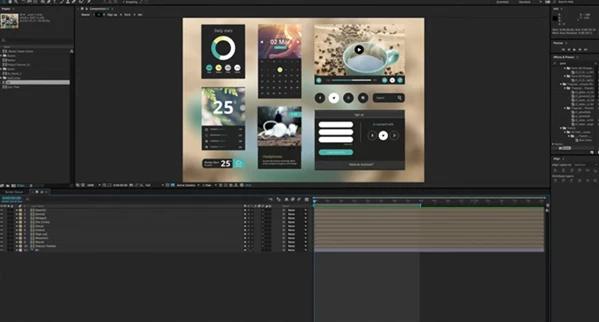
When working on After Effects projects that contain dozens or even hundreds of layers within multiple compositions, it’s frustrating to search for the right layer.
Smart Selector allows you to finally select the layer that you need by simply pointing and clicking on your composition. This new way of interacting with your compositions in After Effects will help you save time and focus on your creative efforts.
What Is Smart Selector and Why Is It Useful?
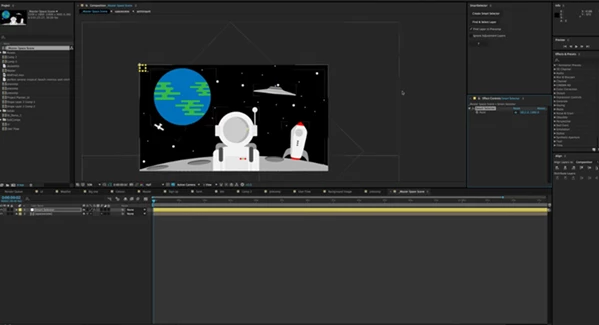
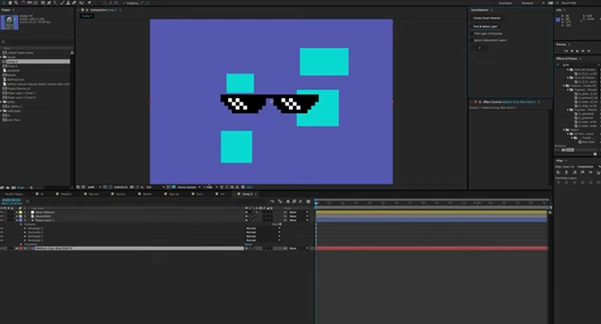
Smart Selector is an advanced tool for selecting the layer within your composition that you need in the Composition panel of After Effects. Smart Selector can see through bounding boxes, adjustment layers, and precompositions to find the correct layer for you within your composition.
Some of the situations where this tool can be of the greatest benefit to After Effects users include:
- Motion graphics projects containing hundreds of layers
- Advertising projects containing multiple precompositions
- Character animation projects with deeply nested animations
- Visual effects projects containing numerous layers
This tool will improve your After Effects workflow by reducing the time it takes for you to search for the correct layer.
Smart Selector: A Smarter Layer Selection Workflow
Smart Selector was built with one problem in mind: After Effects, that every motion graphics designer faces: finding the right layer within complex compositions.
Instead of having to open multiple precompositions to find your desired layer, Smart Selector will let you identify the visible layer within your composition panel.
Features
Intelligent Layer Detection
- Smart Selector analyzes visible elements in the composition and identifies the actual layer underneath the selected point, even when multiple layers overlap.
Find Layers Inside Precompositions
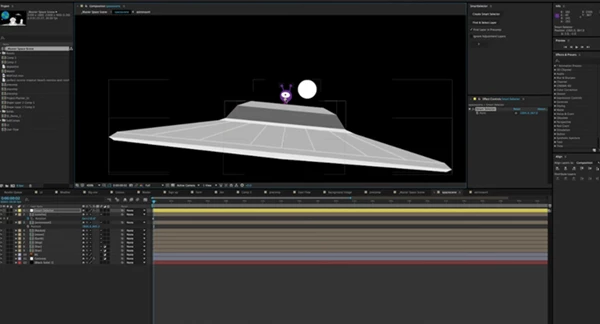
- When the “Find Layer in Precomp” option is enabled, the tool can dive through multiple nested precomps and select the deepest layer containing the artwork.
- This feature is particularly useful for projects built with reusable templates or deeply organized composition structures.
Ignore Adjustment Layers
- Adjustment layers often block direct layer selection. Smart Selector can automatically ignore adjustment layers and continue searching for the actual artwork beneath them.
Faster Project Navigation
- Instead of soloing layers, hiding elements, or opening multiple compositions, users can instantly jump to the desired layer with a single click.
Cleaner Workflow
- By reducing unnecessary layer management tasks, Smart Selector creates a smoother and more enjoyable editing experience.
Real-World Examples
Imagine working on a commercial project where a logo is buried inside several levels of precompositions. Normally, finding that logo might require opening multiple comps and searching manually.
With this product, you simply click on the visible logo, and the tool locates it automatically.
Similarly, motion designers working on large broadcast graphics packages can quickly identify specific elements without interrupting their creative flow.
Professional Tips for Better Results
Keep Layer Controls Enabled
To allow Smart Selector to find the position of the layer within your composition, be sure that the “Show Layer Controls” feature is enabled. This can be done through either of the following menus:
View → Show Layer Controls
or
Shift + CMD + H
Use It in Complex Compositions
The larger and more layered your project becomes, the more valuable Smart Selector becomes. It is especially effective in compositions containing multiple nested precomps.
Disable Visible 3D Layers When Necessary
This tool is designed for 2D layers. If visible 3D layers are detected, temporarily disable their visibility and run the selection process again for optimal results.
Combine with Organized Project Structures
While Smart Selector can locate layers deep within compositions, combining it with good naming conventions and organized project structures creates an even more efficient workflow.
Final Thoughts
Smart Selector was created to solve a problem that every After Effects user faces at one time or another: finding the correct layer within their project at a complicated stage.
With such a great new tool that can find the layers that you need within your composition, it dramatically improves your After Effects workflow and saves you time.
Whether you use After Effects to create motion graphics, visual effects, advertisements, or animation projects, this product will help you work faster and focus on your designs.
For any user of After Effects who works with complex projects, this tool has the potential to become one of the most useful within the application.

Files Password : gfxplugin.com OR 123456