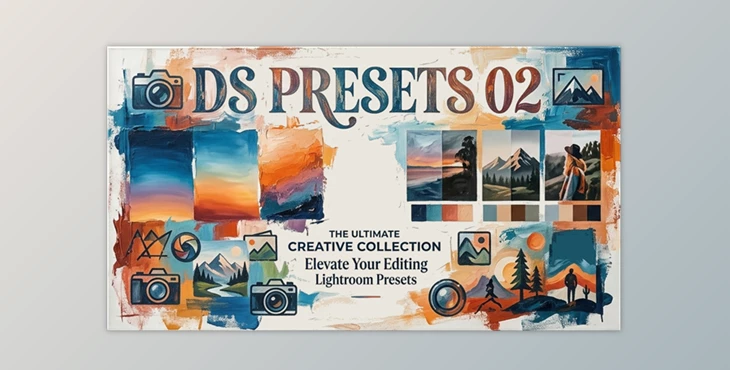
Downloadable Files
You can download DS PRESETS 02 for free from the end of this page.
Elevate Your Lightroom Workflow with New Creative Possibilities
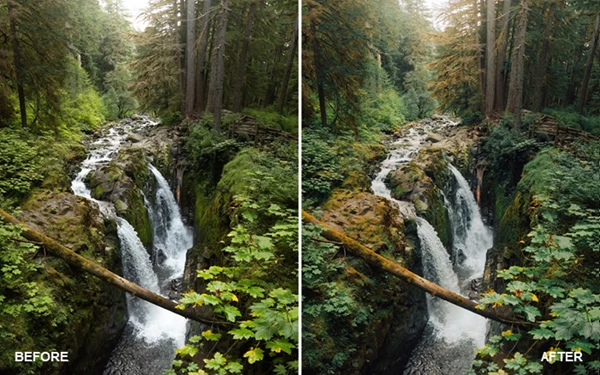
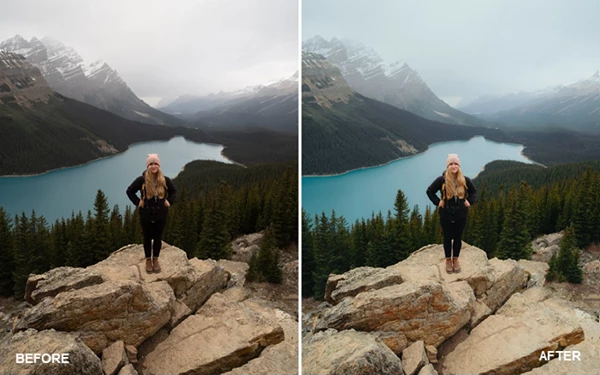
Editing your digital photographs is more than simply adjusting exposure, highlights, shadows, contrast, and other color parameters in your editing software. By using different editing tools and adjusting your digital camera’s exposure settings in different ways, you can develop a unique visual identifying feature for your photography.
If you’re looking for a way to add creative flexibility to your photography workflow, then DS PRESETS 02 may be just what you’re looking for. This preset system complements the original DS 01 editing collection and is not intended to be used as a replacement for that original package.
What Makes Lightroom Presets So Useful?
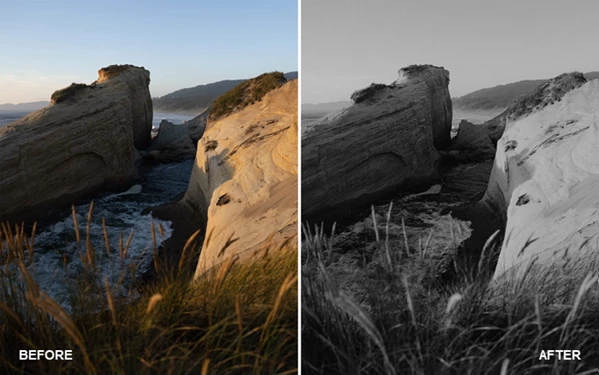
Lightroom editing presets allow editors to quickly apply a certain editing style to their digital photographs. These editing profiles allow editors to save time by avoiding the back-and-forth adjustments of editing sliders that take editors a while to find the perfect setting for their digital work.
Presets are helpful for many photographic genres. For example, landscape photographers can use presets to quickly apply a certain editing style to a series of similar landscapes. Portrait photographers can use presets to quickly apply a certain editing style to a gallery of their clients’ portraits.
These editing presets are also beneficial when editors want to have a certain editing style for their photographs. They save editors' time by avoiding the repeated editing of the same digital photographs.
Furthermore, editing presets can work with editing tools to provide editors with professional editing results. These editing tools include dynamic range adjustments, film grain settings, and sharpening tools.
Meet DS PRESETS 02
DS PRESETS 02 is a professional Lightroom preset collection created to expand the creative range of the original DS preset ecosystem. Designed specifically for RAW images, it works with photographs from virtually all major camera manufacturers, including Fuji, Sony, Canon, Nikon, Leica, and Panasonic.
The package introduces new visual styles while providing supporting tools that help photographers adapt those looks to a wide variety of lighting situations and shooting environments.
Features
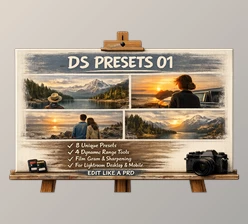
8 Lightroom Presets + 1 Experimental Bonus Preset
DS PRESETS 02 include a variety of editing looks to introduce new visual styles to editors’ digital collections. These editing styles are created to accommodate various photographic genres.
Dynamic Range Adjustment Tools
DS PRESETS 02 include six dynamic range adjustment tools. Two of these are completely new tools that editors can use in their editing workflows. These tools are helpful in a variety of lighting situations and photographic edits.
Film Grain Collection
Five film grain effects are included in DS PRESETS 02. These include two new Expired and Large Format film grain effects in addition to three classic film grain settings.
Sharpening Presets
DS PRESETS 02 includes three sharpening settings for editors’ collections. These sharpening settings are helpful in a variety of editing scenarios for different photographic genres.
Educational Resources
These editing presets come with a 38-minute editing walkthrough video, a user manual, and a reference guide for editors to gain an understanding of each preset included and installation instructions for both desktop and mobile editing software platforms.
Cross-Platform Compatibility
These editing presets can be used in both desktop and mobile versions of Adobe Lightroom.
Real-World Benefits
Editors can use DS PRESETS 02 in a variety of editing scenarios. Depending on the lighting in their shoot locations, editors can use dynamic range adjustments to quickly adapt to those lighting situations.
Travel photographers can use the film grain settings to create a more nostalgic aesthetic in their travel photos. Portrait editors can use the sharpening tools to enhance the details of their clients’ portraits.
All of these features combine to create an editing system rather than a collection of editing presets.
Pro Tips for Better Results
Start with RAW Files
DS PRESETS 02 was specifically designed for RAW photography. RAW files provide greater flexibility and allow the presets to deliver the intended color and tonal response.
Use Dynamic Range Adjustments First
Before making extensive color corrections, fine-tune shadows and highlights using the included quick-action tools. This often produces a cleaner and more balanced starting point.
Experiment with Film Grain
Different grain settings can dramatically affect mood and atmosphere. Try subtle grain for portraits and stronger grain effects for documentary or cinematic projects.
Combine with DS 01
Since DS PRESETS 02 was developed as a complementary package, combining it with DS 01 can significantly expand the number of available creative looks and editing possibilities.
Fine-Tune After Applying a Preset
Presets work best as starting points. Small adjustments to exposure, white balance, and contrast can help tailor the look to each individual image.
Final Thoughts
DS PRESETS 02 were made to enhance the Dylan Spitz editing system that was already widely used and popular in the editing community.
With additional editing styles and tools, editors will have more control over their editing workflows and can produce professional editing results with less strain on their editing workflows.
From dynamic range adjustments to film grain editing tools, these editing presets can adapt to a variety of editing goals and photographic genres. With its variety of editing tools and its accompanying educational resources, this editing system is a valuable tool for editors to enhance their editing skills and efficiency.

Files Password : gfxplugin.com OR 123456