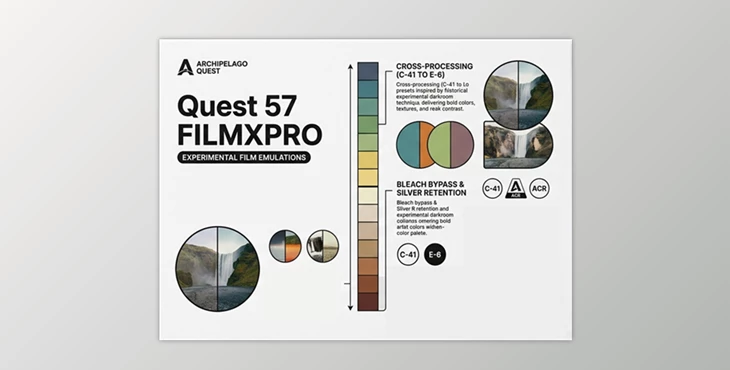
Downloadable Files
You can download Quest 57 for free at the end of this page.
Discover a New World of Cinematic Film Looks
If you’re a fan of the character of analog film and alternative techniques, Quest 57 gives you a unique way to transform your digital photographs. Inspired by alternative film processes and darkroom techniques, Quest 57 features a collection of Lightroom presets that will give your digital prints the look of a classic film negative.
With Quest 57, you can create distinctive looks for your portraits, travel shots, street photography, or cinematic landscapes while maintaining the appearance of your edited photographs being refined and professional.
What Makes Experimental Film Processing So Special?
Experimental film techniques such as cross-processing, silver retention, and bleach bypass allow photographers and filmmakers to develop unique color palettes and enhance the visual impact of their films and photographs.
The colors, contrast, and tonal ranges of a photograph are all altered with alternative film techniques.
Some benefits of using these alternative film techniques include:
- Enhanced contrast for depth in the photograph
- Unique color shifts for distinctive editing styles
- Improved highlight and shadow separation
- Enhanced visual mood for storytelling with photography
- Greater visual impact in creative photography projects
Photographers can use alternative film editing to produce distinct, artistic photography over standard digital editing techniques.
Meet Quest 57
Quest 57 is a set of professional presets created in honor of analog film and the visual impact of alternative film techniques. With the world of analog editing techniques, photographers and editors can create a unique editing style with ease to produce stunning prints of their edited photographs.
As a member of FILMXPRO, you will gain access to a complete collection of presets every month. You can choose between the latest addition to the FILMXPRO collection or any collection from more than 70 available preset collections. All of these presets will remain in your account forever, even if you cancel your membership.
Features
FILMXPRO Profile
The FILMXPRO Profile feature enhances the contrast and saturation of your photographs with a custom film-inspired tonal curve. This preset strengthens the depth of the shadows in your photographs while retaining the details in the highlight areas.
FXP 01 - Balanced X-Pro
FXP 01 takes inspiration from cross-processing film to deliver increased vibrant color separation in your digital prints. This editing style allows you to maintain the natural tones in your photographs while enhancing the details in shadows and highlights. Ideal for editing travel, lifestyle, urban, and portrait photography.
FXP 02 – Bold Alternative
For photographers seeking a stronger visual statement, FXP 02 introduces deeper contrast and more noticeable color shifts. The result is a stylized look with energetic highlights and atmospheric shadows. Perfect for:
- Editorial projects
- Fashion photography
- Creative campaigns
- Cinematic storytelling
FXP 03 – Silver Retention
Inspired by silver retention techniques, this preset emphasizes contrast while keeping color more restrained. Golden-toned highlights and dense textured blacks create a dramatic cinematic atmosphere. Excellent for:
- Moody portraits
- Fine art photography
- Night scenes
- Dramatic landscapes
Cross-Processing (X-Pro) Tool
This creative tool recreates the vibrant color shifts associated with traditional cross-processing workflows. It can be applied subtly for gentle enhancement or layered for a more intense artistic effect.
ENR (Silver Retention) Tool
The ENR tool increases contrast while selectively reducing saturation. This creates metallic tonal depth, dense blacks, and a sophisticated cinematic look without fully removing color information.
Bleach Bypass Tool
Bleach bypass is a favorite technique among filmmakers for creating gritty and dramatic visuals. This tool boosts texture and contrast while muting color, producing powerful atmospheric results. Great for:
- Action photography
- Documentary-style edits
- Urban environments
- Cinematic projects
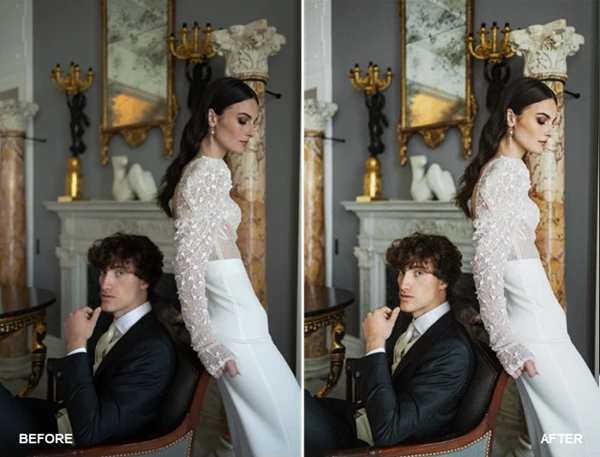
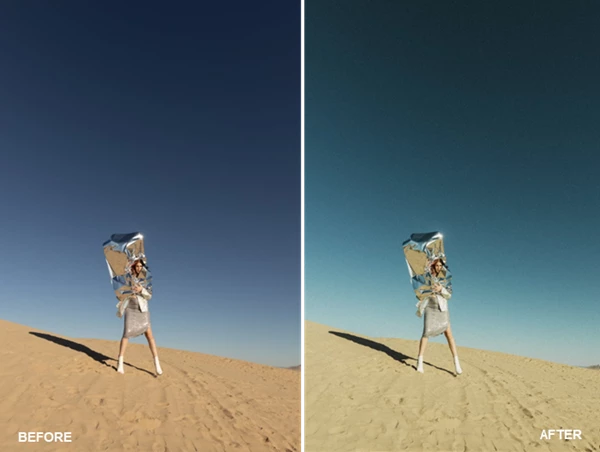
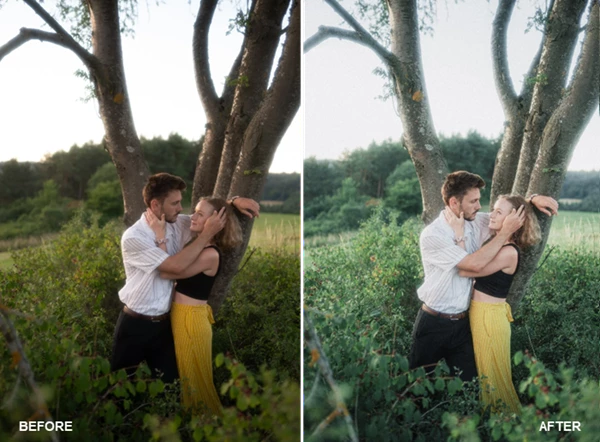
Pro Tips for Better Results
Ensure your digital photographs are well exposed before using the presets in Quest 57. This will allow your digital prints to maintain their natural look.
The creative tools in Quest 57 can be layered to allow for even more distinctive editing outcomes. Begin with the less intense editing choices and work towards your desired outcome.
Some of the presets in Quest 57 produce a balanced look to your digital prints, while others create a dramatic visual outcome for your storytelling photography projects.
Quest 57 recommends reducing the intensity of presets such as silver retention and bleach bypass tools when editing portraits to retain the natural tones of human skin.
Feel free to experiment with the various editing tools in Quest 57 to find an editing style that is unique to you and your photography projects.
Final Thoughts
Quest 57 brings the spirit of alternative film editing into the digital editing world. The presets in Quest 57 range from cinematic film profiles to cross-processing, silver retention, and bleach bypass editing techniques.
Whether you are looking for subtle editing enhancements to your digital prints or you want your photography projects to feature dramatic visual editing outcomes, Quest 57 will provide a helpful editing tool for photographers of all skills and experience levels. Explore the available features and edit your digital photographs to give your prints that extra depth and visual impact.

Files Password : gfxplugin.com OR 123456