Downloadable Files
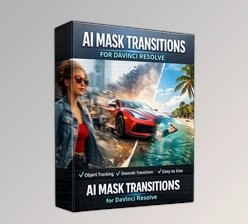
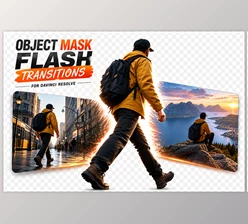
You can download Object Mask Transitions for Davinci Resolve for free at the end of this page.
Create Eye-Catching Transitions with Ease
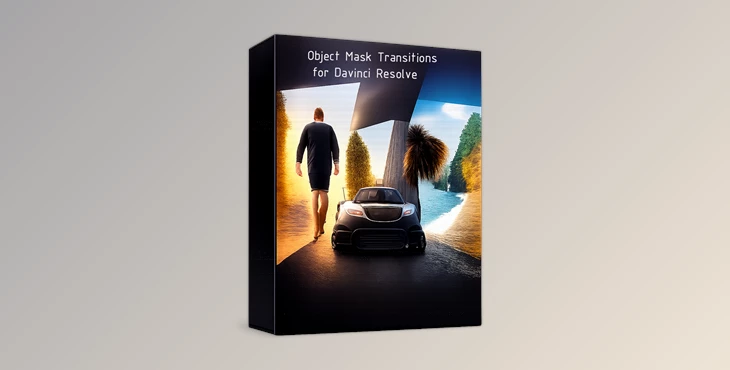
Creating smooth and creative transitions between video clips can take a project from good to exceptional. If you would like your subjects, objects, or characters to reveal the next scene in your editing project, then Object Mask Transitions for Davinci Resolve may be just what you are looking for!
It’s a powerful tool that allows editors to save time and create professional-looking object-based transitions that will enhance any editing project, regardless of its genre.
What Are Object Mask Transitions and Why Use Them?
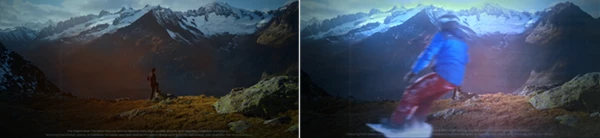
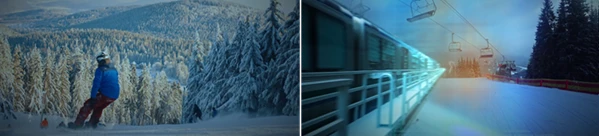
Object Mask transitions allow editors to seamlessly transition from one video clip to the next based on the object within that shot. Depending on the movement of that object within the screen, the edit can transition into the next video without the viewer’s eyes noticing the editing.
Some of the uses of object masking include:
- Introducing a character into the next scene by having them walk across the shot.
- Using a car allows for a seamless editing transition between two locations.
- Using a foreground object like a tree or building to hide the editing between two video clips.
- Using product showcase videos allows the products to reveal the next scene seamlessly.
All of these edits use elements that are already in the editing project. Thus, they appear more natural to the viewer.
Meet Object Mask Transitions for Davinci Resolve
Object Mask Transitions for Davinci Resolve is a powerful tool that was professionally designed to assist editors in creating these types of transitions. This tool is designed to allow editors of all experience levels to easily incorporate these types of transitions into their editing projects.
Features
No Plugins Required
Everything works directly inside DaVinci Resolve without the need for third-party plugins. This reduces setup time and ensures a smooth editing experience.
Fast Render
Optimized project files help minimize rendering times, allowing editors to work efficiently even on larger projects.
Vertical Format Support
Perfect for modern content creators producing videos for platforms such as TikTok, Instagram Reels, YouTube Shorts, and other mobile-first formats.
Photo and Video Support
The transitions can be applied to both images and video clips, providing flexibility across different types of content.
Quick & Simple Workflow
The included setup is designed to streamline the editing process, helping users create impressive results without technical complexity.
Fully and Easily Customizable
Editors can modify and adapt the transitions to fit the style, pacing, and visual identity of any project.
Intuitive Control Panel
User-friendly controls make customization straightforward, allowing adjustments without digging through complicated settings.
Include Macro File
The included macro file simplifies implementation and helps speed up the overall workflow.
Easy to Use
Suitable for beginners and experienced editors alike, making professional transition effects accessible to everyone.
Real-World Creative Uses
One of the biggest advantages of Object Mask Transitions for Davinci Resolve is its versatility across different editing styles.
- Travel videos can smoothly transition between destinations using moving people or environmental elements.
- Lifestyle content creators can create engaging scene changes that keep viewers watching longer.
- Commercial editors can use object masking to highlight products while maintaining visual flow.
- Event videographers can produce more cinematic wedding, corporate, or promotional videos.
- Social media creators can enhance short-form content with modern and dynamic transitions.
These practical applications help videos look more refined and memorable while improving overall storytelling.
Pro Tips for Better Results
Use objects that are in front of the camera and pass in front of the subject’s field of view.
Ensure that the motion within the editing project matches between the two videos.
Keep the editing transitions to a natural length and avoid overly dramatic editing features.
Use the editing tool’s customizable features to match editing projects with brands and audiences.
Use the vertical editing format for social media content creation.
Final Thoughts
Transitions between editing projects allow editors to create videos that not only include each scene, but also tell a story of those separate scenes. Object Mask Transitions for Davinci Resolve allow editors to create these types of edits quickly and easily.
This tool requires no plugins, features fast rendering capabilities, supports both static photos and video editing projects, features vertical editing format support, and it's easy to customize according to editing projects. Thus, it is a valuable tool that can be used by editors of all types of editing projects, from social media to cinematic videos.
Whether you are creating content for social media, commercial videos, travel content, or cinematic documentaries, the Object Mask Transitions for the Davinci Resolve editing tool can enhance your editing projects.

Files Password : gfxplugin.com OR 123456