Downloadable Files
You can download AE Sheets for free from the end of this page.
Simplify Video Localization Like Never Before
If you’ve ever had to create multiple language versions of a motion graphics project, you know how time-consuming it can be.
AE Sheets is an After Effects plugin that will make your video localization project faster, smarter, and more organized.
What Is AE Sheets and Why Is It Useful?
AE Sheets is an AI-powered After Effects extension that will allow you to create multilingual motion graphics projects.
You can easily generate several language versions of your project with just a few clicks.
Imagine having to create several language versions of a motion graphics project that will feature English, French, German, Japanese, and Arabic. Generating these versions manually would take hours. But with AE Sheets, you can create and manage all of these language versions from one workspace.
Meet AE Sheets: A Professional Localization Solution
AE Sheets features AI localization tools that will significantly simplify the motion graphics localization process for you.
Features
AI Localization
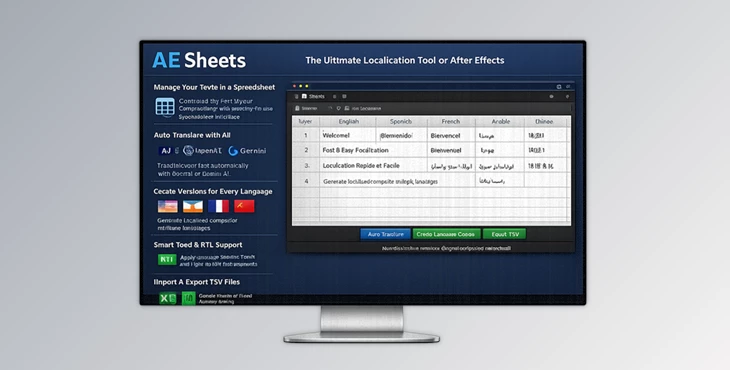
AE Sheets integrates with Google Gemini and OpenAI APIs to automatically translate your text within After Effects.
This AI translation will save you hours of manual translation work.
Note: To use the AI translation features, you must have a Google Gemini or OpenAI API key.
Centralized Layers Management
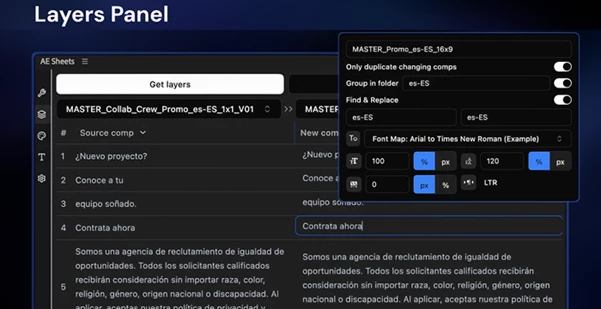
The Layers Panel provides a spreadsheet-like environment for managing all text layers in your project.
Features include:
- Index and organize text layers
- Update multiple layers simultaneously using shared indexes
- Compare language versions side by side
- Export and import translations via TSV files
- Copy and paste data between spreadsheets and AE Sheets
- Generate final localized compositions with one click
This makes large-scale translation projects much easier to manage and review.
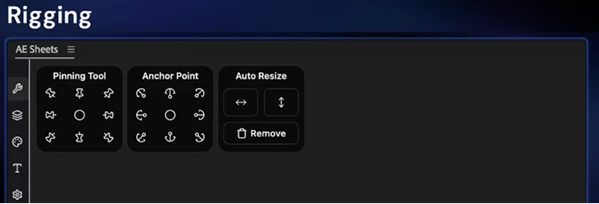
Smart Rigging Tools
One of the biggest challenges of localization is dealing with text expansion and contraction across different languages.
AE Sheets solves this with intelligent rigging tools:
- Auto Resize for text overflow management
- Dynamic Anchor Points to maintain alignment
- Pinning tools that keep graphics attached to text
For example, if a translated German sentence becomes significantly longer than the original English version, the layout can automatically adapt without breaking the design.
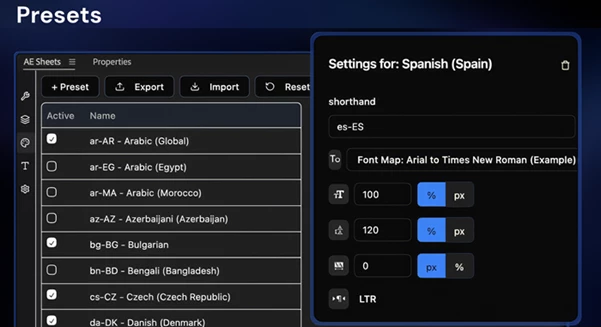
Language Presets AE Sheets includes 64 built-in language presets covering major global markets and regional variants.
Preset options include:
- Language codes
- Font family settings
- Font size adjustments
- Tracking and leading controls
- Right-to-left language support
- Font Map assignments
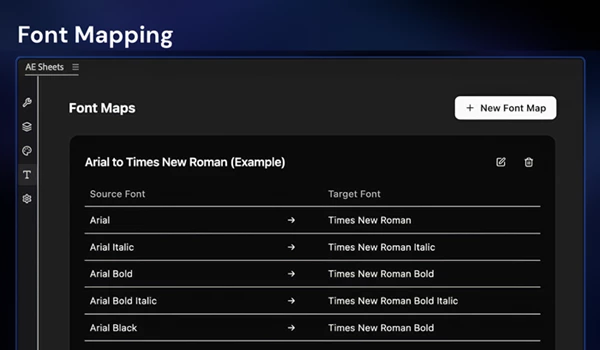
This allows designers to reuse localization settings across multiple projects without repeating setup work. Advanced Font Mapping Different writing systems often require different fonts. The Font Mapping system lets users create precise font replacement rules, such as:
- Helvetica Regular → Noto Sans SC Regular
- Helvetica Bold → Noto Sans SC Bold
This preserves typographic hierarchy while ensuring proper support for languages like Chinese, Arabic, Hebrew, and Hindi. Batch Creation and Version Generation AE Sheets can generate multiple language versions simultaneously. With Batch Create, users can:
- Select multiple target languages
- Automatically translate content
- Apply language-specific presets
- Replace fonts automatically
- Generate localized compositions in bulk
This feature can reduce hours of repetitive work to just a few clicks.
Pro Tips for Better Results
Organize your project’s text layers before localizing them into multiple languages.
Create language presets that include your project’s most used fonts and localize settings to save time when localizing other projects.
Use the Font Mapping feature instead of globally replacing fonts in your project.
Use the Auto Resize and Dynamic Anchor Point tools within AE Sheets before localizing your project to ensure that your text adapts appropriately to the different languages.
Use the Batch Create feature for projects that require many language versions.
Final Thoughts
Creating motion graphics projects in multiple languages doesn’t have to be challenging.
AE Sheets brings you AI localization, translation, font management, text rigging, and version generation tools within one After Effects extension.
The advanced features will significantly reduce the amount of time you spend localizing your projects and allow you to focus on your most important design task: creating compelling motion graphics for your clients.
With AE Sheets, you can create motion graphics projects in as many languages as your target audience requires and generate them quickly and efficiently.

Files Password : gfxplugin.com OR 123456