Downloadable Files
You can download Trigger for free at the end of this page.
Animate Smarter with Event-Based Workflows
If you’ve ever struggled with retiming animations within After Effects’ nested compositions, Trigger could transform the way you animate within the software.
This product allows animations within precompositions to be automatically activated based on markers placed into the composition. This time-saving automation tool allows motion designers to create complex animations within After Effects while saving time and effort on editing the animations.
What Is Trigger and Why Is It Useful?
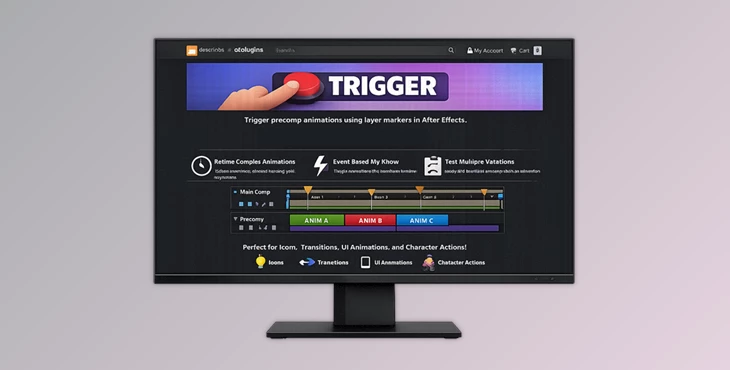
At its foundation, Trigger is a workflow automation plugin for Adobe After Effects that uses layer markers to activate animations within precompositions.
Instead of relying solely on a traditional linear timeline, Trigger introduces an event-based workflow system. Specific animation sequences can begin automatically whenever matching markers are encountered within a parent composition. This allows designers to create multiple animation events inside a single precomposition and control exactly when they occur from the main timeline.
Rather than moving countless keyframes or duplicating compositions, users simply reposition markers.
This workflow provides several major benefits:
- Faster animation retiming.
- Cleaner project organization.
- Easier experimentation with timing variations.
- Improved control over complex motion graphics systems.
- Non-destructive workflow adjustments.
For instance, a broadcast graphics package containing multiple animated transitions can be managed far more efficiently. Using Trigger, those transitions can be activated at different times simply by moving markers instead of rebuilding animation timelines.
Meet Trigger: A Powerful Animation Automation Tool
This tool was created to overcome the challenges of animators and motion designers within After Effects.
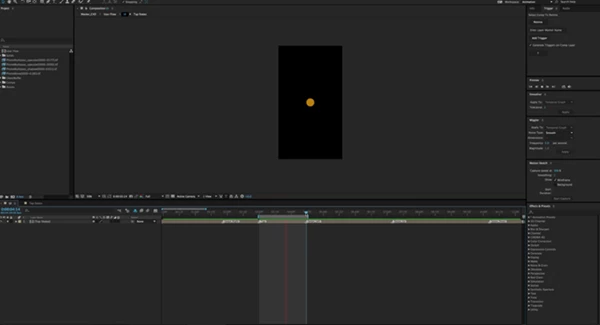
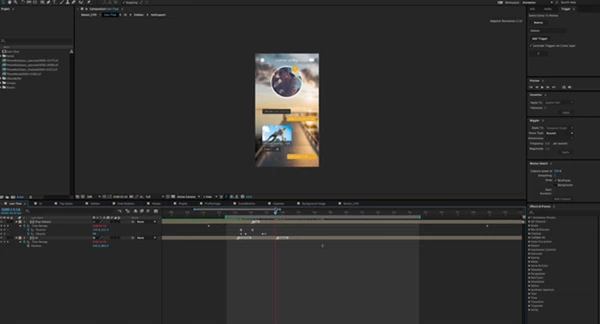
By placing markers within the layers of a precomp and the markers on the layers of the composition that contains the precomp, the animations within the precomp can be automatically activated. This allows designers to quickly and efficiently retime the animations within their projects.
Features
Trigger Animations Using Layer Markers
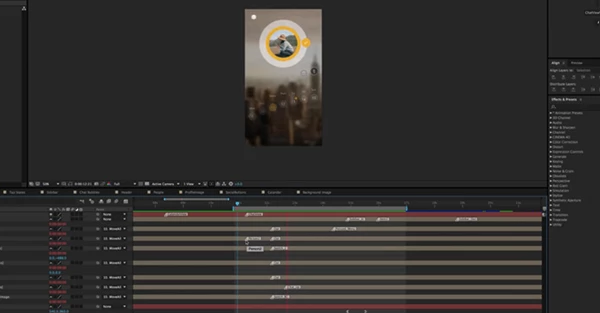
Trigger enables specific animation events to be launched using matching layer markers. When playback reaches a marker in the parent composition, the corresponding animation inside the precomp begins automatically.
Create Multiple Animation Events
A single composition can contain numerous animation sequences. Each event can be assigned its own marker, making it possible to manage multiple animation states within a single precomposition.
Non-Destructive Retiming
One of the most valuable advantages of this tool is the ability to retime animations without modifying existing keyframes. Simply reposition markers in the main composition to adjust when events occur.
Automatic Trigger Generation
Users can automatically generate corresponding markers on precomp layers, minimizing repetitive setup tasks and helping maintain synchronization between compositions.
Event-Based Workflow System
This product replaces traditional timeline-dependent workflows with a more flexible event-driven structure, providing animators with greater freedom when organizing animation sequences.
Easily Test Multiple Versions
Exploring different timing options becomes significantly faster. Rather than rebuilding animation structures, users can move markers and instantly preview alternative animation timings.
Simplified Animation Sequencing
Complex animation events can be organized, managed, and connected more effectively, making it easier to build sophisticated motion graphics systems.
Real-World Applications
Motion designers can use Trigger for a wide variety of projects, including:
- Broadcast graphics packages.
- UI and application animation prototypes.
- Lower-third animation systems.
- Explainer video motion graphics.
- Reusable animation templates.
- Logo reveal animations.
- Presentation and event graphics.
In these scenarios, the ability to manage timing from a central composition can dramatically reduce production time while increasing flexibility and consistency.
Pro Tips for Better Results
Name Markers Clearly
Use descriptive marker names so animation events remain easy to identify, especially in larger projects with multiple sequences.
Encapsulate Animation Sections
A recommended approach is to place markers around individual animation segments. This helps prevent unexpected playback behavior and keeps animation events organized.
Organize Complex Systems Early
When building larger animation systems, establish a consistent naming convention from the beginning. This makes future revisions much easier to manage.
Use Layer-Based Trigger Creation
Rather than manually placing every trigger marker, take advantage of automated marker generation from selected layers and layer in-points.
Build Reusable Animation Libraries
Since Trigger separates animation timing from animation creation, designers can develop reusable animation systems that can be applied across multiple projects.
Experiment Without Fear
One of the greatest strengths of Trigger is its non-destructive workflow. Designers can freely test different timing arrangements and animation sequences without affecting the original animations.
Final Thoughts
Trigger offers the motion design community a smarter and more efficient way to manage the animations within their projects in After Effects.
By introducing automation tools and an event-based workflow system for activating animations based on markers within the compositions, this tool gives designers and animators greater control over their projects.
Whether an animator is creating a complex animation system or a simple project, Trigger will make animation management within After Effects significantly easier.
For After Effects designers who work with precompositions, Trigger offers a free tool that can be significantly beneficial to the creative process.

Files Password : gfxplugin.com OR 123456