Downloadable Files
You can download LaPath for free at the end of this page.
Transform Sharp Corners into Smooth Perfection
After Effects’ interface is somewhat restrictive when it comes to using shape and mask layers. Among the limitations is the fact that there’s no easy way to round the corners of a shape once it’s been created. Additionally, if rounded corners are created with a mask path, it’s impossible to adjust the radius of the corners later on.
LaPath solves this problem by giving After Effects users complete control over the rounding of the corners of their mask paths and shape layers at any time during the project’s editing process. This tool is ideal for anyone creating motion graphics, user interfaces, animations of logos, or any design project that utilizes After Effects’ shape and mask layers.
Why Corner Rounding Matters
Rounded corners offer a certain visual appeal that is desirable for many design projects. Sharp corners can make for designs that may appear more mechanical, whereas rounded corners are associated with modern, sleek design elements and visuals.
Additionally, being able to adjust individual corners allows designers to:
- Create smoother and more visually appealing vector designs
- Build user interfaces with customized elements
- Design engaging logo and icon animations
- Make precise adjustments to mask paths without redrawing the shape
- Create a consistent visual language and aesthetic throughout their projects
The ability to adjust corners at any time during the editing process offers more flexibility to designers to make necessary revisions to their projects.
Meet LaPath
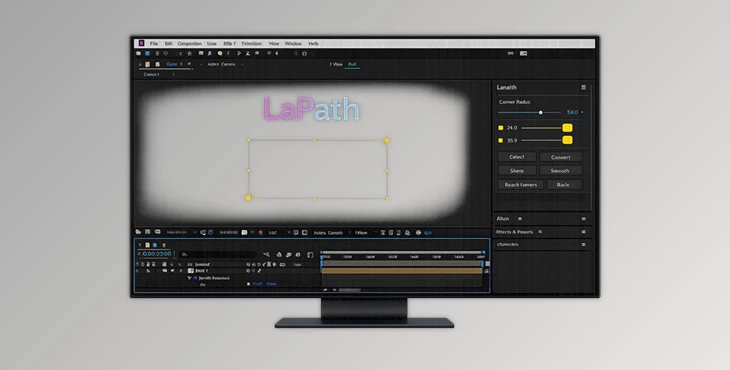
LaPath was created as a tool to help After Effects users solve the longstanding issue of rounded corners on paths. By introducing controllers that allow After Effects users to adjust the radius of the corners of their shape and mask layers by simply dragging a slider, LaPath offers an easy workflow to transform sharp corners into smooth, rounded corners.
To use LaPath to round the corners of a path:
- Generate controllers for the path
- Select the points within the path that should be rounded
- Adjust the radius of the selected points by dragging the slider
- View the newly rounded path
Features
Individual Corner Control
Unlike native After Effects tools, LaPath allows you to target specific points on a shape or mask path. This means you can round only the corners you want while leaving other points untouched.
Intelligent Geometry Analysis
LaPath doesn’t simply split every selected vertex. It analyzes the existing path structure and determines whether the selected point is a sharp corner or part of an existing curve.
This intelligent approach helps maintain cleaner geometry and prevents unnecessary point creation.
Existing Curve Detection
When working with paths that already contain rounded sections, LaPath automatically recognizes those curves and adjusts their radius accordingly instead of rebuilding them from scratch.
The result is smoother editing and better path integrity.
Multi-Keyframe Support
One of the most impressive features of LaPath is its ability to process animated paths across multiple keyframes simultaneously.
When corner adjustments require point splitting, the tool intelligently applies those changes throughout the animation timeline, preserving topology consistency and preventing broken path animations.
Non-Destructive Workflow
Because corner rounding remains editable through controllers, designers can continuously refine their shapes without having to recreate paths or lose previous work.
Real-World Uses
This tool can be used within a variety of After Effects projects. Some of the most common include:
- Motion graphics projects
- Logo animations
- User interface projects
- Infographic projects
- Broadcast graphics projects
- Character animation projects
- Mask-based animation projects
For example, LaPath could help a user change the corners of a button on a user interface project. Alternatively, it could also be used to adjust the corners of a logo after the animation of the logo has been created.
Pro Tips for Better Results
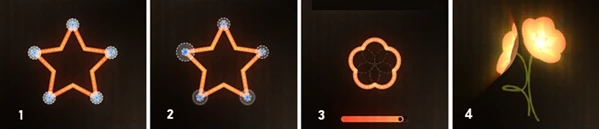
Select only the corners that you want to round
Use the same radius values for corners that should have the same visual impact
Test your shapes and masks while animating the project
Keep a visual balance in your project when adjusting corners
Use the nondestructive nature of LaPath to your advantage
Final Thoughts
This product is a free After Effects plugin that solves one of the most frustrating aspects of After Effects’ mask and shape layers. It allows users to precisely adjust the corners of their designs and offers a variety of features that enhance the user experience. Whether you use After Effects to create motion graphics, masks, or vector animations, LaPath will significantly improve your projects. Once you begin to use LaPath regularly, it will be difficult for you to work without it.