Downloadable Files
You can download Brand Keeper for free from the end of this product page.
Stop breaking your flow just to check brand stuff
If you’ve ever been working inside After Effects and suddenly had to check a hex code, font size, or logo rule… you already know how annoying it is.
You alt-tab. Open a PDF. Dig through folders. Come back. And somehow you’re not in the same creative mood anymore.
Brand Keeper is basically there to fix exactly that.
It keeps all your brand info right inside After Effects, so you don’t have to leave your workspace at all.
So what is it really?
Think of it like a small “brand brain” inside After Effects.
Instead of hunting around for client guidelines, everything is already there:
colors, fonts, logos, notes… all in one panel, always ready.
It’s not trying to be fancy. It’s just trying to save you time and keep you focused.
Why this actually helps in real work
- You don’t have to remember or retype hex codes
- Fonts and sizes are always easy to check
- Logos are ready to drop straight into your comp
- Client rules don’t get lost in random files
It’s one of those tools that quietly removes a lot of small headaches.
Everything inside After Effects
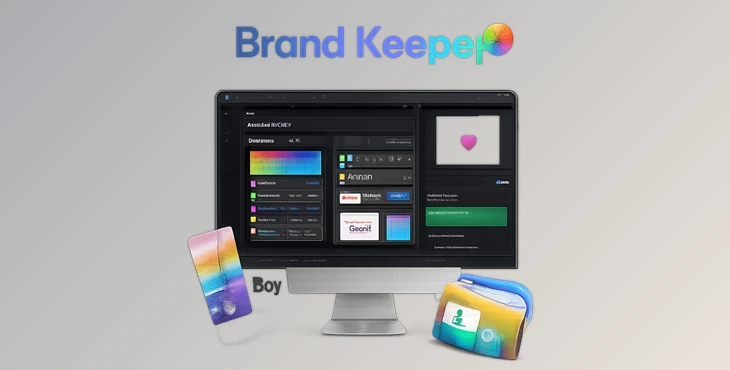
Brand Keeper runs as a panel inside After Effects (2021–2025), so it just sits there in your workspace.
No switching apps. No digging around.
You just open it and everything you need for a brand is already organized.
Features
Colors
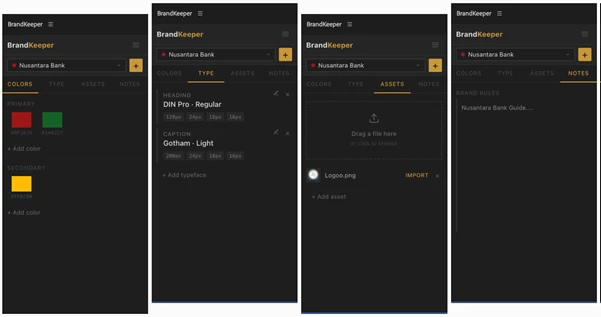
Save brand colors as swatches. Click once, copy the HEX code, done. No typing, no guessing.
Type
Keep your typography rules in one place:
font family, weights, roles (like headings or body), and sizes. Basically your full type system, always visible.
Assets
Drop in logos and brand files and bring them straight into your composition with one click. No file hunting, no dragging from folders.
Notes
This is where you keep the “don’t forget this” stuff. Tone of voice, spacing rules, random client notes… all in one place tied to your project.
Brand Library
You can create as many brands as you want and switch between them instantly. Each client stays separate and organized.
Export / Import
You can export a full brand as a .bkbrand file and send it to someone else. They import it, and everything shows up exactly the same on their side.
A few simple ways to use it better
Nothing complicated here, just small habits that make life easier:
- Set up the brand before you start animating
- Update colors when revisions happen (don’t leave it for later)
- Use the notes section like sticky notes for the project
- Import assets directly instead of saving them somewhere else
- Switch between brands instead of reopening old files
It’s really about keeping things clean and not overthinking it.
The real benefit
The main thing Brand Keeper does isn’t just organizing stuff.
It keeps you inside your creative flow.
No interruptions. No context switching. Just working inside After Effects without leaving every 5 minutes.
Final thoughts
If you work with a few brand clients with various brand guidelines, Brand Keeper will significantly save you time.
All of it lives within After Effects, so you can focus on your animation work.
It’s a simple tool that does one thing really well and makes your life a little easier on a daily basis.