Downloadable Files
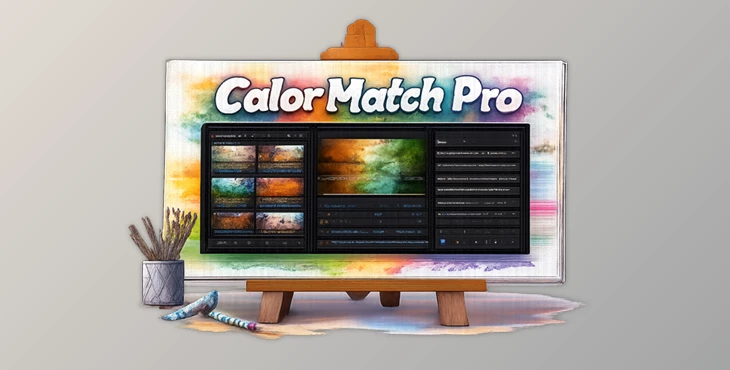
You can download Color Match Pro for free from the bottom of this page
Introduction – The Editing Struggle You Already Know
Frequently, editors find themselves spending too much time trying to achieve consistent colors within their edited images. Color correction is one of the most time-consuming aspects of editing images in any program.
Color Match Pro was created to solve these issues and to make color grading a simpler process. With Color Match Pro, editors can achieve professional color results with just a few clicks on their editing software. It allows editors to have speed, control, and freedom in their editing efforts.
What It Is & Why It Matters
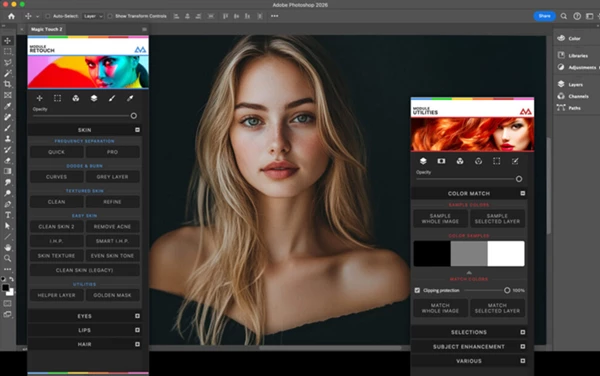
Color Match Pro is a smart color-matching and harmonizing tool that automatically adjusts tones, contrast, and color balance across your images.
Instead of manually working with curves, LUTs, and selective adjustments, it analyzes your image and creates a unified color style that feels natural and visually consistent.
Why this improves your work:
- Ensures consistent color across entire photo sets
- Saves hours of manual grading and correction
- Creates a more professional and cinematic look
- Reduces trial-and-error in Photoshop workflows
Real example:
If you are editing a series of portraits or a brand campaign for your client, Color Match Pro will ensure that all the individuals within the edited images have the same color throughout, and your brand project looks professionally edited.
Professional Tool Overview
Color Match Pro was created for editors looking for a fast editing software tool that will not sacrifice the quality of the editing performed on their project, in editing software like Photoshop.
✨ Features
- One-click intelligent color matching system
- Automatic tone and contrast balancing
- Smart color harmonization for skin, shadows, and highlights
- Seamless integration with professional editing workflows
- Supports natural, cinematic, and creative color styles
- Designed for both beginners and advanced editors
- Fast workflow optimized for high-volume projects
Color Match Pro was not created to replace your editing software and your skills in editing. Instead, it was created to enhance your editing software experience by reducing the amount of work you need to do manually in your editing software projects.

Pro Tips for Better Results
Color Match Pro can provide editors with professional color results quickly. However, a few tips will help editors get even better results from the editing tool:
- Always start with properly exposed images for the best color grading result
- Start with subtle adjustments to the color grading settings to maintain your desired image look and feel
- Use Color Match Pro in conjunction with your editing style to achieve unique editing results for your projects
- Use Color Match Pro as a base for your editing software project, then make further manual adjustments as needed
- Pay close attention to the tones of the skin within your edited projects when using Color Match Pro
- These editing tips will help editors achieve the best color grading results for their editing projects.
Final Conclusion
Color Match Pro is not just a color tool—it is a workflow upgrade. It helps you edit faster, maintain consistency, and focus more on creativity instead of technical adjustments.
Whether you are working on portraits, commercial projects, or creative photography, it gives your work a polished and professional finish in less time.
If you want to simplify your editing process while keeping full creative control, this tool is worth trying.

Files Password : gfxplugin.com OR 123456