Downloadable Files
You can download Sdf.R for free from the end of this page
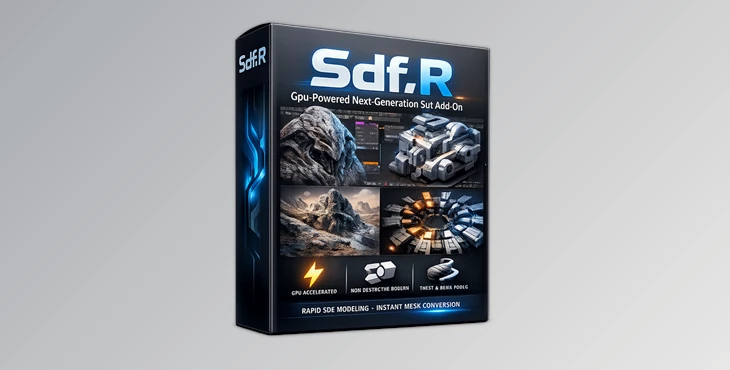
Create Complex 3D Shapes Faster Than Ever
While building 3D models manually can be satisfying, it can also be slow - especially with complex projects. Sdf.R takes a new approach to 3D modeling.
With an innovative engine developed with Rust and GPU technology, Sdf.R lets you model complex objects incredibly quickly and with ease within Blender.
Use Sdf.R for a variety of modeling projects, from hard-surface assets to organic designs and more.
What Is SDF Modeling and Why Does It Matter?
SDF modeling allows users to model objects using mathematical representations. This means users no longer have to model each object manually with Blender’s geometry tools. Instead, modeling is accomplished with a variety of helpful tools to create even the most complex of designs. Benefits of SDF Modeling include:
- Faster boolean operations
- Smooth blending between objects
- Non-destructive modeling
- Quick creation of organic and mechanical models
- Ability to prototype complex objects in real time
Sdf.R allows users to prototype their ideas quickly and create their designs with mathematical operations rather than manually building the models. Users can then turn these models into mesh objects to integrate into their Blender projects.
Features
World's First Rust-GPU Engine
Sdf.R features a backend engine developed with Rust and optimized for the GPU to provide users with the best possible experience with the software.
Real-Time GPU Preview System
The addon utilizes Blender’s GPU module to provide instant visual feedback. Changes appear interactively, allowing artists to adjust shapes, layouts, and modifiers without interrupting their creative flow.
Advanced Topology Generation
Users can choose between:
- Marching Cubes (MC) for smooth organic surfaces.
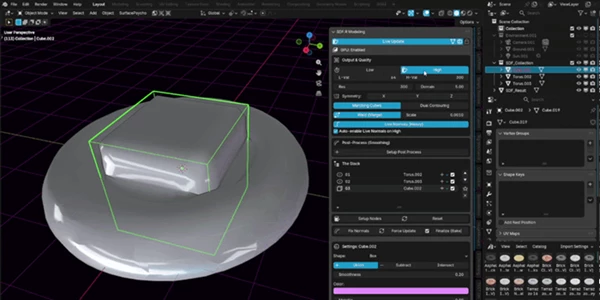
- Dual Contouring (DC) for sharper mechanical details.
This flexibility allows creators to adapt the modeling process to different project requirements.
Dynamic Shape Fusion
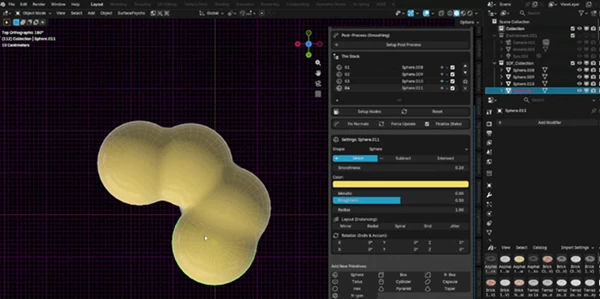
Sdf.R makes blending geometry remarkably simple. Organic transitions and mechanical connections can be adjusted using customizable smoothing controls, helping create seamless results without extensive cleanup.
Advanced Layout Stacking
The layout system supports multiple procedural modifiers, including:
- Mirror
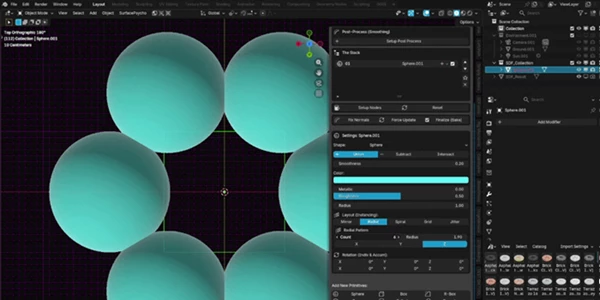
- Radial
- Spiral
- Grid
- Jitter
These modifiers can be combined within a unified stack, enabling the creation of highly detailed procedural arrangements with minimal effort.
Ultra-Fast Ghost Preview Mode
One of the most impressive additions is the new Ghost Preview Only Mode.
When mesh generation is disabled, heavy polygon calculations are completely bypassed. Artists can freely sculpt, adjust layouts, modify resolutions, and experiment with large scenes while maintaining excellent viewport performance.
Once the design is finalized, mesh generation can be restored instantly with a single click.
Collection-Based Workflow Improvements
The software’s most recent updates include support for Collections while in Ghost Preview mode.
This allows artists to design collections including tools like:
- Mirror systems
- Radial systems
- Grid systems
Additionally, users can now click on any Collection to instantly duplicate it in their project with a single click. The interface has also been redesigned to be more user-friendly.
Real-World Creative Uses
Hard-Surface Modeling
Use Sdf.R to create sci-fi designs for projects including robot designs, panels, and industrial assets.
Procedural Environment Design
Use Sdf.R to quickly create procedural environment designs by using the layout tools to quickly build the assets you need.
Concept Art Production
Use Sdf.R to create your concept art designs quickly so that you can prepare for the modeling process in Blender.
Motion Graphics Assets
Create procedural motion graphics with Sdf.R. Use it to create abstract designs that can later be converted to meshes.
Product Visualization
Create organic or mechanical product designs with Sdf.R to visualize new products without having to create their meshes.
Professional Tips for Better Results
Work in Ghost Mode for Concept Art
When working on your concept art for a project, work in Ghost Mode, so your project maintains high performance in the viewport.
Use Dual Contouring for Mechanical Designs
For projects that include sharp edges or technical designs, use the Dual Contouring mesh option to ensure your designs turn out the best.
Build With Collections
Organize procedural structures using Collections. This makes large projects easier to manage and enables faster duplication of design systems.
Stack Layout Modifiers Strategically
Combining Grid, Mirror, Radial, and Spiral layouts can produce intricate procedural structures with very little manual work.
Delay Final Mesh Generation
Keep your workflow procedural for as long as possible. Generate final meshes only when you’re ready for exporting, rendering, or applying additional Blender modifiers.
Final Thoughts
Sdf.R is a step forward for Blender users looking for faster, more intuitive methods of creating procedural, complex projects.
With its innovative technology and powerful features, Sdf.R is a great alternative to modeling your projects in the traditional way in Blender.
For these reasons and with the software’s user-friendly interface, Sdf.R is one of the best SDF modeling tools for Blender right now.
 Sdf.R - Gpu-Powered Sdf for Blender (v16.2.2).rar (Size: 42.5 MB - Date: 9/27/2026 11:24:24 AM)
- Sdf.R - Gpu-Powered Sdf for Blender by Superhivemarket (v16.2.1 for Win, Linux, Osx).rar (Size: 36.6 MB - Date: 9/14/2026 11:29:41 AM)
- Sdf.R - Gpu-Powered Sdf for Blender by Superhivemarket (v16.1.0 for Win, Linux, Osx).rar (Size: 42.5 MB - Date: 8/5/2026 12:31:01 PM)
- Sdf.R - Gpu-Powered Sdf for Blender by Superhivemarket (v15.9.9.4 for Win, Linux, Osx).rar (Size: 38.3 MB - Date: 7/14/2026 11:37:30 AM)
- Blender - Sdf.R - Gpu-Powered Next-Generation Sdf Add-On v15.9.9.rar (Size: 12.2 MB - Date: 6/13/2026 10:15:33 AM)
Files Password : gfxplugin.com OR 123456