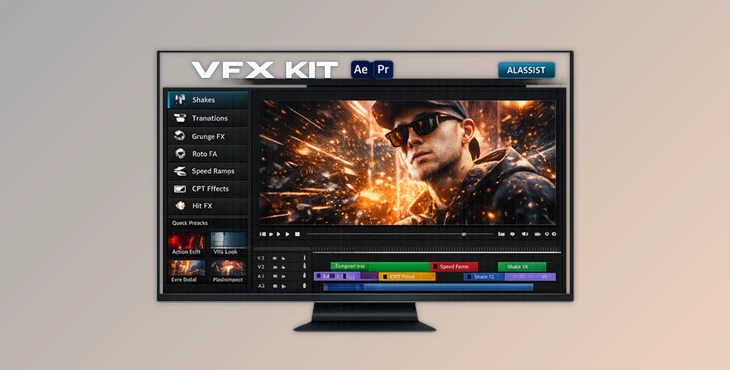
Downloadable Files
You can download the VFX KIT for free from the end of this page.
Create Faster, Edit Smarter
Video editing today is all about speed, creativity, and standing out from the crowd. Whether you’re producing music videos, social media content, viral edits, or professional client projects, finding unique visual effects can take a huge amount of time.
That’s where VFX KIT comes in. Instead of spending hours searching through presets, building effects manually, or relying on the same overused visual styles, this powerful After Effects extension gives editors instant access to professional-grade effects and even uses AI to help build complete edit drafts automatically.
If you’ve ever wished you could create impressive visual effects faster while maintaining creative control, VFX KIT is designed exactly for that purpose.
What Is VFX KIT and Why Is It Useful?
This tool is an all-in-one visual effects extension pack for Adobe After Effects and Premiere Pro. With VFX KIT, you get access to over 175 professional visual effects with just a few clicks.
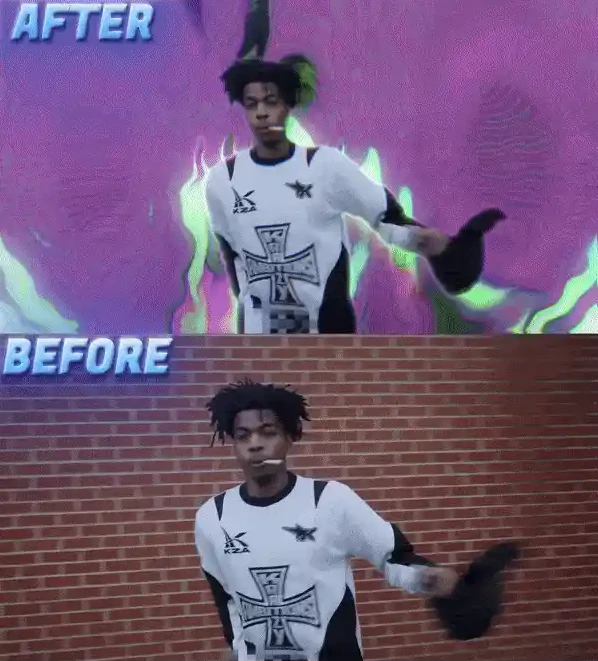
Rather than manually creating visual effects for your projects, VFX KIT allows you to instantly apply a range of visual effects with customization options to match your project.
For instance, if you’re editing a music video, you might want to add a range of transitions, shakes, and speed ramp effects. Applying each visual effect manually can take hours. With this product, you can apply each effect instantly to your project and save yourself hours of editing.
Meet VFX KIT
This Product is a professional After Effects extension built specifically for modern content creators, music video editors, commercial filmmakers, and social media professionals.
The extension combines a massive library of high-quality effects with an intelligent AI Assistant capable of automatically building edit drafts based on simple text prompts.
Whether you’re creating energetic music videos, promotional content, gaming edits, or cinematic social media content, VFX KIT helps streamline the entire editing workflow.
Features
AI Assistant for Automated Editing
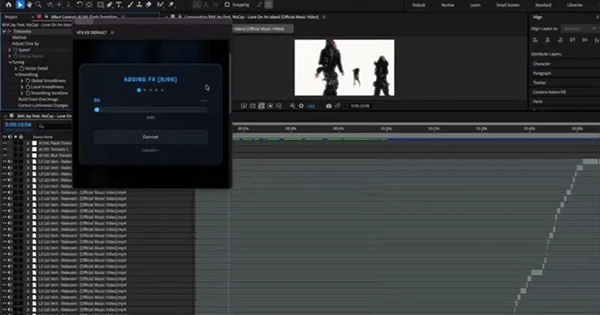
One of the most exciting additions to VFX KIT is its built-in AI Assistant. Users can simply describe the style they want, and the AI automatically applies suitable visual effects throughout the timeline. In many cases, editors can generate a rough edit draft within minutes. Benefits include:
- Automatic effect placement
- Faster project setup
- Reduced repetitive editing tasks
- Rapid creative experimentation
- Quick generation of edit drafts
This feature is especially useful for music videos and fast-turnaround client work.
175+ Premium Visual Effects
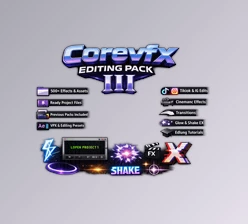
VFX KIT includes over 175 professional effects organized into seven dedicated categories:
- Roto FX
- Shakes
- Grunge FX
- Transitions
- Hits
- Speed Ramps
- CRT Effects
Each category targets a specific editing style and allows creators to build visually engaging sequences without starting from scratch.
Live Effect Preview System
Finding the right effect can often slow down editing. VFX KIT solves this problem by offering live previews, allowing editors to quickly browse, preview, and apply effects without interrupting their workflow. This creates a much smoother editing experience and significantly improves productivity.
No Third-Party Plugins Required
Many professional effect packs depend on expensive external plugins. This tool works without requiring additional third-party plugins, making installation simpler and reducing compatibility concerns. Editors can immediately begin using the effects after installation.
Designed for Modern Content Creation
The effect collection was specifically developed for:
- Music videos
- Viral social media edits
- Promotional videos
- Client projects
- Creative short-form content
- YouTube productions
Every effect is optimized for modern editing styles where energy, speed, and visual impact are critical.
Real-World Creative Scenarios
Music Video Production
Use shakes, transitions, speed ramp, and hit effects to edit music videos in a way that captures the energy of the songs.
Viral Social Media Content
Use quick transitions and visual effects to create viral social media videos that keep the viewer’s attention.
Client Commercial Projects
Use professionally designed visual effects to edit commercial projects for clients and save them time in the editing process.
Pro Tips for Better Results
Start With AI, Then Customize
Use the AI Assistant to produce an edit draft and then customize specific visual effects within that edit.
Layer Multiple Effect Types
Use multiple types of effects, such as transitions, shakes, and grunge effects to produce visually engaging videos.
Match Effects to the Music
Ensure that visual effects like hits, transitions, and speed ramps are synchronized with the different parts of the music.
Avoid Overusing Effects
Rather than overusing visual effects, use them selectively to produce a professional-looking edit.
Fine-Tune After Applying
The visual effects within VFX KIT are ready to use right away. However, editors can make small tweaks and adjustments to the effects right after application.
Final Thoughts
For editors looking to produce visual effects faster, VFX KIT is the extension for you. With its library of professional visual effects and its AI editing assistant, VFX KIT allows editors to produce impressive projects.
From music videos to social media videos and beyond, VFX KIT includes the perfect tools for editors to reduce repetitive tasks and increase their creative possibilities. With VFX KIT, editors can produce content at the speed of light. Whether you are a professional editor or an amateur with a camera phone and a dreamy editing vision, VFX KIT is the extension that will significantly impact the editing process for you.

Files Password : gfxplugin.com OR 123456