Downloadable Files
You can download PhysicDesk for free at the end of this page.
Bring Real Physics Into Your After Effects Projects
Creating realistic motion within After Effects can be a time-consuming process involving countless keyframes and adjustments. However, this tool makes it possible for you to simply create your scene within After Effects and watch the physics take over once you press play.
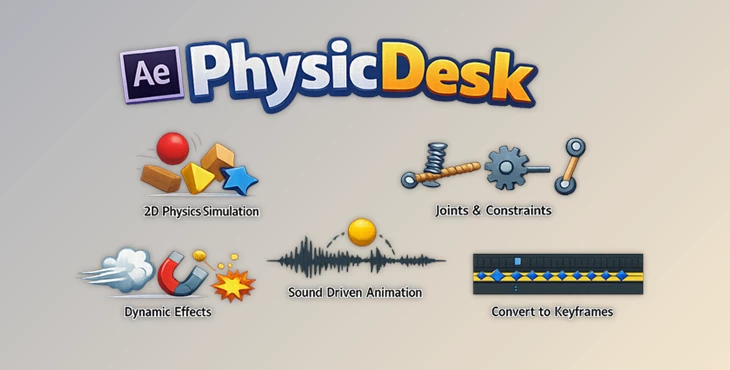
PhysicDesk allows you to create realistic physics within After Effects for projects such as motion graphics, animated infographics, user interfaces, and visual effects.
Understanding Physics Simulation in Motion Design
Physics simulation within After Effects allows you to recreate the behaviors of the real world. This means that your projects can include elements such as:
- falling objects
- swinging objects
- explosions and particles
- working machines
- sound-reactive elements
These elements are challenging to create and animate on their own, yet much easier with the help of physics simulation within After Effects.
PhysicDesk gives you complete control over simulating and baking these physics into your After Effects projects while also allowing you to edit them later.
Meet PhysicDesk
This product gives you a complete workspace for simulating physics directly within After Effects. Create your projects within After Effects and then simulate the physics that you require for your projects.
PhysicDesk’s biggest benefit is that every simulation can be converted into keyframes within After Effects, so that you always have control over your project.
Whether you are creating machines, typography, particles, explosions, or any other motion graphic within After Effects, PhysicDesk will make your life much easier.
Features
Real-Time Physics Simulation
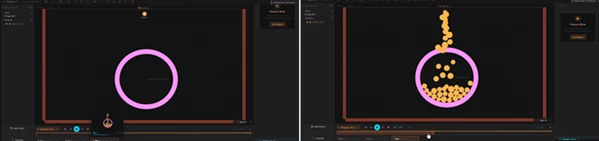
PhysicDesk runs simulations directly inside the viewport, allowing you to see results instantly while making adjustments. Benefits include:
- Faster iteration
- Immediate visual feedback
- Reduced trial-and-error
- More natural motion design
Multiple Physics Modes
Different objects can behave in different ways depending on your creative needs. Available modes include:
- Dynamic
- Static
- Motor
- Sleeping
- Elastic
- Path Follow
- Soft Body
- Dead
- Keyframed
- PhysLink
This flexibility makes it easy to combine traditional animation with realistic physical interactions.
Advanced Particle Systems
Create complex particle effects using:
- Points
- Lines
- Circles
- Rectangles
- Custom shapes
- Text characters
- Custom paths
Control particle lifespan, fading, color, collision groups, and behavior for highly customized effects.
Rope, Chain, and Joint Systems
Build working mechanical structures using:
- Pin Joints
- Weld Joints
- Pivot Joints
- Spring Joints
- Piston Joints
- Wheel Joints
You can create:
- Vehicles
- Suspension systems
- Machinery
- Pendulums
- Robotic mechanisms
These tools allow highly realistic movement without manual animation.
Sound-Driven Animation
This tool can connect physics properties to live audio frequencies. Objects and particle systems can react to:
- Bass
- Low-Mid
- Mid
- Treble
This makes it perfect for:
- Music videos
- Audio visualizers
- Concert graphics
- Reactive motion design
Portals, Explosions, and Destruction
Create visually exciting effects using:
- Teleportation portals
- Explosive force zones
- Breakable objects
- Shatter simulations
These tools help artists create cinematic motion graphics and visual effects without additional plugins.
Soft Body Dynamics
Transform rigid shapes into flexible, deformable objects. Adjust:
- Stiffness
- Damping
- Pressure
- Buoyancy
- Bounce
- Smoothing
- Jiggle
Ideal for creating:
- Jelly-like objects
- Cartoon animations
- Organic motion
- Soft material simulations
Smart Import System
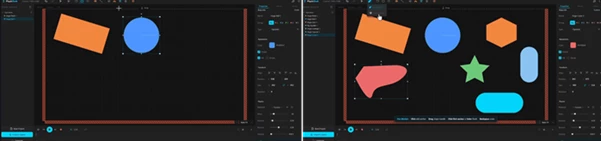
Import directly from your composition:
- Shape layers
- Text layers
- Images
- Masks
- Keyframed animations
PhysicDesk keeps imported layers synchronized with After Effects while giving you control over how animations continue after keyframes end.
Record Pool and Scene Management
Experiment freely without losing previous versions. Features include:
- Unlimited recorded takes
- Thumbnail previews
- Scene snapshots
- Auto-save functionality
- Full scene storage
This makes testing and comparing different simulations incredibly efficient.
Export to Native After Effects
Once your simulation is complete, PhysicDesk can export using two methods: Keyframe Mode converts simulation data into:
- Position keyframes
- Rotation keyframes
Everything remains fully editable inside After Effects.
Expression Mode
Keeps the animation lightweight while allowing easy retiming and adjustment before converting to keyframes later.
Professional Tips for Better Results
Start With Simple Simulations
For beginners or when learning PhysicDesk, it is ideal to start with a few objects that can simulate the physics you want to show off before beginning your project.
Combine Keyframes and Physics
Use the physlink mode within PhysicDesk to combine the benefits of traditional animation with physics-based motion.
Take Advantage of Record Pool
PhysicDesk’s record pool allows you to save multiple takes on your projects while experimenting with them. This allows for various outcomes from a few similar parameters.
Use Audio Responsibly
When creating projects that respond to audio frequencies, limit the range of frequencies used for your project. This will make your animations look more professional.
Fine-Tune Physical Properties
Adjust the physical properties of your objects created in this tool. The mass, friction, and bounce properties can have a huge impact on the way that your objects will move in your project. Tweaking these settings will create better results.
Final Thoughts
PhysicDesk allows you to add physics simulation to your projects in After Effects so that they move in a realistic way without having to manually animate every movement.
As such, PhysicDesk offers a complete solution for motion designers looking to simulate physics and create realistic animations for their projects.
Whether you are creating motion graphics for commercials, visual effects for movies, social media, or even for explaining a specific topic, PhysicDesk will give you the tools and features necessary to create visually appealing and dynamic animations for your projects.
 PhysicDesk - 2D physics simulator for Ae by Aescripts (v2.3.878).rar (Size: 4.9 MB - Date: 9/15/2026 12:03:10 PM)
- PhysicDesk - 2D physics simulator for Ae by Aescripts (v2.3.179).rar (Size: 4.5 MB - Date: 9/7/2026 2:59:51 PM)
- PhysicDesk - 2D physics simulator for Ae by Aescripts (v2.2.220).rar (Size: 4.5 MB - Date: 8/29/2026 4:45:41 PM)
- PhysicDesk - 2D physics simulator for Ae by Aescripts (v2.2.167).rar (Size: 4.5 MB - Date: 8/17/2026 11:55:43 AM)
- PhysicDesk - 2D physics simulator for Ae by Aescripts (v2.2.120).rar (Size: 173.0 MB - Date: 8/5/2026 12:24:04 PM)
- PhysicDesk - 2D physics simulator for Ae by Aescripts (v2.0.223).rar (Size: 4.1 MB - Date: 7/28/2026 10:35:38 AM)
- PhysicDesk - 2D physics simulator for Ae by Aescripts (v2.0.177).rar (Size: 4.0 MB - Date: 7/20/2026 11:00:13 AM)
- PhysicDesk - 2D physics simulator for Ae by Aescripts (v2.0.141).rar (Size: 4.1 MB - Date: 7/18/2026 3:19:35 PM)
- Aescripts - PhysicDesk v1.6.23.rar (Size: 4.6 MB - Date: 6/10/2026 1:51:26 PM)
Files Password : gfxplugin.com OR 123456