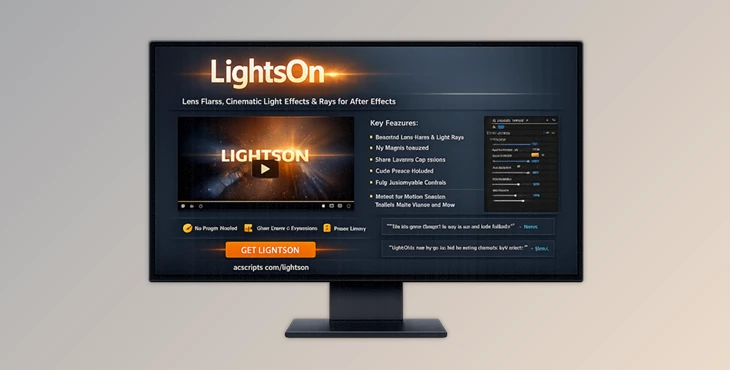
Downloadable Files
You can download LightsOn for free at the end of this page.
Bring Your Scenes to Life with Stunning Lens Flares
Lighting effects can do wonders for the atmosphere you want to create for your scene. Whether you are working on music videos, motion graphics, or cinematic intros and outros, having the ability to add realistic lens flares can add that extra dimension to your scene that will impress the viewers.
Enter the wonderful world of LightsOn! This tool allows you to add beautiful lens flare effects and more to your projects in After Effects without needing to use any third-party plugins. After Effects is already loaded with the features necessary to create stunning lighting effects on your projects, and this tool lets you access those features to add them to your projects.
What Is LightsOn and Why Is It Useful?
Lens flare effects and cinematic lighting allow your projects to have a more realistic look, with visual elements that simulate the way light interacts with your camera lens. These features will enhance the visual aspect of your projects and allow your viewers to focus on the most important elements of the scene.
Some of the many ways in which lens flare effects and lighting can be used include the following:
- Enhancing title animations and logo reveals
- Adding a sense of atmosphere to your videos
- Creating dramatic highlights on your products
- Simulating sunlight and other artificial light sources
- Improving the overall look and depth of your motion graphics projects
Using lens flare and cinematic lighting effects correctly can transform your projects and showcase your content in the best possible way. It will make your animations look less flat and more professionally produced.
Meet LightsOn: A Flexible After Effects Lighting Toolkit
LightsOn features a collection of stunning lens flare and lighting effects that are built entirely within After Effects. This tool does not require any third-party plugins to use its features and add its lighting effects to your projects. All of the effects are built using After Effects’ native features, including Shape Layers and Essential Properties.
This tool is designed for both beginners and professionals who want to have complete control over the settings of the lighting effects that are applied to their projects.
Features
No Plugins Required
All lighting effects are built using native After Effects tools. This means easier project sharing, improved compatibility, and no dependency on third-party software.
Beautiful Lens Flares and Light Effects
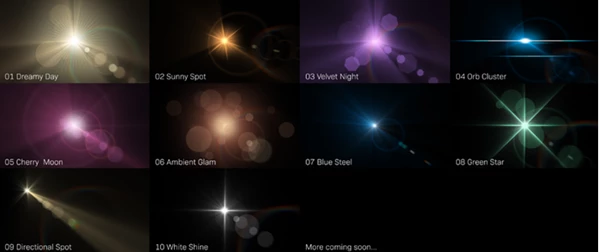
The package includes professionally designed lighting presets that can instantly improve the visual quality of your scenes and animations.
Quick and Easy Workflow
Applying a light effect is straightforward:
- Select a composition.
- Choose a preset.
- Adjust settings as needed.
This simple workflow allows artists to focus on creativity instead of technical setup.
Global Adjustment Controls
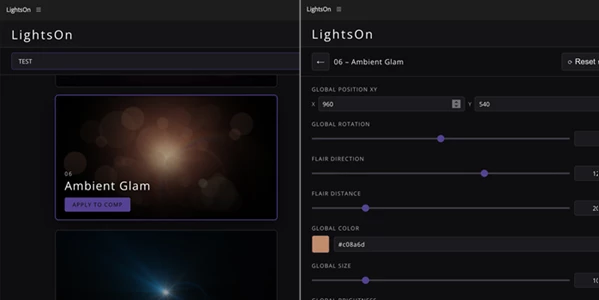
A dedicated custom interface makes it easy to modify settings globally and blend the lighting naturally into any scene.
Essential Properties Support
Each lens flare is added as a separate composition. Through Essential Properties, users can:
- Fine-tune values.
- Add keyframes.
- Create custom animations.
- Control effects without digging through complex layer structures.
Fully Editable System
Every component remains accessible and editable. Users can:
- Modify Shape Layers.
- Adjust effects and expressions.
- Hide or delete elements.
- Add new layers.
- Combine assets from different presets.
- Create entirely new lighting designs.
Project Sharing Freedom
Finished projects can be shared with anyone. Recipients do not need the LightsOn extension installed to open or work with the project files.
Real-World Creative Uses
LightsOn can enhance many types of productions, including:
- Cinematic title sequences.
- YouTube intros and promos.
- Commercial advertisements.
- Product showcases.
- Music videos.
- Film and short-film post-production.
- Motion graphics packages.
- Social media content.
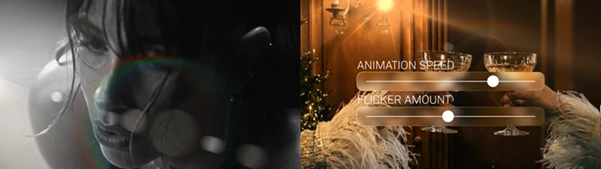
For example, adding a subtle flare behind a logo reveal can instantly create a premium cinematic appearance. Likewise, introducing moving light streaks into a motion graphics project can add energy and realism without distracting from the main content.
Pro Tips for Better Results
Keep It Subtle
Lens flares are most effective when they support the scene rather than dominate it. Small adjustments often create the most realistic results.
Match the Scene Lighting
Adjust color, intensity, and blending settings to match the existing light sources in your composition for a more natural look.
Animate Key Properties
Use Essential Properties to animate brightness, position, and intensity. Dynamic lighting feels much more realistic than static effects.
Combine Multiple Presets
Since all components are editable, you can mix elements from different presets to create unique custom lighting styles.
Explore the Expressions
Advanced users can modify expressions to create completely customized behaviors and animations tailored to specific projects.
Final Thoughts
LightsOn is another outstanding tool for After Effects users looking to enhance their projects with stunning lighting effects. The lighting effects are beautiful, easy to use, fully editable, and created natively within After Effects for users to work with.
Whether you are creating cinematic titles, commercial animations, or just adding a bit of sparkle to your motion graphics projects in After Effects, LightsOn is a tool that every designer should have in their arsenal. With its level of control and features, you can produce stunning lighting effects for your projects that will amaze your viewers. If you have a deep desire for more control over your projects and a faster workflow in After Effects, then LightsOn is a tool that you should explore as soon as you can.