Downloadable Files
You can download Fencixel for free from the end of this page.
Create Stunning Stylized Fences in Minutes
Building detailed environment assets from scratch can be one of the most time-consuming parts of creating stylized 3D scenes. Whether you’re designing a fantasy village, a cozy countryside environment, or a magical garden, fences and hedges play a major role in shaping the atmosphere of your world.
Fencixel is designed to solve this challenge by providing a powerful Geometry Nodes system for Blender that generates beautiful, stylized fences with minimal effort. Instead of spending hours modeling, adjusting, and optimizing fence assets manually, artists can generate highly customizable results directly inside Blender and focus more on creativity.
If you’re looking for a faster and smarter way to dress your environments, Fencixel offers an impressive workflow that combines flexibility, speed, and professional-quality results.
What Is Fencixel and Why Is It Useful?
At its core, Fencixel is a procedural fence-generation tool built with Blender Geometry Nodes. It allows artists to create a wide variety of stylized fences and hedges through an intuitive parameter-based system.
Rather than modeling every individual fence segment, users can generate entire fence systems while maintaining full control over their appearance.
This approach offers several advantages:
- Faster environment creation.
- Consistent visual style across large scenes.
- Easy modifications without rebuilding assets.
- Better optimization for large-scale projects.
For example, if you’re creating a fantasy town, you can quickly generate wooden fences around homes, stone-hybrid barriers near castles, and lush hedge borders around gardens—all from a single tool. Because every style is customizable, artists can easily adapt the generated results to match different artistic directions while maintaining visual consistency.
Features
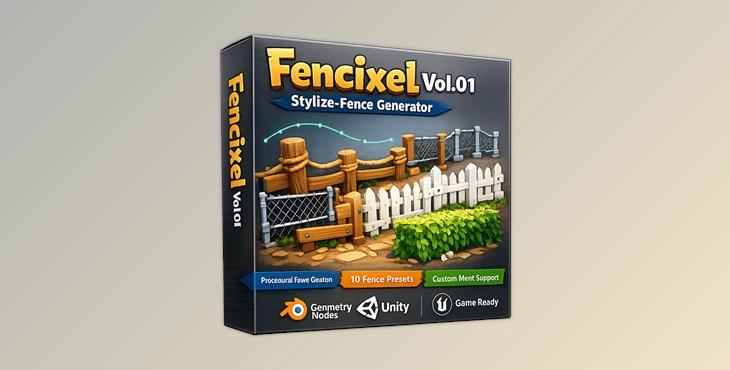
10 Built-In Stylized Fence Modules
Fencixel includes 10 unique stylized fence modules. Each one features its own unique look that will add visual interest to your environments. These include:
- Wooden fences
- Stone-hybrid fences
- Organic hedge fences
- Decorative stylized barriers
- Fantasy fence designs
Each of these fence designs ranges from rustic to elegant, so that you can find the perfect type for your project.
Deep Parametric Customization
Fencixel gives you deep customization options for each of the fence modules.
With a variety of parameters, you have full control over the appearance of each of the generated fences. You can adjust the scale, the shape, the structural variation, the damage to fences, and more.
You can easily generate fences that appear unique rather than the same as the others that you may have generated within the same scene.
The ability to fine-tune each fence’s appearance within the software gives you greater control and flexibility in your project.
Integrated Hedge Engine with 144 Leaves Collection
Fencixel goes beyond traditional fence generation by including a powerful hedge creation system.
The tool is fully integrated with a massive 144-leaf collection, allowing users to change not only the shape of a hedge but also its plant species.
For hedge-based fence styles, users can select from 144 different leaf variations through a simple dropdown menu.
This creates:
- 144 leaf possibilities
- 2 hedge systems
- More than 288 unique hedge combinations
As a result, artists can build highly diverse natural environments without importing additional assets.
Optimized for Large Environments
Performance is a crucial factor when working on large scenes. Fencixel is built with optimization in mind, allowing users to populate extensive environments without significantly affecting viewport responsiveness.
This makes it suitable for:
- Open-world scenes
- Stylized game environments
- Animation projects
- Large architectural visualizations
- Fantasy landscape creation
Efficient generation means artists can maintain smooth workflows while working with substantial amounts of environmental detail.
Real-World Creative Uses
Fencixel can be valuable across many different projects. Some practical examples include:
- Creating village boundaries in stylized RPG environments.
- Building decorative garden fences for animated films.
- Designing fantasy castle courtyards.
- Generating natural hedge borders for parks and landscapes.
- Enhancing environmental storytelling with unique fence variations.
Because of its procedural nature, artists can rapidly test different visual directions without rebuilding assets from scratch.


Professional Tips for Better Results
Mix Fence Types for More Natural Scenes
Real environments rarely use identical fencing everywhere. Try combining multiple Fencixel styles within a single project to create richer and more believable environments.
Use Damage Controls Strategically
Adding subtle wear and damage can dramatically improve realism and visual storytelling. Older villages may benefit from damaged wooden fences, while royal districts can maintain cleaner and more refined structures.
Experiment with Leaf Variations
The integrated leaves collection is one of the most powerful features of the tool. Changing leaf types can instantly transform the mood of a scene, making the same hedge structure feel completely different.
Match Fence Scale to Environment Design
Small-scale adjustments often have a major impact on scene composition. Always compare fence proportions with surrounding buildings, vegetation, and pathways to achieve a balanced visual result.
Final Thoughts
Fencixel was created with a goal of making it one of the easiest ways to generate fences for your next Blender project. With 10 different stylized fence modules, deep customization options, an integrated hedge system with 144 types of leaves, and performance optimization for large scenes, Fencixel can save you time and effort.
Whether you are creating games, animations, architectural projects, or fantasy environments, Fencixel will help to speed up your production pipeline. It also allows you to experiment with your projects and creates less manual work for you as a Blender artist.
For anyone who desires the ability to quickly create flexible, visually-appealing fences within their projects, Fencixel is an essential tool to add to your Blender creation toolkit.

Files Password : gfxplugin.com OR 123456