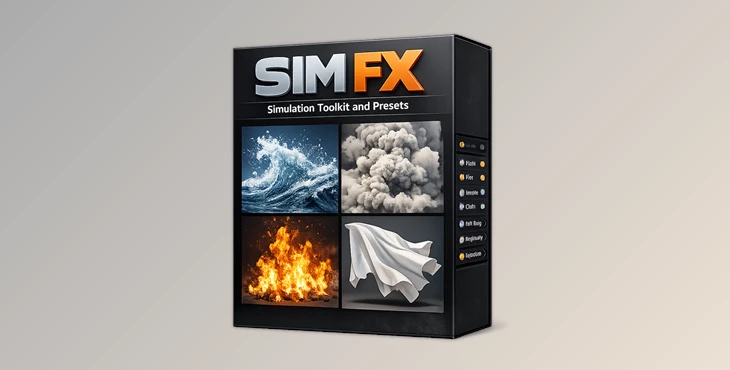
Downloadable Files
You can download the SIM FX Simulation Toolkit and Presets for free from the end of this page.
Bring Your Blender Simulations to Life
Creating realistic simulations in Blender can be a complicated process. Whether you are trying to create fluids, explosions, cloth, smoke or rigid body simulations, there are often numerous settings that need to be adjusted in order to achieve the desired result.
SIM FX Simulation Toolkit and Presets make creating realistic simulations in Blender faster and easier by providing a collection of professionally-made presets and tools that can be used to create impressive simulations with minimal effort.
What Makes Simulation Presets So Useful?
Physics simulations are responsible for some of the most visually impressive effects in modern 3D projects. From flowing water and burning fire to exploding objects and dynamic cloth, simulations add realism and motion that are difficult to achieve manually.
Instead of spending hours adjusting countless parameters, simulation presets provide optimized settings that instantly generate professional-quality results.
This approach offers several benefits:
- Faster workflow and reduced setup time.
- Consistent simulation quality across projects.
- Easier learning curve for beginners.
- More creative freedom for experimenting with ideas.
- Better performance through optimized settings.
For example, if you're creating a destruction scene, you can quickly apply a rigid body preset instead of building the entire setup from scratch. Likewise, artists creating fantasy environments can instantly generate fire tornadoes, lava flows, clouds, and fluid effects with minimal effort.
SIM FX Makes Simulations Faster and Easier
SIM FX Simulation Toolkit and Presets is a powerful Blender toolkit that was created to make adding realistic physics simulations to scenes faster and easier.
The toolkit includes an easy-to-use interface with numerous professionally-made simulation presets that can be instantly applied to any Blender scene.
Whether you are an emerging Blender artist or an experienced professional, the SIM FX toolkit will make your simulation process faster and more efficient.
Features
Easy-to-Use Interface
SIM FX was created with artists in mind. The easy-to-use interface allows artists of all experience levels to quickly create simulations to their projects.
Benefits
- Faster setup process.
- Beginner-friendly workflow.
- Reduced technical barriers.
High-Quality Simulation Presets
SIM FX includes a diverse library of professionally prepared presets covering:
- Fluid simulations
- Fire effects
- Smoke and volume effects
- Cloth simulations
- Rigid body dynamics
- Explosions and destruction effects
These presets provide an excellent starting point while maintaining realistic physical behavior.
Fully Customizable Settings
Every project is unique, which is why the toolkit allows extensive customization of simulation parameters.
Artists can adjust:
- Growth behavior
- Emission settings
- Physical forces
- Object interaction
- Cloth dynamics
- Fluid properties
This flexibility ensures the final simulation matches the creative vision of the project.
Real-Time Previews
One of the most valuable features is the ability to preview changes instantly.
Real-time feedback allows artists to:
- Test ideas quickly.
- Fine-tune simulations efficiently.
- Identify issues before lengthy baking processes.
- Improve overall workflow speed.
High Performance Optimization
SIM FX is designed to remain responsive even in complex Blender scenes.
Optimized setups help reduce unnecessary processing overhead while maintaining visual quality, making it suitable for both small projects and large production environments.
Included Presets and Tools
The toolkit comes with an extensive collection of simulation assets and utilities.
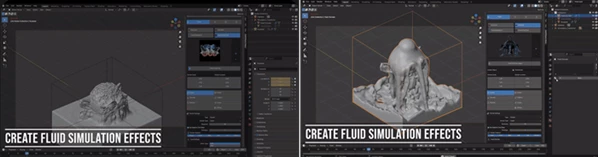
Fluid Effects
- Fluid Tank
- Emit Fluid
- Maelstrom
- Emit Lava
Perfect for oceans, rivers, magical liquids, and environmental effects.
Fire and Explosion Effects
- Emit Fire
- Fire Tornado
- Make Explosion
- Explode Object
Ideal for cinematic VFX shots, action sequences, and destruction scenes.
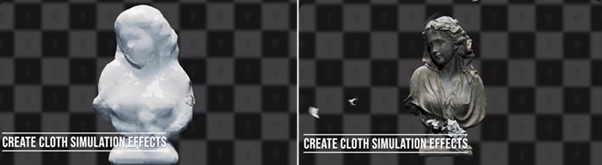
Cloth Simulation Tools
- Drop Cloth
- Cloth Tearing
- Make Balloon
- Inflate
- Wrap Object
- Peeling
Useful for fabric animation, soft-body effects, packaging visuals, and dynamic motion graphics.
Rigid Body Simulation Tools
- Rigid Body Emitter
- Generate Chains
- Generate Trails
- Convert LEGO
Excellent for destruction simulations, falling objects, procedural animations, and physics-driven effects.
Volume and Environmental Tools
- Convert Cloud
Helpful for atmospheric scenes, weather effects, and stylized environmental design.
Professional Tips for Better Results
Start with Presets, Then Customize
Use the included presets as a foundation before adjusting settings. This saves significant setup time while allowing complete creative control.
Combine Multiple Simulation Types
Some of the most impressive results come from mixing simulations together. For example:
- Fire + Smoke
- Rigid Bodies + Explosions
- Cloth + Wind Forces
- Fluids + Particle Effects
Combining systems creates richer and more believable scenes.
Use Real-Time Preview Frequently
SIM FX allows artists to preview all of their simulations in real time. Instead of once before baking the simulations into the project, use the preview function frequently to ensure that you are happy with the simulations that are created.
Keep Simulations Organized
When creating multiple simulations, make sure that all of the simulations are easily identifiable within your project. This will make it easier for you to manage your project and to troubleshoot any issues with the simulations.
Experiment with Scale
Many of the simulations included with SIM FX can be scaled within the program. Experiment with various scales to determine what may yield the most realistic and visually impressive simulations for your current project.
Final Thoughts
Using realistic simulation tools within Blender can transform any project from an ordinary 3D scene to one that features dynamic simulations of fluids, explosions, cloth, fire, smoke, and more.
SIM FX Simulation Toolkit and Presets removes the technical difficulties for artists who would like to create each of these simulation types.
With its easy-to-use interface and powerful simulation customization options, SIM FX allows artists to focus on the more creative aspects of their projects instead of simulation settings.
Whether you are a professional in the VFX or animation space or if you are an individual who would like to create your own simulations for entertainment or educational projects, SIM FX is a toolkit that will make your simulation process faster, easier, and more efficient.

Files Password : gfxplugin.com OR 123456