Downloadable Files
You can download PPro Audio Batch Exporter for free at the end of this page.
Export Multiple Audio Versions Without the Repetitive Work
If you’ve ever had to export the same Adobe Premiere Pro project several times with different audio tracks selected each time, you know how frustrating that repetitive work can be.
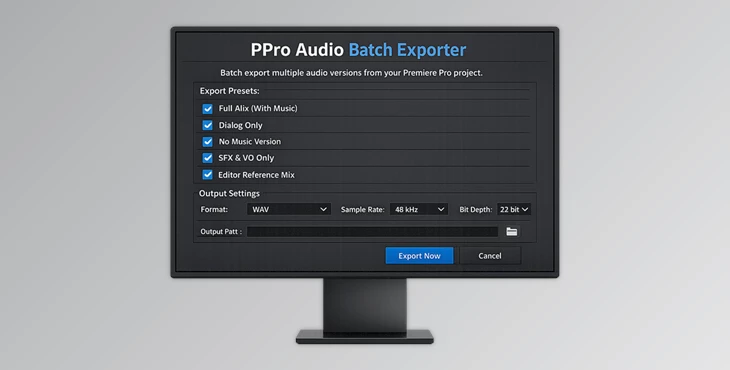
The PPro Audio Batch Exporter extension to Premiere Pro allows you to create several different audio exports with a few clicks of the mouse. This is ideal for those who create projects with different audio tracks for other languages or other purposes.
Whether you are producing YouTube videos with several audio tracks for other languages or producing professional broadcasts with different audio configurations for each client, the PPro Audio Batch Exporter can dramatically speed up your editing process.
What Is PPro Audio Batch Exporter?
PPro Audio Batch Exporter is a workflow automation extension for Adobe Premiere Pro that allows you to export multiple audio versions of the same video project.
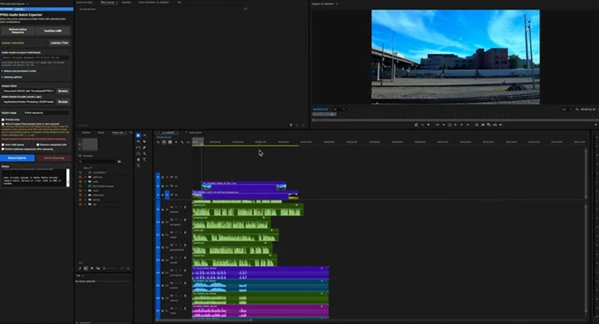
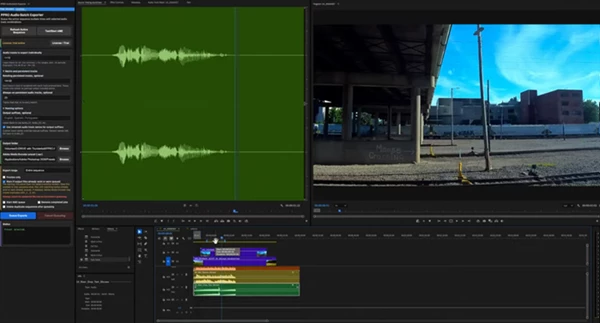
All you have to do is select the audio tracks you want to export and send the project directly to Adobe Media Encoder.
This will save you time and keep your projects organized.
Real-World Uses
Imagine that you are producing a video project with several different audio tracks such as English, Spanish, and French narration tracks, music, and sound effects tracks.
You would typically have to create several exports of your video project to deliver the same edited video with different audio files. The PPro Audio Batch Exporter will allow you to automate that process and quickly create all the audio versions of your project with a few clicks.
Meet PPro Audio Batch Exporter
PPro Audio Batch Exporter simplifies one of the most repetitive parts of post-production by automating audio-based export creation.
Instead of spending time managing multiple sequences, editors can focus on creative work while the extension handles export preparation and organization.
Features
Single-Click Multi-Version Exporting
Quickly generate multiple exports from one Premiere Pro sequence without duplicating timelines.
Individual Track Export
Export audio tracks separately when clients or collaborators need isolated audio files.
Specific Track Selection
Choose exactly which tracks should be included in each exported version.
Track Range Support
Select groups of tracks or track ranges for faster configuration on larger projects.
Matrix Combination Exporting
Create multiple audio combinations automatically, reducing setup time for complex delivery requirements.
Persistent Always-On Tracks
Keep important tracks such as music beds, sound effects, or branding audio active across all exports.
Adobe Media Encoder Integration
Send export jobs directly to Adobe Media Encoder for efficient batch processing.
Practical Project Examples
- Multilingual YouTube videos with multiple narration tracks.
- Corporate training videos require localized language versions.
- Commercial projects with alternate audio mixes.
- Broadcast deliveries that require multiple audio configurations.
- Educational content is distributed across different regions.
These scenarios often involve dozens of exports, making automation a major productivity advantage.
Pro Tips for Faster Workflows
Always ensure that your audio tracks are appropriately named prior to beginning the export process.
Ensure that any audio tracks that are to be shared across all audio project exports are persistent and always on during the export process.
Always test the audio project export process with one export before beginning the bulk export process of your projects.
Ensure that your projects have the same audio tracks configured to take advantage of the time-saving features of the PPro Audio Batch Exporter extension.
Use your Adobe Media Encoder queues effectively to automate the export of several projects with similar audio specifications.
Final Thoughts
If you work with Premiere Pro and have to export your projects in various versions with different audio tracks, PPro Audio Batch Exporter is the perfect solution for you.
This export automation plugin will save you time and effort when you have to repeatedly export the same projects with different audio tracks selected. If your editing projects require several audio versions, this Adobe Premiere Pro plugin will drastically speed up your editing process and make it easier to manage your export tasks.

Files Password : gfxplugin.com OR 123456