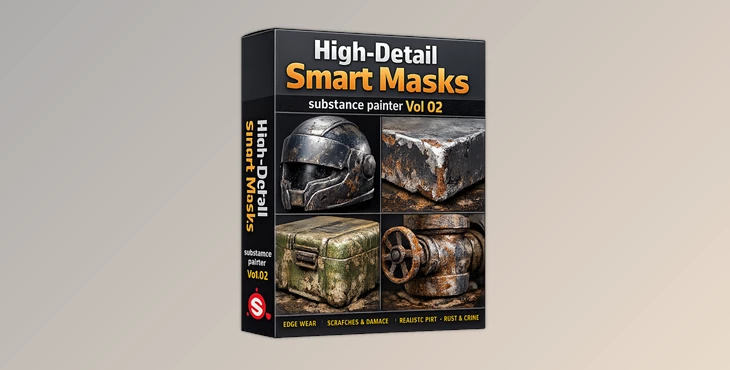
Downloadable Files
You can download High-Detail Smart Masks for free at the end of this page.
Make Your Materials Feel Alive
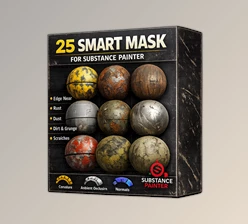
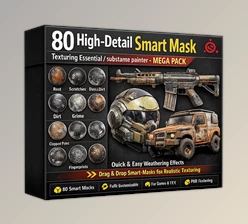
When creating realistic 3D materials, it’s the imperfections of the real world that bring life to the objects. Scratches, fingerprints, dust, stains, and more add to the believability of a 3D model. High-Detail Smart Masks is a professional collection of smart masks created for Substance Painter users looking for a quick way to add these realistic details to their materials.
Whether you’re adding realistic damage to characters or game props, or looking to create some environmental wear and tear on an entire environment, these smart masks will speed up your texture painting process.
What Are Smart Masks and Why Are They Important?
Smart masks in Substance Painter are reusable masking systems that automatically generate realistic wear, dirt, and surface effects based on the geometry and texture information of a model.
Instead of manually painting every scratch or stain, artists can apply a smart mask and instantly generate convincing details that react naturally to edges, cavities, and surface shapes.
This approach improves workflow because:
- It saves significant production time.
- It creates more realistic surface aging and wear.
- It maintains consistency across large projects.
- It allows quick experimentation with different material styles.
- It reduces repetitive manual masking work.
For example, a metal toolbox can instantly receive realistic scratches and fingerprints, while an old industrial machine can gain convincing oil stains, leaks, and accumulated dust with just a few clicks.
Meet High-Detail Smart Masks
High-Detail Smart Masks is a collection of 43 professionally created smart masks in .spmsk format for Substance Painter.
These smart masks are created to offer artists more options when using painting materials and applying realistic damage to 3D models. They are also fully customizable to suit the materials artist’s vision for their projects.
Features
43 High-Quality Smart Masks
The package includes a wide variety of realistic effects that can be applied immediately to your materials.
Extensive Surface Damage Collection
Create believable wear and aging with masks such as:
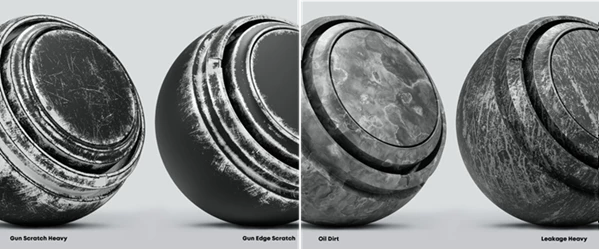
- Scratch
- Fine Scratch
- Smudge
- Grunge
- Peeling Paint
- Paint Spill
These effects help break up perfectly clean surfaces and add visual interest.
Realistic Environmental Effects
Simulate natural aging and exposure with:
- Water Stain
- Leakage
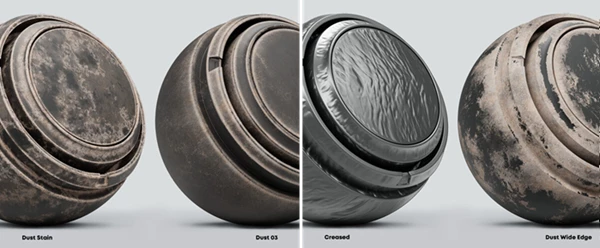
- Dust
- Fine Dust
- Stain
Perfect for abandoned environments, machinery, and weathered objects.
Industrial Wear and Tear
Add convincing mechanical usage details using:
- Oil Spill
- Oil Stain
- Fingerprint Effects
These masks are especially useful for vehicles, tools, industrial equipment, and hard-surface assets.
Fully Customizable Workflow
Each smart mask can be adjusted and combined with other masks, allowing artists to create unique material variations for different projects.
Built for Modern Substance Painter Versions
The pack was created using Substance Painter 2020.2.1 and is intended for use within recent versions of Substance Painter.
Real-World Project Examples
Imagine creating:
- A rusty industrial generator covered in dust and oil leaks.
- A sci-fi weapon featuring realistic edge scratches and fingerprints.
- An abandoned building with peeling paint and water damage.
- A used smartphone with subtle smudges and handling marks.
- Automotive parts showing grease, dirt, and surface wear.
These kinds of details help transform assets from looking computer-generated to feeling naturally used and believable.
Professional Tips for Better Results
Layer Multiple Effects
Real-world surfaces rarely contain just one type of damage. Combine dust, scratches, stains, and fingerprints to create richer materials.
Keep Effects Subtle
One of the most common mistakes is overusing weathering. Lower mask intensity when necessary to achieve a more realistic appearance.
Match Surface History
Think about how an object has been used. Industrial machinery may require oil leaks and dust, while consumer electronics benefit from fingerprints and smudges.
Use Smart Masks on Proper Layers
The creator recommends applying smart masks to layers rather than black masks, as black masks can break anchor references inside the smart mask setup.
Customize Every Material
Adjust parameters such as opacity, scale, and contrast to ensure every asset feels unique rather than repeating identical effects.
Final Thoughts
High-Detail Smart Masks by Kreativ is an excellent resource for all Substance Painter artists looking to create realistic materials for their 3D models.
The 43 customizable smart masks include realistic weathering, dirt, damage, and aging effects to improve the believability of the 3D models you create.
As such, whether you’re creating game assets, props for your movies, or even 3D environments, High-Detail Smart Masks will give you the realistic details necessary to produce believable 3D models.

Files Password : gfxplugin.com OR 123456