Downloadable Files
You can download AE Actions for free at the end of this page.
Stop Repeating the Same Tasks
If you spend hours doing the same edits in After Effects in a variety of different compositions, then you are not alone. Doing the same tasks over and over again in After Effects can take a lot of time out of your project. This is why AE Actions can be of great use to After Effects users.
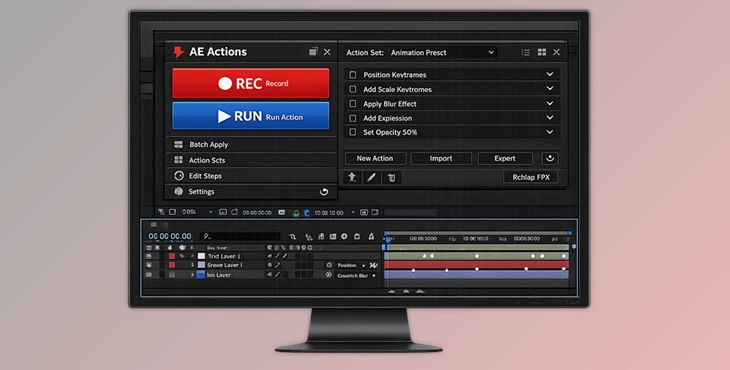
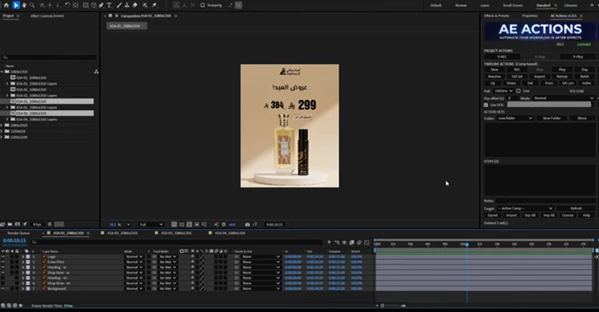
.Inspired by the actions panel in Photoshop, AE Actions allows you to record the edits that you perform in After Effects, and later on, allows those actions to be automated with the click of a mouse. Whether you are working on motion graphics, animations, social media projects, or a variety of other After Effects projects, AE Actions will help you to automate your After Effects workflow.
What Is AE Actions and Why Is It Useful?
This tool is a tool that allows users to record actions performed within After Effects compositions and then apply those actions to other compositions within their project. It is a way of automating edits that are often performed over and over again on various projects.
This can be very helpful for projects that require After Effects users to perform certain edits within a variety of compositions, such as:
- Motion graphics projects
- Social media projects
- Branding animations
- Template-based projects
- Client projects
- Team projects
By automating certain tasks within After Effects, AE Actions can help users save time and effort within their projects.
Features
Record and Replay Workflows
The main feature of AE Actions is its ability to capture your workflow and replay it instantly. You can record:
- Layer property changes
- Transform adjustments
- Keyframe modifications
- Expressions
- Effects
- FFX presets
- Timeline operations
Once recorded, these steps can be applied again whenever needed, saving significant time during production.
Apply Actions Across Multiple Targets
This product gives users several flexible playback options. You can apply actions to:
- The active composition
- Selected layers only
- Target compositions
- Multiple compositions in batch mode
For example, if you have created a lower-third animation setup and need it applied to twenty different compositions, AE Actions can perform the task in just a few clicks.
Advanced Step Management
Every recorded action is stored as individual steps that can be inspected and modified. Users can:
- Reorder steps
- Delete unnecessary operations
- Review recorded actions
- Apply actions from any specific step
This level of control makes it easy to refine automation workflows without having to record everything from scratch.
Flexible Keyframe Application
Animation timing often changes from project to project. AE Actions includes keyframe application options that allow users to:
- Offset animation timing
- Adjust playback behavior
- Apply keyframes using different modes
This flexibility makes recorded animations reusable across a wide variety of projects.
FFX Preset Support
Managing preset files can become difficult when projects are moved between systems. AE Actions includes tools for:
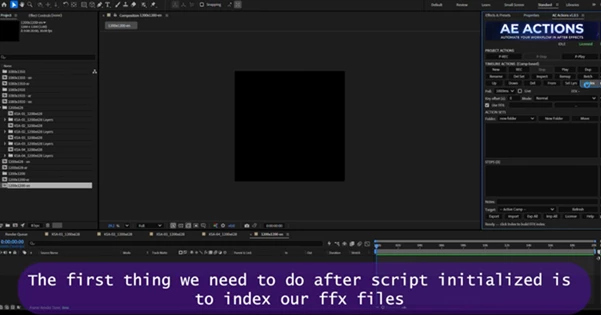
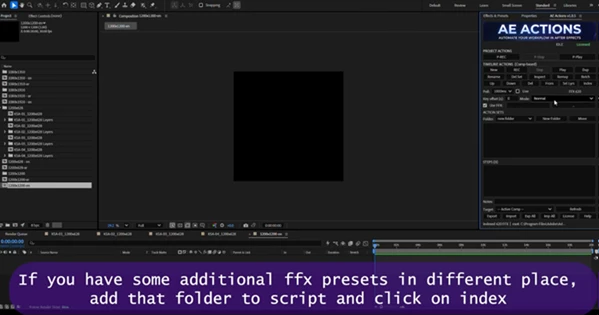
- Automatic FFX indexing
- Manual preset indexing
- Missing preset path recovery
- Preset remapping
These features help maintain workflow stability and prevent broken automation setups.
Portable Action Libraries
Action sets can be exported and imported using AEACT files. This allows users to:
- Share workflows with team members
- Build reusable libraries
- Transfer automation systems between projects
- Create standardized production pipelines
Notes and Workflow Organization
As automation libraries grow, organization becomes increasingly important. AE Actions provides note and documentation features that help keep action sets structured, understandable, and easy to manage over time.
Real-World Examples
Imagine you are creating a series of promotional videos that all require identical animation styling.
Instead of manually adjusting transforms, effects, expressions, and keyframes for every composition, you can record the entire process once and replay it throughout the project.
Another practical example is a social media campaign with dozens of deliverables. AE Actions can automatically apply branding animations, transitions, and timing adjustments across multiple compositions, ensuring visual consistency while significantly reducing production time.
For motion design teams, shared action libraries can standardize workflows and help maintain quality across different artists and projects.
Pro Tips for Faster Results
Build Modular Action Sets
Rather than creating one enormous automation sequence, break your workflows into smaller reusable action sets. This gives you greater flexibility and makes future updates easier.
Organize Actions by Category
Create separate libraries for:
- Animation setups
- Text styling
- Effects
- Transitions
- Utility operations
A well-organized library can save even more time as projects become larger.
Test on Sample Compositions First
Before applying actions to a large batch of compositions, test them on a duplicate comp. This ensures everything behaves exactly as expected.
Use Batch Processing Strategically
Batch mode becomes especially powerful when working on template-based projects or large client campaigns where the same modifications need to be applied repeatedly.
Document Important Workflows
Take advantage of notes and naming conventions to make action sets easy to understand months later. Future-you will appreciate the extra organization.
Final Thoughts
Overall, AE Actions will help users automate many of the repetitive tasks that are required to perform a variety of After Effects projects.
Whether users are applying actions to keyframes, effects, expressions, or presets, AE Actions will greatly increase the efficiency of users within After Effects.
For those who find themselves applying the same edits to various projects within their After Effects compositions, AE Actions is a tool that can save them time and organization, and allow them to focus on their most important task: creativity.
 AE Actions by Aescripts (v1.1.8).rar (Size: 1.0 MB - Date: 8/8/2026 11:25:07 AM)
- AE Actions by Aescripts (v1.1.7).rar (Size: 931.1 KB - Date: 8/3/2026 12:01:27 PM)
- AE Actions by Aescripts (v1.0.8).rar (Size: 870.5 KB - Date: 7/15/2026 2:52:08 PM)
- AE Actions by Aescripts (v1.0.7).rar (Size: 1.6 MB - Date: 7/14/2026 3:15:10 PM)
- Aescripts - AE Actions v1.0.5.rar (Size: 19.9 MB - Date: 6/8/2026 1:06:21 PM)
Files Password : gfxplugin.com OR 123456