Downloadable Files
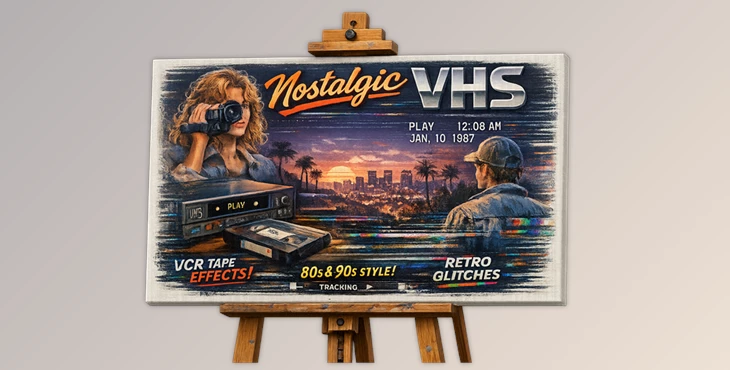
You can download Nostalgic VHS for free at the end of this page.
Bring Back the Analog Magic
In a world filled with ultra-clean digital footage from every available device, it’s easy to get nostalgic for the analog era of videotapes. Nostalgic VHS creates authentic VHS video overlays to give your video projects a touch of retro charm.
From music videos to reels to documentaries, VHS overlays will transform your video projects into timeless classics with a unique visual style that will captivate your audience from start to finish.
What Is Nostalgic VHS and Why Use It?
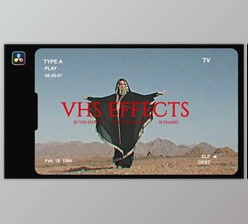
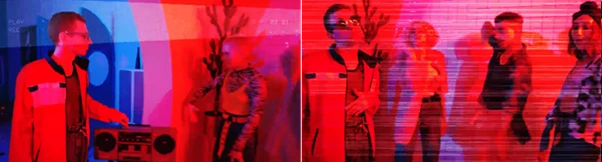
The concept behind Nostalgic VHS is simple: recreate the visual imperfections that made old videotapes memorable. Elements such as tracking glitches, analog distortions, static noise, and tape artifacts can evoke memories and emotions that polished digital footage often lacks.
These effects are especially useful for:
- Music videos seek a vintage aesthetic.
- Documentary projects that reference past decades.
- Travel videos with a nostalgic storytelling style.
- Social media reels that need a unique visual identity.
- Promotional videos that want to stand out from standard digital edits.
Adding authentic VHS textures helps footage feel more organic and emotionally driven. Instead of looking overly perfect, videos gain personality, atmosphere, and visual depth.
Meet Nostalgic VHS
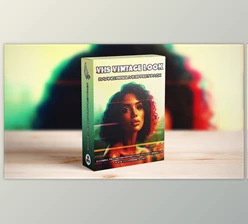
Nostalgic VHS is a professional collection of handcrafted VHS overlays captured directly from vintage cameras and VCR decks. Rather than relying on artificial digital simulations, the pack uses authentic analog sources to deliver realistic retro effects.
Its drag-and-drop workflow makes it easy for beginners while providing enough flexibility for professional editors and content creators.
Features
100+ Unique VHS Overlays
The package includes more than 100 unique retro VHS overlays and transition elements. Why it matters:
- Provides a wide variety of looks and styles.
- Prevents repetitive visual effects.
- Allows editors to match different moods and project types.
- Helps create unique edits without additional plugins.
For example, a fast-paced music video can use heavy analog glitches, while a documentary sequence may benefit from subtle tape artifacts for a more realistic appearance.
Broad Software Compatibility
Nostalgic VHS works seamlessly with:
- Adobe Premiere Pro
- Adobe After Effects
- DaVinci Resolve
- Final Cut Pro
- CapCut
- LumaFusion
- Many additional desktop, tablet, and mobile editing applications
Why it matters:
- Editors can integrate the overlays into existing workflows.
- No need to switch software.
- Ideal for creators working across multiple devices and platforms.
Whether editing on a professional workstation or a mobile device, the overlays remain easy to use.
Multiple Resolutions and Aspect Ratios
Each overlay is provided in:
- 4K (3840×2160)
- Full HD (1920×1080)
- Vertical (1080×1350)
- Story Format (1080×1920)
- Square (1080×1080)
Why it matters:
- Maintains high image quality across platforms.
- Eliminates the need for resizing overlays manually.
- Supports YouTube, Instagram, TikTok, Facebook, and professional broadcast projects.
For creators publishing content on multiple platforms, this flexibility saves significant editing time.
Easy Installation and Workflow
A complete video installation guide is included for each supported editing software. Why it matters:
- Reduces setup time.
- Makes the pack beginner-friendly.
- Allows users to start creating immediately.
Since the overlays are drag-and-drop based, editors can achieve professional retro effects without complex settings or technical knowledge.
Pro Tips for Better Retro Results
Use VHS Overlays with Caution
Avoid placing multiple VHS overlays on the same editing project at once. Instead, use a VHS overlay and color grade your project to achieve the best retro effect.
Use VHS Effects to Match Your Project’s Era
Depending on the type of editing project you are producing, you may want to use different strengths of VHS overlays. For instance, documentaries of family videos may require soft VHS effects, whereas edits of music videos from the 1980s may require strong VHS glitches.
Use VHS Overlays with Film Grain
Adding a film grain effect to your videos will work well with the VHS overlays. Both effects will enhance the look of your videos.
Use VHS Overlays Selectively
Use VHS effects only during specific moments in your editing project. This will have a greater impact on viewers than using the VHS effects throughout your edit.
Keep it in Balance with your Editing Project
Ensure that the VHS overlay for your editing project does not distract from the content of your video. The goal of using VHS overlays is to enhance your editing project.
Final Thoughts
Nostalgic VHS gives you access to authentic VHS editing effects that can be used to enhance the visual aspect of your editing projects. With 100+ unique VHS overlays, support for editing software from around the world, a variety of aspect ratios and resolutions, and an easy installation process, you have everything you need to give your editing projects a retro look and feel.
Perfect for creating nostalgic social media videos, cinematic VHS documentaries, retro music videos, or even promotional videos for your brand, Nostalgic VHS allows editors of all experience levels to produce visually compelling edits that stand out from the crowd of videos flooding social media platforms these days. At times, all videos need is a touch of nostalgia and analog charm to stand out from the rest.

Files Password : gfxplugin.com OR 123456