Downloadable Files
You can download GPUDog for free at the end of this page.
Bring Your Effects to Life Instantly
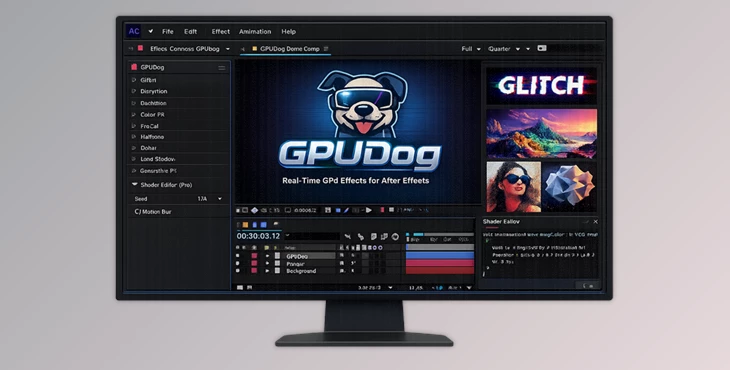
Creating visual effects within After Effects usually requires numerous other plugins, takes considerable time to render the layers, and requires considerable trial and error to achieve the desired results. GPUDog comes with a growing collection of real-time visual effects that can be added directly into your compositions.
GPUDog allows you to create glitch and abstract visual effects with ease, and allows you to see the results of your modifications as soon as you make them. The effects are rendered directly on your graphics card, meaning that you can make numerous changes to the visual elements without the project slowing down or becoming unresponsive.
What is GPUDog and Why Is It Useful?
GPUDog is a collection of visual effects, referred to as “gpuppies” in the software, specifically made for Adobe After Effects. These visual effects are rendered directly on your graphics card using Metal on Mac computers or Vulkan and DirectX 12 on Windows computers.
Using GPUDog will give you the following advantages:
- Faster visualization of your edits in real time
- Smooth adjustment of parameters during editing
- Fewer interruptions during editing
- Better performance with visual effects
- Support for generative visual elements and graphics
A motion designer can use this software to quickly create music videos with glitch edits. A social media editor can create unique backgrounds and visual elements for advertisements in just a few seconds.
All of the visual elements created by GPUDog are rendered on the graphics card. Therefore, the software will remain responsive, even if you are using complex visual editing techniques.
Features
Massive Collection of GPU Effects
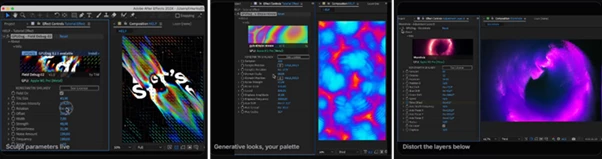
GPUDog includes a growing library of effects ranging from visual distortions and color processing tools to generative graphics and creative experimental shaders. Some notable effects include:
- Wide Me
- Wormhole
- Gutsy
- Psycho
- KIFS Fractal
- Errors Render
- Halftone
- Dither
- Long Shadow
These effects can be applied directly to footage, graphics, typography, or motion design elements to create unique visual styles.
Real-Time GPU Rendering
One of GPUDog’s strongest features is its fully GPU-based rendering pipeline. Benefits include:
- Instant visual feedback.
- Faster creative decisions.
- Smooth editing experience.
- Support for 8-bit, 16-bit, and 32-bit color workflows.
- Compatibility with Multi-Frame Rendering.
This significantly improves productivity, especially during fast-paced client projects where rapid revisions are common.
Live WGSL Shader Editor
Professional users gain access to a built-in WGSL shader editor that allows custom shader creation directly inside the plugin. Instead of relying solely on pre-made effects, artists can:
- Create custom GPU shaders.
- Modify existing gpuppies.
- Build personalized visual effects libraries.
- Save custom effects for future projects.
This turns GPUDog into more than a plugin—it becomes a complete shader development environment inside After Effects.
GLSL to WGSL Conversion
One of the most impressive professional features is the automatic GLSL importer. Users can paste shaders from platforms such as:
- Shadertoy
- ISF shader collections
- Fragment shader libraries
- Custom GLSL projects
GPUDog automatically converts them into functional WGSL shaders while preserving variable names and validating the output through the same rendering engine used by the plugin. This feature dramatically reduces technical barriers and helps motion designers leverage the vast ecosystem of existing shader resources.
Future-Proof Growing Library
The plugin currently includes:
- 38 total GPU effects.
- 11 free gpuppies.
- 27 professional gpuppies.
New effects are continuously added within the same plugin ecosystem, meaning users can expand their creative toolkit without installing separate products.
Real-World Creative Applications
GPUDog can be used across a wide range of projects:
- Music videos with animated glitch aesthetics.
- Abstract motion graphics packages.
- Social media advertisements.
- Title sequences.
- Experimental visual art.
- Live event visuals.
- Branding animations.
- Generative background elements.
Because effects render live, artists can quickly test ideas and discover creative combinations that might otherwise be too time-consuming to explore.
Why These Features Improve Results
Traditional effect workflows often force designers to commit to decisions before seeing final results. GPUDog removes this limitation by providing immediate visual feedback. This improves project quality because:
- More creative variations can be explored.
- Adjustments become faster and more precise.
- Complex effects remain interactive.
- Designers spend less time waiting and more time creating.
- Custom shaders allow truly unique visual identities.
The result is a more efficient workflow and more distinctive final visuals.

Pro Tips for Better Results
Start with Existing Gpuppies
Before building custom shaders, explore the included effects. Many unique looks can be created simply by combining existing gpuppies.
Animate Parameters
Almost every setting can be keyframed. Subtle animation of distortion, color, or generative controls often creates richer and more dynamic motion graphics.
Use Custom Shaders for Branding
If you regularly create content for clients, building custom shader presets can help establish a unique visual style that stands out from generic templates.
Combine Effects Carefully
Stacking multiple GPU effects can create unexpected and highly creative results. Test combinations of color, distortion, and generative effects to discover new visual directions.
Leverage Existing Shader Libraries
The GLSL importer makes it easy to adapt publicly available shaders into your workflow. This can dramatically expand your creative options without starting from scratch.
Final Thoughts
GPUDog is much more than a collection of visual effects. It is a program that gives editors of After Effects projects a wide variety of tools to create visually interesting edits and has the potential to grow even more robust in the future.
GPUDog is an ideal program for anyone looking for glitch visual effects, generative visual elements, experimental editing capabilities, and the ability to build their visual effects in a variety of ways and at their own pace.
For the motion designers and editors out there who value visual editing speed, creativity, and freedom, GPUDog will undoubtedly become an essential tool in their editing software toolkit.
 GPUDog (v1.5.0 for Win, Mac).rar (Size: 92.6 MB - Date: 9/21/2026 12:54:00 PM)
- GPUDog - Live GPU Shader Effects For Ae by Aescripts (v1.4.2 for Win, Mac).rar (Size: 71.6 MB - Date: 8/15/2026 1:28:02 PM)
- GPUDog Pro by Aescripts (v1.3.9 for Win, Mac).rar (Size: 10.7 MB - Date: 7/4/2026 12:06:19 PM)
- GPUDog by Aescripts (v1.3.8 Pro for Win, Mac).rar (Size: 10.7 MB - Date: 6/27/2026 12:59:42 PM)
- GPUDog - Live GPU Shader Effects For Ae by Aescripts (v1.3.4 for Win, Mac).rar (Size: 184.6 MB - Date: 6/23/2026 11:55:58 AM)
- GPUDog - Live GPU Shader Effects For Ae by Aescripts (v1.3.1 for Win, Mac).rar (Size: 184.5 MB - Date: 6/17/2026 4:52:22 PM)
- GPUDog - Live GPU Shader Effects For Ae by Aescripts (v1.3.0 for Win, Mac).rar (Size: 189.1 MB - Date: 6/11/2026 11:31:21 AM)
- GPUDog - Live GPU Shader Effects For Ae by Aescripts (v1.2.1 for Win, Mac).rar (Size: 188.4 MB - Date: 6/10/2026 1:46:25 PM)
- GPUDog - Live GPU Shader Effects For Ae by Aescripts (v1.2.0).rar (Size: 4.6 MB - Date: 6/8/2026 12:49:46 PM)
- Aescripts - GPUDog v1.1.1.rar (Size: 4.3 MB - Date: 6/6/2026 11:24:08 AM)
Files Password : gfxplugin.com OR 123456