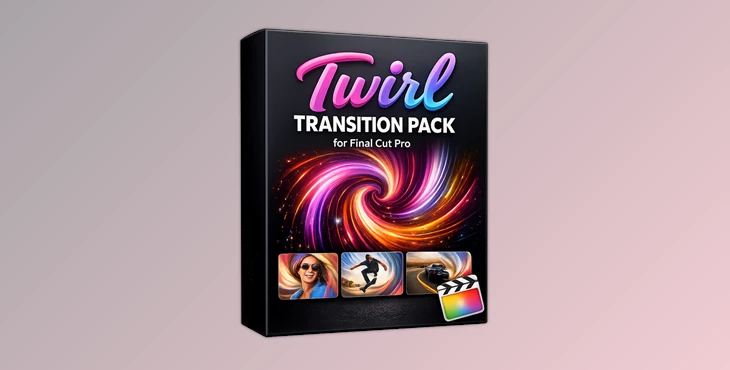
Downloadable Files
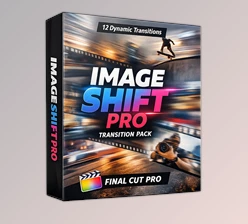
You can download the Twirl Transition Pack for Final Cut Pro for free at the end of this page.
Add Dynamic Motion Between Your Scenes
Looking for a quick way to add some dynamic motion between your video scenes? The Twirl Transition Pack for Final Cut Pro is a collection of spinning transitions that you can use to instantly add some excitement to your projects.
Perfect for creating travel videos, YouTube videos, and more, these transitions will enhance your editing skills and add some visual excitement to your projects.
What Are Twirl Transitions and Why Use Them?
Twirl transitions are used to add a spinning effect between your video scenes. These transitions work best for fast-paced videos, as they add a sense of movement to your project.
Common Uses for Twirl Transitions
- As mentioned above, twirl transitions are perfect for:
- Travel and adventure videos
- Sports and action content
- Social media reels and short-form videos
- Music videos
- Event highlights and vlogs
- Promotional and commercial projects
All of these project types feature fast-paced scenes that benefit from the motion effect of a twirl transition.
Meet Twirl Transition Pack for Final Cut Pro
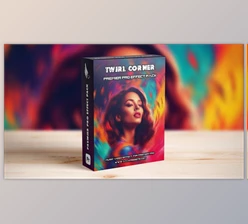
The Twirl Transition Pack for Final Cut Pro includes 19 different spinning transitions that were designed for editors using Final Cut Pro.
These editing transitions can be used by editors of all experience levels, from beginners looking to add some visual excitement to their projects to professionals looking to speed up their editing process.
Features
19 Ready-to-Use Twirl Transitions
The package includes nineteen unique transition presets that can be applied directly to your timeline. Each preset offers a different style of rotational movement, giving you multiple creative options for various editing situations.
Fast Drag-and-Drop Workflow
No complicated setup is required. Simply place a transition between two clips and continue editing, making it ideal for fast-paced production environments.
Smooth Scene Changes
The transitions help create fluid movement between shots, reducing harsh cuts and improving the overall viewing experience.
Optimized for Popular Video Formats
The pack supports standard project resolutions, including:
- HD 1920×1080
- 4K 3840×2160
This ensures compatibility with most modern video projects.
Designed for Final Cut Pro
Built specifically for Final Cut Pro, the transitions integrate naturally into existing workflows and provide a streamlined editing experience.
Broad Creative Flexibility
From energetic action sequences to stylish travel montages, the variety of included presets allows editors to match the transition style to the mood of their project.
Real-World Creative Applications
Add dynamic motion to your editing projects in a variety of ways using these transitions. For instance:
Add a travel video highlighting a trip across the country. Each location can feature a twirl transition to the next location in the edited project.
Create a highlight video of your favorite sports teams. Twirl transitions will add some energetic motion to your project.
Create a music video for one of your favorite songs. The visual motion of the twirl transitions will work hand-in-hand with your music project.
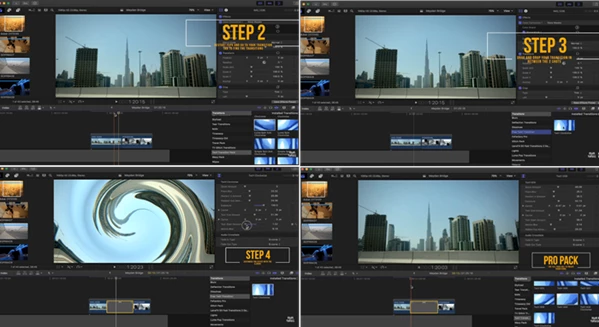
Pro Tips for Better Results
Match Transition Speed to Your Footage
Fast-paced clips generally work best with energetic twirl effects, while slower cinematic footage may benefit from more subtle transition choices.
Use Selectively
Transitions are most effective when they support the story. Applying them strategically between key moments often creates a stronger impact than using them everywhere.
Sync with Music Beats
Placing twirl transitions on musical beats can create a more polished and professional viewing experience.
Maintain Visual Consistency
Try using a small group of favorite presets throughout a project to create a cohesive editing style.
Combine with Motion Effects
Twirl transitions can work exceptionally well alongside speed ramps, zoom effects, and camera movements to enhance overall visual flow.
Final Thoughts
The Twirl Transition Pack for Final Cut Pro offers editors a quick and easy way to add some dynamic motion to their editing projects. With 19 ready-made twirl transitions, as well as support for HD and 4K projects, this editing transition pack is a must-have for any editor looking to add a little more visual excitement to their projects.
Use these transitions for your YouTube channels, social media projects, events, and more to create smooth, eye-catching editing projects that will have your viewers mesmerized from start to finish.

Files Password : gfxplugin.com OR 123456