Downloadable Files
You can download Pro Motion Blur for free at the end of this page.
Add Realistic Motion to Every Edit
Have you ever watched a scene from a movie or a video presentation where the movement within the scene seemed slightly off? You’re likely to have experienced the lack of blur applied to fast-moving objects or footage.
Pro Motion Blur for Final Cut Pro allows editors to fine-tune motion blur to fit the project they are working on. The plugin features multiple motion blur styles and intensities to give editors more control over the look and feel of their editing projects, be it for films, videos, commercials, or even social media content.
Understanding Motion Blur and Why It Matters
Motion blur is an effect applied to fast-moving objects to give them a more realistic feel. It is an optical illusion that is used in editing software to give movement within a project a smooth and more cinematic feel.
Some of the common editing uses for motion blur include:
- Giving a more realistic appearance to camera movements
- Making animated footage look more realistic
- Smoothing out scene transitions
- Creating a film-like feel to editing projects
- Giving action footage a more exciting and dynamic look
Without motion blur, movement within editing projects can feel choppy and digital. By using motion blur effects, editors can give viewers an immersive viewing experience.
Meet Pro Motion Blur
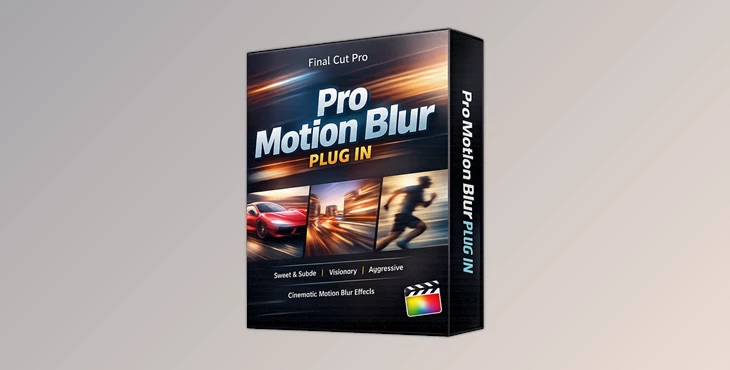
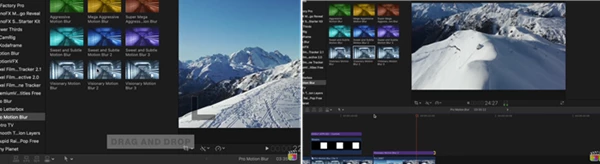
Pro Motion Blur is a motion blur plugin created exclusively for Final Cut Pro. Most motion blur software packages will feature one generic motion blur style to apply to editing projects. Pro Motion Blur features three different collections of motion blur styles with varying intensities to add to editing projects.
Features
Sweet & Subtle Collection
This category provides soft and natural motion blur using lower sample counts and shallow shutter angles. Included presets:
- Sweet & Subtle 1
- Sweet & Subtle 2
- Sweet & Subtle 3
Perfect for:
- Interviews
- Lifestyle content
- Corporate videos
- Documentary projects
- Everyday editing
These presets add realism without drawing attention to the effect itself.
Visionary Collection
The Visionary collection features motion blur presets designed to give editing projects a more cinematic feel. These motion blur styles are ideal for more creative editing projects such as short films, music videos, travel films, and more.
Presets included in this collection:
- Visionary 1
- Visionary 2
- Visionary 3
Aggressive Collection The Aggressive collection of motion blur presets is ideal for editing projects that require a lot of motion blur to emphasize the movement within the projects.
Presets included in this collection:
- Aggressive
- Mega Aggressive
- Super Mega Aggressive
These motion blur styles are ideal for sports editing, action sequences, editing trailers, and more.
Flexible Motion Blur Options
Pro Motion Blur allows editors to choose from multiple motion blur intensities to apply to their editing projects.
Supports All Resolutions
Pro Motion Blur can be used within editing projects of any size or resolution.
Easy Installation
Installation files are included with the plugin to allow editors to easily install and use the motion blur effects within their projects as soon as they are installed.
Real-World Creative Examples
Travel films can use the Visionary collection of motion blur presets to give a cinematic feel to their editing projects.
Sports editing projects can use the Aggressive motion blur presets to emphasize the movements within the project.
Corporate videos can use the Sweet & Subtle motion blur presets to add a touch of realism to their editing projects without overpowering them.
Pro Tips for Better Results
Match the motion blur intensity to the footage within the editing project
Use motion blur in conjunction with editing transitions to provide an even smoother editing experience for the viewer
Use the Visionary collection of motion blur presets for editing projects that aim to have a cinematic feel to them
Avoid using the most aggressive motion blur settings within editing projects that do not require as much emphasis on the movements within the project
Experiment with the different motion blur settings within the Pro Motion Blur software to find the perfect blur intensity for each editing project
Final Thoughts
Motion blur is one of those effects for editing software that may seem subtle but can dramatically enhance the editing project when used correctly. Pro Motion Blur for Final Cut Pro allows editors to fine-tune motion blur settings to create edits that may be used for films, commercials, YouTube videos, travel videos, and even action-heavy editing projects.
With three different collections of motion blur presets with varying degrees of intensity, Pro Motion Blur can be a valuable addition to the editing software that any editor may use. By mastering the use of motion blur settings within editing projects, editors can dramatically improve the quality of their edits and the visual impact that their edited content has on viewers.

Files Password : gfxplugin.com OR 123456