Downloadable Files
You can download Fractal Effect for Final Cut Pro for free at the end of this page.
Add Eye-Catching Abstract Motion to Your Edits
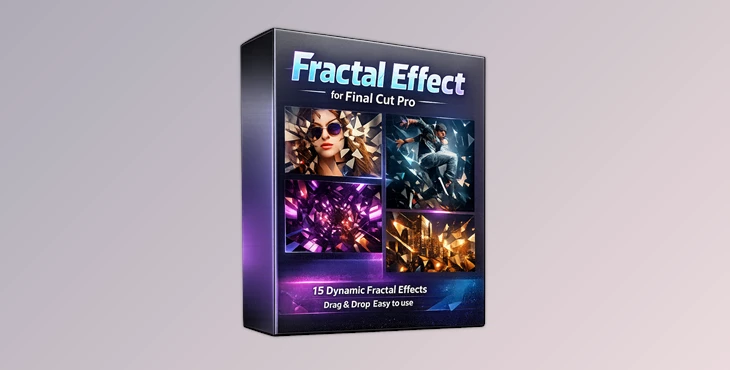
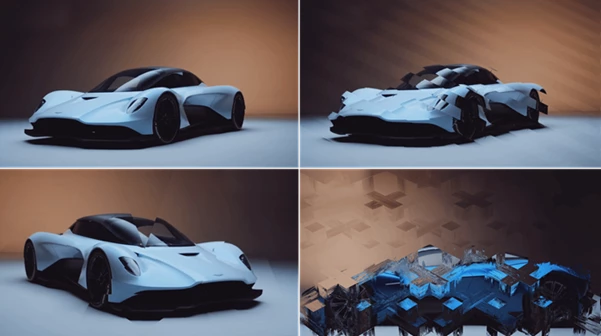
Looking for an easy way to give your videos a unique visual style? Fractal Effect for Final Cut Pro creates stunning fractal separations that will make your footage stand out. Simply drag and drop the effect onto your media library and adjust the settings to your liking. From music videos to social media content, Fractal Effect for Final Cut Pro will add the right amount of visual distortion to your videos to grab attention from passersby on social media platforms.
What Is a Fractal Effect and Why Use It?
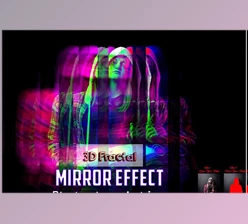
Fractal effects use abstract visual distortions to separate the elements within your video. These effects give your videos a unique, futuristic, and artistic look.
Some of the most common uses for fractal effects include:
- Enhancing the visuals of music videos
- Creating transitions between scenes in videos
- Adding special effects to highlight important moments in your video
- Giving your videos a sci-fi look and feel
- Creating promotional videos for products or services
Fractal visual effects enhance the visual narration of your videos and automatically draw the attention of viewers to the most important elements of your content.
Why Editors Love Fractal Effect for Final Cut Pro
Fractal Effect for Final Cut Pro offers editors a collection of stunning fractal effects they can apply to their projects in a matter of seconds. Avoid the headache of creating these visual effects from scratch; simply choose a look you love and get to editing your footage to create professional-looking videos.
Features
- 15 Unique Fractal Effects: The pack includes fifteen different fractal styles, giving editors a wide variety of geometric and abstract looks for different creative situations.
- Easy Drag-and-Drop Workflow: Simply apply an effect to your footage and start customizing. No advanced technical knowledge is required.
- Customizable Control: The intuitive settings make it easy to adjust the appearance of each fractal effect so it matches the mood and style of your project.
- Compatible with Any Resolution: Whether you’re editing HD, 4K, or larger formats, the effects work smoothly across all project sizes and resolutions.
- Optimized for Final Cut Pro: Built specifically for Final Cut Pro, the pack integrates naturally into existing editing workflows and helps maintain efficient project organization.
Real-World Creative Examples
Imagine introducing a high-energy product reveal with a geometric fractal burst. A music video can use abstract separations to emphasize beats and rhythm. Travel videos can gain a futuristic edge through subtle fractal displacement effects, while cinematic trailers can create dramatic visual transitions between scenes.
These creative applications help videos stand out in crowded digital spaces where strong visuals are often the key to capturing attention.
Pro Tips for Better Results
Use fractal effects as accents to your videos rather than applying them to your footage continuously.
Use fast fractal effects for action videos and music videos, and slower settings for documentaries or cinematic videos.
Use fractal effects alongside a color grading tool to give your projects a more professional look.
Avoid using too much distortion within your project’s videos so that important elements remain visible. Apply fractal effects to only a few frames within your project for an exquisite visual accent.
Final Thoughts
Fractal Effect for Final Cut Pro is a simple way to add abstract and fractal visual effects to your editing projects. With 15 different designs and customizable settings, you can quickly enhance your videos with these artistic visual effects. Additionally, the fact that these effects are compatible with all resolutions and optimized for Final Cut Pro editing software makes it a perfect edit to incorporate into your editing projects, no matter the type of video you are creating.
Whether creating cinematic videos, music videos, commercials, or social media videos, these visual effects will enhance your editing projects and provide them with a unique visual identity. Play with the different visual styles and settings to see how the effect can transform your videos when applied correctly.

Files Password : gfxplugin.com OR 123456