Downloadable Files
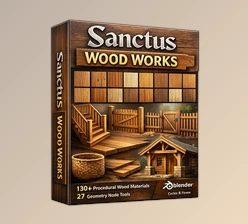
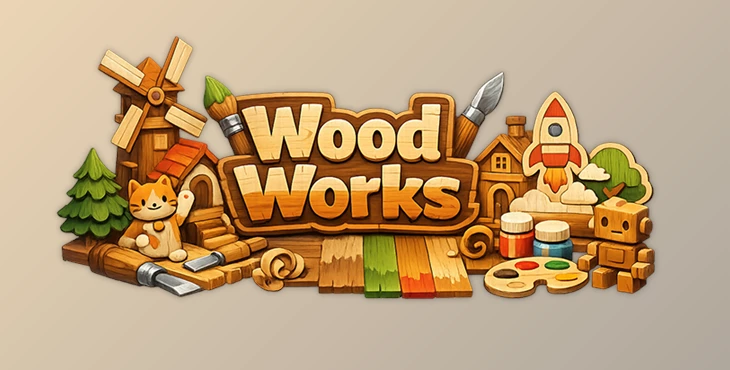
You can download the product Wood Works for free from the end of this page.
✨ A Creative Spark: Turn Your Scene into Wood
Ever wondered how your 3D scenes would look if they were handcrafted from wood? Wood Works makes that idea not only possible—but incredibly easy. With just a few strokes, you can transform ordinary models into warm, charming wooden creations that feel like they came straight out of a handmade diorama. It’s not just about textures—it’s about giving your artwork personality. The moment you start painting, you’ll feel that satisfying blend of creativity and control, like working on a real wooden figure.
What Is It & Why It Matters?
At its core, Wood Works is a procedural wood painting and styling toolkit for Blender. It allows you to apply, blend, and customize wooden materials directly onto your models—without diving into complex technical setups.
Why is this powerful?
- Visual storytelling becomes richer: Wooden textures instantly add warmth and character.
- Faster workflow: No need to manually set up UVs, shaders, or textures.
- Creative freedom: You paint directly on your models, just like real-life crafting.
Real-world examples:
- Turning a simple 3D character into a toy-like wooden figurine
- Creating cozy diorama-style environments
- Designing stylized assets for games or animations
These features improve your results because they remove technical barriers and let you focus entirely on artistic decisions.
🧰 Meet the Tool: Wood Works in Action
Wood Works is designed to simplify and enhance your Blender workflow, making wooden stylization both intuitive and fun.
🔹 Features
- Comprehensive UI Panel
Everything is controlled from a clean, easy-to-use interface—no need to jump between nodes or menus. - Advanced Multi-Layer Material Shader
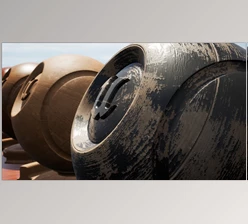
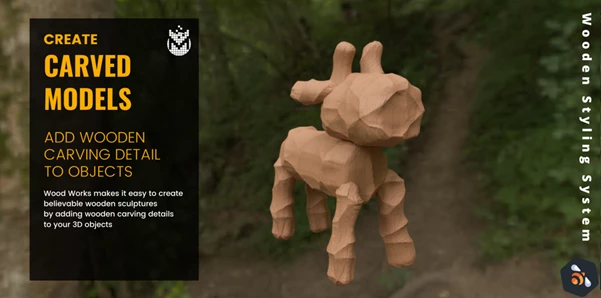
Paint up to 4 different wood textures simultaneously, with smooth blending and layering—all within a single material. - Procedural Wood Carving (Geometry Nodes)
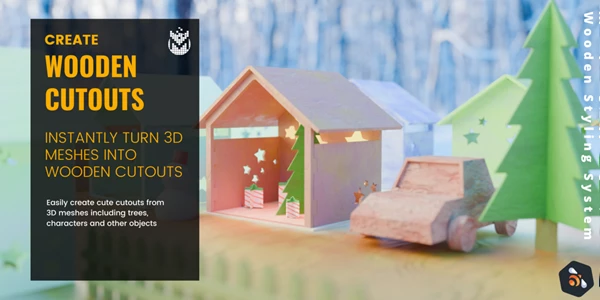
Instantly add carved details to your models for a realistic handcrafted look. - 2D Wooden Cutout Style
Convert 3D meshes into flat, stylized wooden cutouts—perfect for DIY or artistic scenes. - All-in-One Package
Includes Python scripts, geometry node setups, and layered materials—everything works seamlessly together.
🎯 Real Impact
Imagine creating a stylized village where every house looks hand-carved, or a character that feels like a painted wooden toy. Instead of hours of setup, you achieve this in minutes—with consistent, high-quality results.
🎨 Pro Tips for Better Results
Want to take your wooden scenes to the next level? Try these:
- Mix subtle color variations
Don’t use flat colors—slight differences make the wood feel more natural. - Use carving sparingly
Too much carving can overwhelm the model. Focus on key areas for better realism. - Combine cutouts with lighting
Soft lighting enhances the handcrafted feel of wooden cutout styles. - Layer textures creatively
Blend rough and smooth wood types to add depth and interest.
These small tweaks can make a huge difference in how professional your final render looks.
🚀 Final Thoughts
Wood Works is one of those tools that just makes the creative process smoother.
It takes care of the technical side so you can focus on building something that actually feels good visually. If you like stylized work or want to try something different from the usual materials, this is definitely worth a shot.
Once you start using it, it’s hard not to enjoy the process.

Files Password : gfxplugin.com OR 123456