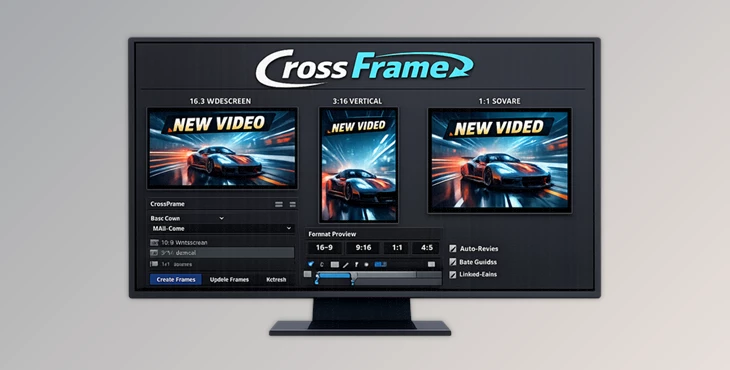
Downloadable Files
You can download CrossFrame for free at the end of this page.
🎬 A Smarter Way to Animate for Every Format
Creating animations for different formats usually requires creating multiple compositions. It can be frustrating to have to design the same animation for different platforms.
Imagine being able to create your animation once and having it be able to automatically adapt to any format you choose. That’s the goal that the developers of CrossFrame had in mind when creating this tool for After Effects.
💡 What Is CrossFrame and Why It Matters
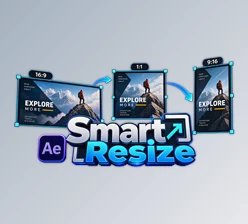
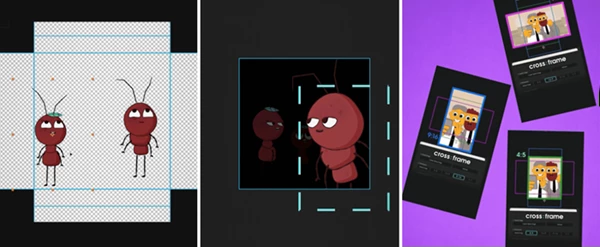
At its core, CrossFrame is a smart workflow system inside After Effects that allows you to design a single animation and adapt it across multiple aspect ratios without rebuilding everything from scratch. Instead of creating separate compositions for 16:9, 9:16, or 1:1 formats, you build everything in one Global Stage. Then, with just a few clicks, you preview and adjust how your animation looks across different formats.
Why this improves your results:
- Consistency: Your design stays visually aligned across all platforms
- Speed: No need to recreate or duplicate comps
- Flexibility: You can fine-tune each format without breaking the original design
Imagine designing a YouTube animation and instantly adapting it for TikTok and Instagram — without starting over. That’s the power of CrossFrame.
🚀 Meet CrossFrame – Your Workflow Upgrade
CrossFrame transforms a repetitive process into a smooth and responsive system. It’s designed specifically for motion designers who need to deliver multiple formats quickly and professionally.
✨ Features
- Design Once, Adapt Everywhere: Create your animation in a single Global Stage and reuse it across all formats effortlessly.
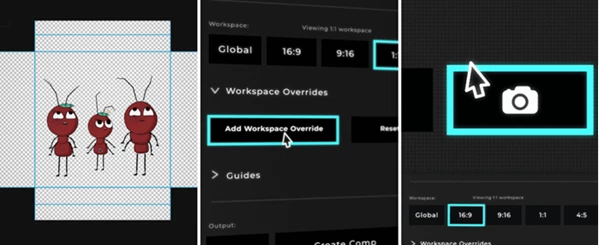
- Multiple Aspect Ratio Previews: Instantly switch between 16:9, 9:16, 1:1, 4:5, and even custom layouts to see how your design performs.
- Workspace Overrides: Adjust position, scale, or layout for specific formats without affecting your master composition.
- Built-in Guides: Includes safe areas for TikTok, captions, and custom margins to keep your content platform-ready.
- Clean & Native UI: Designed to feel like a natural part of After Effects — no clutter, no confusion.
🎯 Real-World Impact
- A social media designer can create one animation and deliver versions for Instagram, TikTok, and YouTube in minutes.
- Agencies can maintain brand consistency across campaigns without juggling dozens of comps.
- Freelancers can save hours of repetitive work and focus more on creativity.
🎯 Pro Tips to Get the Most Out of CrossFrame
- Create your composition with the ability to adapt it to different aspect ratios in mind.
- Use the aspect ratio overrides for only the essential edits in order to save time.
- Use the built-in guides to ensure that your compositions look great on the social media platforms for which they will be used.
- Ensure that all of your elements are scalable and do not have any positioning that could negatively impact other aspect ratios.
- These tips will allow CrossFrame to work more efficiently within your current design process.
🔥 Final Thoughts
CrossFrame offers a smarter solution to a frustrating problem. By eliminating the need to create multiple compositions, CrossFrame allows you to focus on your design skills. Whether you are creating content for social media or for your broadcasts, CrossFrame will improve how quickly and efficiently you create your designs. If you have ever struggled with creating content for multiple platforms, CrossFrame may just be the tool that you need to adapt your designs to any format!

Files Password : gfxplugin.com OR 123456