Downloadable Files
You can download Transformator for free at the end of this page.
✨ A Fresh Way to Control Your Transforms
If you’ve ever had trouble with copying the transforms on objects or bones, then Transformator is a breath of fresh air for you. The plugin makes it easy to select the transforms on an object and instantly copy and paste those transforms onto another object. This tool is perfect for anyone who works with animation or transforms in their projects.
🎯 What is Transformator & Why It Matters
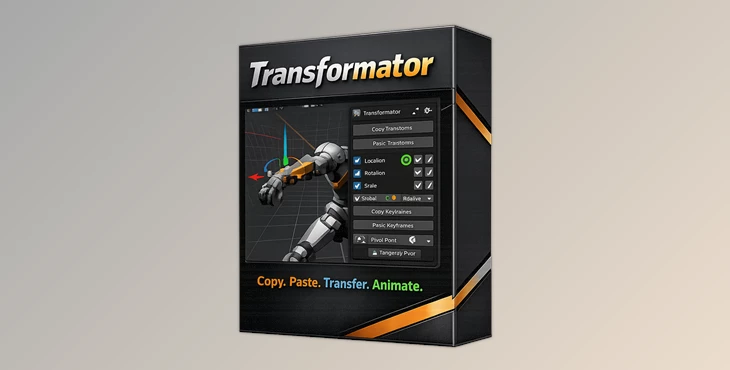
At its core, Transformator is a powerful utility designed to copy, paste, and manage transforms (location, rotation, scale) between objects and bones with precision.
Why is that important?
Imagine aligning multiple objects perfectly, syncing animations between rigs, or adjusting positions without breaking your workflow. Transformator makes these tasks effortless.
Real-world impact:
- Aligning multiple objects in a scene becomes instant.
- Reusing animation data across rigs saves hours of work.
- Maintaining accurate relative positioning improves animation quality.
These features don’t just save time—they improve consistency and precision, leading to cleaner, more professional results.
🚀 Meet Transformator (Professional Tool Overview)
Transformator, included in the AniMate Forge bundle, is designed to make transform workflows faster, smoother, and more flexible.
🔧 Features
- Clean & Powerful UI: Simple interface that lets you focus on your work without distractions.
- Copy & Paste Any Transforms: Seamlessly transfer transforms between objects and bones.
- Global Transform Copying: Copy a single global transform and apply it to multiple elements, or batch copy multiple positions.
- Relative Transform Control: Copy relative transforms from selected elements to the active one—perfect for maintaining spatial relationships.
Keyframe Paste Options
- Paste at the current frame
- Paste across selected keyframes
- Paste with frame-by-frame keying for precise motion control
Axis Contro
- Enable or disable individual axes for Location, Rotation, and Scale during paste.
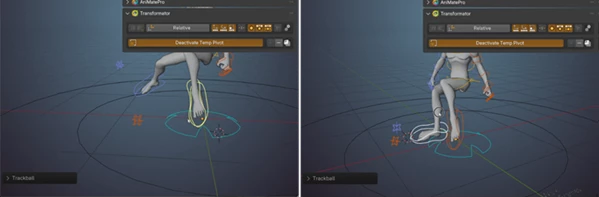
Temp Pivot System
- Instantly assign a temporary pivot point to any object or bone for more flexible rotations.
🎬 Practical Example
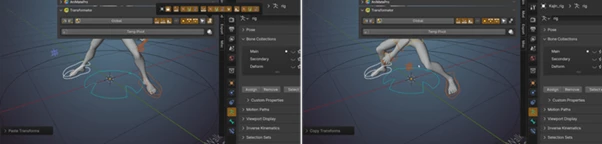
Imagine animating a character holding multiple props. With Transformator, you can:
- Copy hand positioning from one frame,
- Paste it across multiple keyframes,
- Maintain perfect relative alignment with props.
The result? Cleaner animation with far less manual tweaking.
💡 Pro Tips for Better Results
- Use axis filtering wisely: Only paste the axis you need to avoid unwanted movement.
- Leverage relative transforms: Great for keeping consistent spacing between objects in motion.
- Combine with keyframes: Pasting across keyframes ensures smoother, more controlled animations.
- Try Temp Pivot for rotations: This is especially useful for complex rigging and natural motion arcs.
These small techniques can dramatically improve how natural and polished your work looks.
🔥 Final Thoughts
Overall, Transformator is a helpful tool that offers users more control over the transform functions within their programs. It helps to simplify certain processes and offers tools to assist with increased precision in their projects. For anyone looking to improve their projects and workflows, Transformator is definitely worth exploring and adding to their programs.

Files Password : gfxplugin.com OR 123456