Downloadable Files
You can download the Wolf Base Mesh for free at the end of this page.
🐺 A Fast Start for Stunning 3D Creatures
As anyone who has spent hours trying to get the proportions of a four-legged creature correctly can tell you, the best starting point for any 3D creature project is a good base mesh. This wolf base mesh is perfect for getting you started with your project. Whether you’re looking to sculpt this creature or animate it, this base mesh will get you started and inspire your next project.
🎯 What Is a Wolf Base Mesh & Why It Matters
A wolf base mesh is a three-dimensional model with the correct proportions for a wolf. All of the modeling software out there will allow you to create the model from scratch, but a base mesh allows you to start with a model with the proper proportions.
Why is this important?
- Clean topology ensures smoother sculpting and deformation.
- Proper proportions save time and reduce guesswork.
- Quad-based geometry makes subdivision and detailing much easier.
Real-world use:
Imagine creating a realistic wolf character for a game or animation. With a base mesh like this, you can focus on adding details like fur, muscle definition, and expressions instead of struggling with basic structure. These features directly improve your results by:
- Reducing technical errors
- Enhancing realism
- Speeding up production time
🛠️ Professional Tool Overview: Wolf Base Mesh
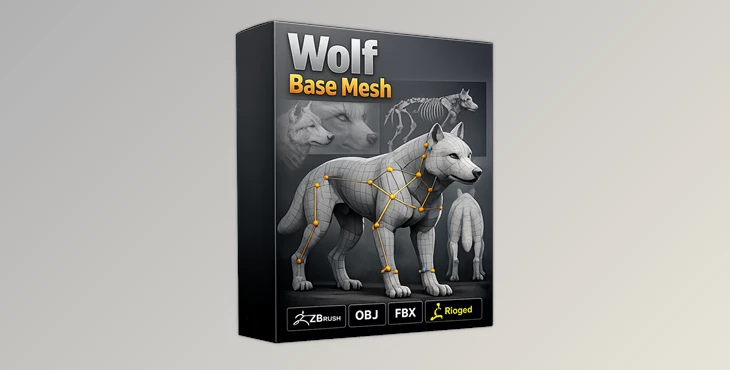
The Wolf Base Mesh is designed to simplify and enhance your 3D workflow, especially in Blender.
🔹 Features
- Fully rigged for Blender
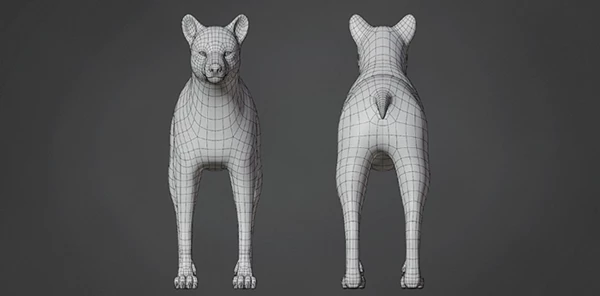
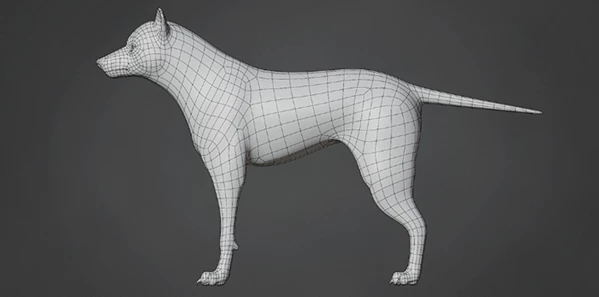
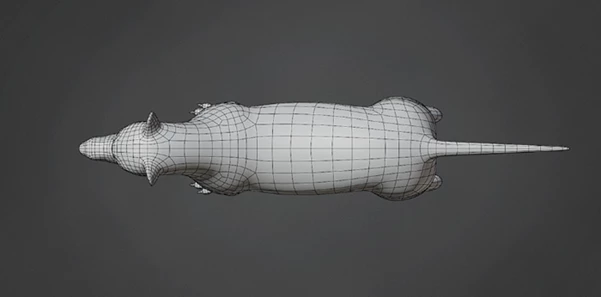
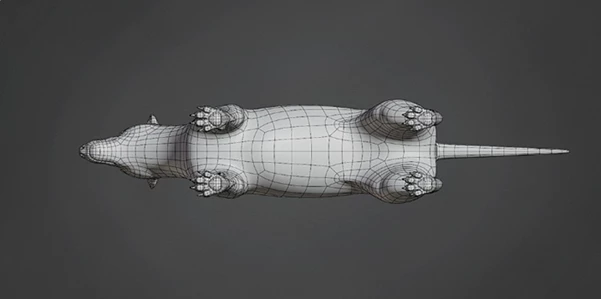
- Clean topology for easy sculpting and animation
- 100% quad polygon structure
- Subdivision-ready geometry
- Low polygon count (Faces: 7,576 | Tris: 15,104 | Verts: 7,742)
- Optimized for performance and flexibility
❌ Not Included
- UV Unwrapped
- Texture
🎬 Practical Impact
For example, if you're working on a cinematic animal animation, this mesh allows you to:
- Quickly pose and animate thanks to the rig
- Add high-resolution details using subdivision
- Maintain clean deformations during movement
💡 Pro Tips for Better Results
To get the most out of the Wolf Base Mesh, keep these tips in mind:
- Start with subdivision carefully: Add detail gradually to maintain control.
- Refine weight painting: Especially since the rig UI has issues in Blender 4.x, manual tweaks can improve animation quality.
- Use reference images: Real wolf anatomy will help you push realism further.
- Combine with sculpting tools: Enhance muscles and fur flow for a more lifelike result.
These small adjustments can turn a good model into a professional-level asset.
🚀 Final Thoughts
The Wolf Base Mesh is more than just a starting point—it’s a productivity booster. By giving you a clean, rigged, and optimized foundation, it lets you focus on creativity instead of technical setup. If you’re serious about improving your 3D workflow, this is a tool worth exploring. Try it out, experiment, and see how much faster and smoother your projects become.

Files Password : gfxplugin.com OR 123456