Downloadable Files
You can download the product LUTs Manager for free from the end of this page.
🎬 A Smarter Way to Handle Your Color Grading
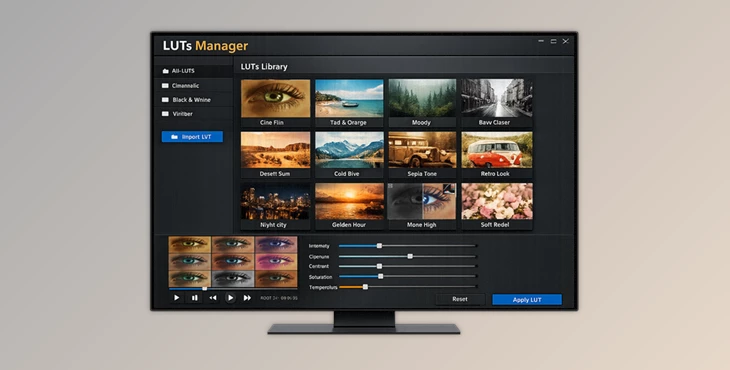
If you’ve ever struggled with managing dozens—or even hundreds—of LUTs, you already know how messy things can get. That’s exactly where LUTs Manager steps in. Imagine having all your LUTs organized, searchable, and previewable in real time—without interrupting your creative flow.
Sounds like a game-changer, right? This tool is designed to simplify your workflow while giving you full creative control. Whether you’re editing a cinematic video or adjusting colors for social media content, LUTs Manager makes the process smoother and faster.
🎨 What is LUTs Manager & Why It Matters?
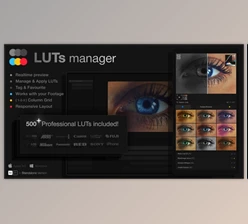
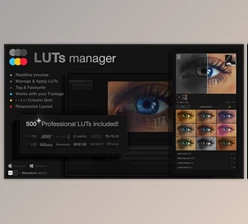
At its core, LUTs Manager is a powerful tool that helps you preview, organize, and apply LUTs (Look-Up Tables) efficiently. Instead of manually applying LUTs one by one, you can instantly see how different styles affect your footage.
Why is this useful?
- Real-time previews mean you don’t waste time guessing.
- Organized libraries help you find the perfect look instantly.
- Smart search & tags make large collections manageable.
Real-world example:
Imagine editing a travel vlog. Instead of testing 50 LUTs manually, you can preview them all at once and instantly choose the one that enhances the mood—saving time and improving results.
🚀 Meet the Professional Tool: LUTs Manager + 500 LUTs Pack
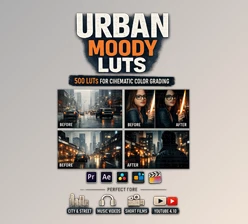
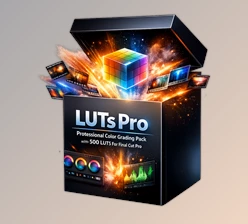
LUTs Manager isn’t just about organization—it’s a complete workflow upgrade. Combined with the LUTs Pro pack, you get access to over 500 professional LUTs ready to use.
Features
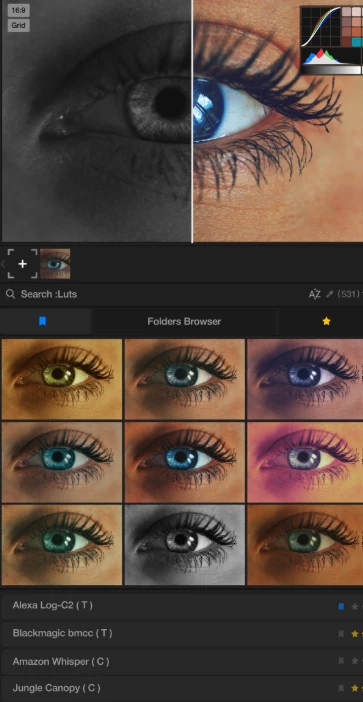
- Instant Bulk Preview: Preview multiple LUTs on your footage in real time.
- Effortless Organization: Keep all your LUTs categorized with folders, tags, and favorites.
- Smart Search Engine: Quickly find LUTs using tags, titles, or categories.
- Gallery Grid View: See all LUT effects applied simultaneously to your footage.
- Sorting Options: Sort by most used or alphabetical order instantly.
- Custom Tags System: Add your own tags for faster workflow.
- Integrated CEP Extension: Works seamlessly with Premiere Pro & After Effects.
- Cross-Platform Support: Fully compatible with Windows & macOS (Intel & Apple Silicon).
500+ Professional LUTs Included
- 85 color categories
- 5 variations per style
- Optimized for Rec. 709
- Natural skin tone preservation
- Fast rendering performance
Real impact:
For example, when working on a short film, you can test multiple cinematic looks instantly and maintain consistent color grading across scenes—
without slowing down your editing process.

💡 Pro Tips to Get the Best Results
- Use tags wisely: Create tags like “cinematic”, “warm”, or “moody” for faster access.
- Favorite your go-to LUTs: Save time by marking frequently used styles.
- Start with natural tones: Choose LUTs that preserve skin tones, then tweak for style.
- Preview before applying: Always use a real-time preview to avoid unnecessary adjustments.
- Organize by project type: Separate LUTs for weddings, travel, or commercials to stay efficient.
These small habits can significantly improve both speed and quality in your workflow.
✨ Final Thoughts
LUTs Manager transforms the way you work with color grading. Instead of wasting time searching and testing, you gain a streamlined, creative-friendly environment where everything is accessible instantly. It’s not just about saving time—it’s about unlocking better visual results with less effort. Whether you’re a beginner or a professional editor, this tool helps you focus more on creativity and less on technical hassle. If you’re serious about improving your color grading workflow, this is definitely worth exploring.

Files Password : gfxplugin.com OR 123456