Downloadable Files
You can download the product Cinematic LUTs for free at the end of this page.
✨ A Quick Spark: Bring Your Footage to Life
If you’ve ever wanted to make your videos look like films, then you're in the right place. The key to creating that cinematic look is color grading - and that’s where cinematic LUTs come into play. With just a few clicks, your ordinary videos can be transformed into visually stunning masterpieces.
🎨 What Are LUTs and Why Do They Matter?
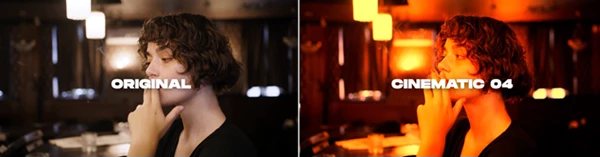
A look-up table, or LUT, does just that: it allows your footage to be looked up and colored in a specific way. Similar to Instagram filters, these are used to enhance the appearance of your videos.
🔍 Real-World Uses:
- Turning flat LOG footage into rich, cinematic color
- Creating consistent tones across multiple clips
- Matching shots filmed in different lighting conditions
- Enhancing storytelling with mood (warm, cold, dramatic, etc.)
💡 Why They Improve Your Work:
- Consistency: Keeps your visuals uniform across scenes
- Speed: Saves hours of manual color grading
- Professional Look: Instantly elevates your footage to film-level quality
- Flexibility: You can tweak intensity, blend, and mask effects easily
🎞️ Meet the Tool: Cinematic LUTs Pack
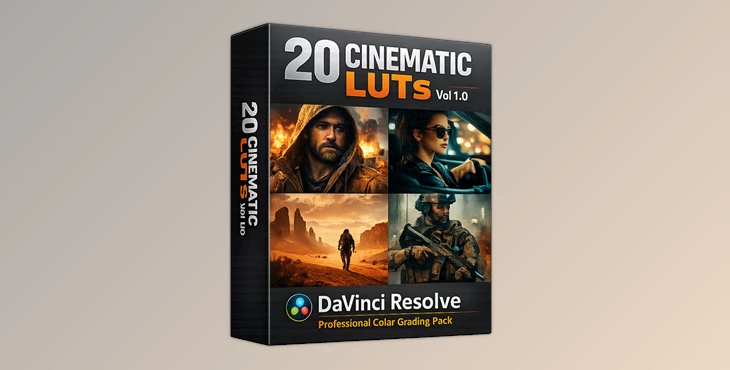
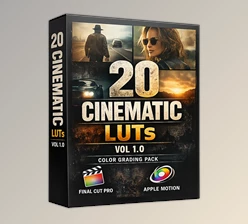
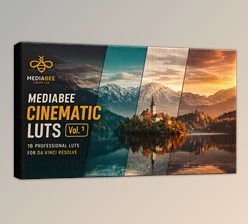
Cinematic LUTs Vol 1.0 for DaVinci Resolve contains a professional collection of 20 cinematic LUTs created specifically for Final Cut Pro and Apple Motion users.
🚀 Features
- 20 Premium .cube LUT Files: High-quality LUTs compatible with industry standards
- Seamless DaVinci Resolve Integration: Works directly in the Color page without plugins
- Flexible Workflow: Apply LUTs via nodes or gallery for full control
Diverse Cinematic Styles
Includes:
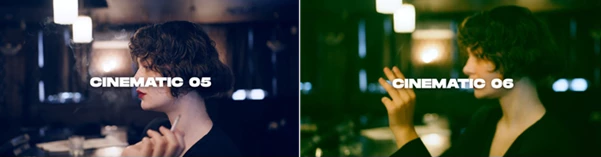
- Warm tones
- Cool tones
- Teal & Orange looks
- Film emulation styles
- Moody and dramatic grades
- Log-friendly adjustments
Non-Destructive Editing
- Adjust opacity, blend modes, and masks freely
Wide Compatibility
- Supports DaVinci Resolve 16, 17, 18, and 19 (Free & Studio)
🎬 Real Impact Examples:
- A travel vlog gets vibrant, cinematic sunsets
- A wedding film gains soft, emotional tones
- A music video achieves dramatic contrast and mood
- Social media reels stand out with polished color
🎯 Pro Tips for Better Results
Don’t overuse the effect. Adjust the intensity setting to make the look more natural in your footage. Use the LUTs according to the feeling that you want to create in your videos. Use warm tones for emotional scenes in your videos. Use cool tones for dramatic scenes or mysteries in your videos. Make sure that your footage has good exposure before using these LUTs. Perform basic color corrections before using these cinematic LUTs. Experiment with different LUTs to see what works best for your project.
🎉 Final Thoughts
Cinematic LUTs offer an easy and effective way to enhance your video projects. They allow you to focus on the important aspects of film editing: creating compelling stories and developing your project’s creative ideas. No matter your experience with video editing software, these tools can enhance your skills right away. If you’re looking to give your videos a more professional look and feel, then these tools are definitely something you should explore.

Files Password : gfxplugin.com OR 123456
.png)